Pages

Showing posts with label reality. Show all posts

Nov 14, 2012

Wireless Router Buying Guide

Wireless router buying guide

We separate marketing from reality to outline the specs and features you need in a wireless router.

Wireless Router Buying Guide

Looking to set up a network in your home so you can connect all your PCs to your broadband Internet service, share data files, and stream audio and video between rooms? Don’t know what equipment you need? Confused by the spec charts for the gear you know you need? Skeptical of the pie-in-the-sky performance claims? We can help.

We’ll assume you already have broadband Internet access (via DSL, cable TV, or whatever solution you might have). The next thing you need is a wireless router that will go between your broadband Internet device (i.e. your DSL or cable modem) and one of your PCs. (Or between your modem and data switch if you already have a more elaborate network). We’re suggesting a wireless model because you don’t want to string Ethernet cable around your home unless you absolutely have to; besides, a wireless router is the best way to access the Internet using your smartphone. And if you ever discover you absolutely must have a wired connection, the router will have a built-in switch to handle it.

Features and wireless networking standards

Now let’s talk about the features you should look for in a wireless router. Just like smartphones, new wireless networking standards are coming out more often than ever. The current standard is 802.11n. Just about every router you can find on store shelves these days should comply with this standard, and this spec typically appears at the top of the list of features printed on the box, so it shouldn’t be hard to find when you go shopping.

There are, however, two new standards now in development that will soon make 802.11n old news: 802.11ac, and 802.11ad. The latter is still a few months off, but 802.11ac routers are already available, such as Buffalo’s AC1300, or D-Link’s DIR 865L. This new standard supplements 802.11n and offers considerably faster speeds, but the problem is that this standard isn’t supported by any of the devices most people currently own. So basically, if you get an 802.11ac router, it’ll probably still be backward compatible with all your 802.11n hardware, but you’ll have to wait for a while before you can get your hands on a device that can actually utilize your router’s 802.11ac capabilities.

Because of this rapid progress in wireless networking standards, if you have older wireless gear, you’ll want to make sure that any new router you buy will remain compatible with whatever previous IEEE standard your other hardware is based on (examples include 802.11a, 802.11b, and 802.11g). And if you want further assurance that your wireless router will work with other wireless devices you already own (wireless network adapters, media-streaming boxes and so on), look for the Wi-Fi Alliance’s Wi-Fi Certified logo. The alliance’s 300 member companies conduct extensive interoperability testing to ensure that products claiming to adhere to 802.11 specifications are in fact compatible.

Wi-Fi network speeds

You should take manufacturers’ speed declarations with a colossal grain of salt. For example, you’ll encounter many claims of “theoretical” maximum bandwidth of 300 or 450Mb/sec (megabits per second), but you’ll never see throughput that high in realistic environments in which walls, doors, appliances, and other barriers separate your router from its client devices. When transferring files using TCP/IP (the most common file-transfer protocol that Windows computers use), you’ll more likely achieve speeds of 100Mb/sec at close range – much less than that at longer distance.

The 300Mb/sec claims aren’t fabrications; they’re just not based on real-world conditions. Fortunately, most wireless routers manufactured in compliance with the 802.11n standard should be capable of streaming high-definition video over a reasonable distance, provided there aren’t too many obstacles in the path between the router and its client.

All wireless routers have built-in switches for making hard-wired network connections, but cheaper routers will have switches rated at only 100Mb/sec. You won’t regret spending a few extra dollars to buy a model with a gigabit switch (that’s 1,000Mb/sec). A gigabit switch won’t make downloading files from the Internet any faster (the fastest cable modems currently deliver only 50MB/sec to 60Mb/sec), but it will make a significant difference in the speed at which you can move files across hard-wired network connections inside your home.

Wireless data security

Wireless networks are as insecure as they are convenient – if you don’t take steps to secure your network, just about any troublemaker within range can eavesdrop on your online activities, leech off your Internet connection, access any of the files stored on your computers, infect your systems with viruses, and cause all sorts of other problems.

If you’re operating an older router that’s limited to WEP (Wired Equivalent Privacy) security, however, you might as well not have any security at all. Cracking WEP security is literally child’s play. The router you buy should support at least WPA2 (the second implementation of the Wi-Fi Protected Access protocol), but every device you add to your network must also support WPA2 for this to work. Your network is only as secure as the least-secure device that’s connected to it.

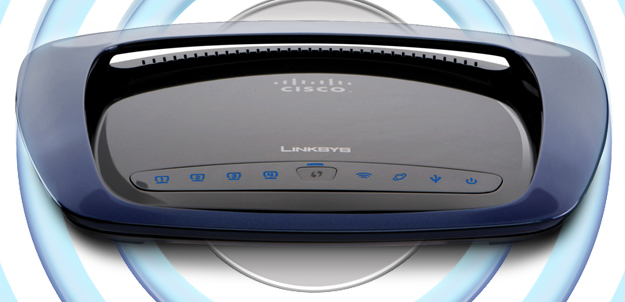
Linksys WRT610NDual-band and tri-band routers

Manufacturers have sold dual-band routers for years, but now many are starting to roll out tri-band routers as well. What does all this ‘dual’ and ‘tri’ business mean? Dual-band typically means that the router is equipped with two radios: one that operates on the 2.4GHz frequency band, and one that runs on the 5.0GHz frequency band. This enables you to set up two separate wireless networks, which is nice to have if you want to use one network exclusively for transferring data files and the other for streaming media, for example. Make sure you read the fine print though – some dual-band routers only have one radio that can operate on either the 2.4GHz or 5.0GHz bands, but not both at the same time. Netgear’s WNDR4500 or Linksys EA4500 are both capable of running on the 2.4GHz and 5.0GHz bands simultaneously.

Tri-band routers are a bit of a new thing, and chances are you’ll have some trouble finding one to purchase. If you’re reading this in 2014 or later however, tri-band routers will likely be ubiquitous by now. Essentially, these routers have a third radio that operates on the currently unlicensed 60GHz frequency band. Using a new technique to beam the radio signal directly to the antennas of connected devices (a process called beamforming) allows some of these routers to achieve data throughput rates of 7Gbps – considerably faster than the measly 300Mbps that 802.11n routers are capable of. 

If you’re only looking to get basic internet access and don’t need all these bells and whistles, you can save a bit of money by going with a single-band N router like the Securifi Almond, or a D-Link DIR-636. 

Quality of Service

Despite the label, Quality of Service (QoS) is not related to the quality of your Internet connection; rather, it’s a set of mechanisms within the router’s firmware that reserves certain resources for different applications. If you rely on a VoIP (Voice over Internet Protocol) service, such as Vonage, for telephone service, QoS allows you to configure the router to assign that data flow higher priority. So if someone in your home is downloading a large file while you’re talking on the phone, the quality of your call won’t degrade.

QoS can also be used to optimize your network’s performance with online games, video streaming, and similar applications. QoS can’t increase your network’s bandwidth or speed up your Internet access, but it can make the best use of the online resources you do have.

D-Link-DIR-855USB connections

The last router feature we’ll examine is USB support. You’ll find USB ports on many routers, but it’s important to find out what that port is used for. On some routers, it’s merely a means of transferring setup information (network ID and password, for example) from the router to a client via a USB memory key. Better routers will allow you to plug in a USB mass-storage device to add NAS (network-attached storage) functionality. Plug a large USB hard drive into your router and every device on your network will have access to that storage resource – it’s like having a cheap server. A good number of routers on the market have USB support, like Netgear’s WNDR4500 for example.

What to spend: price vs. performance

Let’s sum up with a discussion of prices. Depending on the type you get, you can spend anywhere from $35 to nearly $200 on a wireless router. 802.11ac routers will likely cost you a bit more, but the cheapest products will likely sacrifice advanced features such as Quality of Service, USB connectivity, and dual- or tri- radios. They might also be more difficult to set up and may not have strong tech support on tap. If you run into problems. If you don’t need those features and are confident in your own skills, those shortcomings won’t matter.

A cheap router that delivers subpar performance, however, is no bargain. Product reviews will give you a hint as to what you can expect, but setting one up in your own home is the only sure way of knowing how the router will perform in your unique environment. When you buy yours, make sure the retailer you do business with offers a liberal return policy if you’re not satisfied. 


Source : digitaltrends[dot]com

Nov 8, 2012

LOLwork premieres, but is television ready for Internet cats?

Bravo premieres its second tech-related show this week, and LOLwork can officially haz a reality show. But is it as funny as it sounds? And better yet: Is this real life?

If you’re spend hours on the Internet like we do, you’ve already come to know of LOLcats as the World Wide Web’s candy land. A twisted, kitten-infested, rainbow-spewing kind of land that forces you to adore animals and help them express themselves with slabs of broken English captions. As if it wasn’t already a guilty pleasure online, I Can Has Cheezburger, the media group behind LOLcats’ success, has now forayed into the television realm with the premiere of Bravo’s LOLwork.

The format of Seattled-based LOLwork is similar – if not identical – to NBC’s The Office. The show coldly opens to the Cheezburger crew tackling the day’s work: Sifting through animal videos, rationalizing what’s funny from depressing, discussing fan requests for more variation of cat breeds, and deciphering the overall viral LOLcat formula. There’s a lack of silly background music that’s standard in most Bravo shows, and the confessionals take place right in front of random office wall instead of the character’s home or a green screen. At some point, it’s almost uncomfortable how quiet the conversations between characters are. But then you realize that the underproduced quality is an oddly realistic depiction of a work environment … until the characters speak.

Let me be clear: The show has funny moments, so awkwardly funny that I found myself covering my face and sinking into my couch in disbelief that the coworker’s exchanges just happened on my TV. Whether or not the jokes and personalities are authentic is another issue. From the one-liners (“People tell me my cat is like a dog and I tell them to shut up,” “I’m fluent in cat lady”) to the deadpan delivery of buzzkill insults hurled across the newsroom, it’s hard to believe this ridiculousness exist in real life. But then again, the LOLcats world is unlike any other, and we couldn’t imagine any other kind of people running a site like I Can Has Cheezburger without converting to Internet speak along the way.

LOLwork is the second tech-related show Bravo premiered this week (in addition to Start-Ups: Silicon Valley) but it’s definitely worth a watch if you enjoy the quirkiness of our Internet realm. At the core, it’s Web culture come to life; a collection of everything that’s funny about the Internet in one eccentric office. It doesn’t have the greatest time slot at 11 p.m. eastern time following Top Chef: Seattle, but if you as a Bravo audience can stomach some LOLs after gourmet mozzarella watermelon salad, consider giving LOLwork a shot. At the very least, the show transitions between events with LOLcats and YouTube videos so you’ll be the least bit entertained.


Source : digitaltrends[dot]com

Sep 26, 2012

Can you really just print your own working firearm with a 3D printer?

Just because 3D printing will make production more attainable by individuals, does that mean that everyone should be able to produce whatever they want? That hypothetical conundrum has a new reality to it with the announcement that Wiki Weapon, which aims to release plans to allow anyone to 3D print working firearms, has been fully funded.

The advent of 3D printing has been heralded by many as a revolution in mass production, especially with home versions of 3D printers now becoming available. With these devices and a little bit of technical know-how, the converts casually pronounce, anything is possible in the brave new world. That may be true, but it’s always worth remembering: “anything” doesn’t necessarily tend to limit itself to the good stuff.

Last week, Defense Distributed’s Wiki Weapon project reached its funding goal, meaning that – barring any unforeseen circumstances – it will be able to go ahead with its plan to create the world’s first fully-printable, working plastic gun, before going on to make the blueprints for said device available online, for free, for anyone to download and use to build their own firearm. As you might expect, that’s not an idea that thrills everyone.

The project is the creation of a University of Texas law student called Cody Wilson, who worked with a group of engineers, designers and programmers to develop the prototype device after discussing the idea with friends. Wilson is well-aware of ideological objections to make it possible for firearms to be created without license or guidelines, but he is firmly of the mindset that it’s better to live free than restrict an American’s right to bear arms. “People say you’re going to allow people to hurt people, well, that’s one of the sad realities of liberty. People abuse freedom,” he told the Guardian newspaper. “But that’s no excuse not to have these rights or to feel good about someone taking them away from you.”

Wilson is familiar with defending his idea. He initially tried to crowdsource Wiki Weapon on IndieGoGo, only for the website to freeze the project and refuse to share the $2,000 Wilson had already managed to raise beforehand (According to IndieGoGo, the project was frozen for violating company policy as it involved the sale of firearms, a charge that Wilson rejects as Wiki Weapon was never a for-profit project, nor planned to actually sell firearms, as such). Even after he went solo and managed to reach his crowdfunding goal, the problems haven’t ended; it turns out that actually fulfilling its aim may be illegal under US law (Specifically, it may run afoul of a 1988 law known as the Undetectable Firearms Act that prohibits entirely-plastic firearms).

Again, Wilson – who is, after all, a law student and therefore familiar with such legal challenges, is undeterred. “I haven’t felt any real heat yet, but I think it’s very possible the project might happen outside of America or the files might be hosted outside of America,” he’s on record as admitting. “The point of manufacture might also have to be outside of the United States.”

Even with full funding, it’s possible that Wiki Weapons will disappear without a trace like other crowdfunded projects. But it’s worth considering the project just a taste of what’s to come as 3D printing technology becomes more popular amongst the mainstream.


Source : digitaltrends[dot]com

Sep 10, 2012

Nokia City Lens available now for first-gen Lumias, more powerful version for new the Lumias in the works

Nokia used the City Lens augmented reality app to tease the new Lumia phones before they were announced, but the app is not exclusive to the Lumia 920 and 820. Sure, the duo of Windows Phone 8 handsets will be getting a more powerful version, but older, WP7-running, Nokia phones can grab City Lens right now.

What is City Lens? It’s an augmented reality app – that is, it overlays info on the camera viewfinder – and helps you discover places nearby where you can eat, shop and so on. If you’ve used Layar, then you know what I’m talking about.

If not, check out this video:

It’s cool that the City Lens app can switch between three view modes just depending on how you hold it – the camera overlay described above, a map and a simple list are available.

Anyway, the beta period is over and owners of a Lumia 900, 800 or 710 can download City Lens right now (sorry, Lumia 610 owners, it seems that you’re note invited, most likely because of the RAM).

An updated version of the app will be available for the WP8 Lumia models, the 920 and 820. It will have the ability to hide POIs if they are not in view (obscured by a building), it will let you pin a POI category or favorite search to the start too.


Source : blog[dot]gsmarena[dot]com

Aug 26, 2012

Discover the hidden perils of augmented reality in short film ‘Sight’

Sight, a new short film exploring augmented reality

A new short film explores how dangerous life could be if augmented reality was fully-integrated with modern society.

Augmented reality systems like Google’s Project Glass may seem like an incredible new way of making our lives easier, but filmmakers Eran May-raz and Daniel Lazo imagine an alternate version of the future, a world in which the new technology begins to damage life. Created as a graduation project upon completing their education at the Bezaleal Academy of Arts in Jerusalem, Sight shows us the darker side of virtual reality.

We follow Patrick, a single gentleman living in a barren bachelor pad in some nameless metropolis. At the opening of the film he lies chest-first on his living room floor with his arms and legs hovering inches above the ground for no apparent reason. But Patrick sees something entirely different. Through a set of special contact lenses, Patrick seems to be careening toward the earth, collecting points as he directs his body through various targets while avoiding any obstacles in his path.

Next we watch him make his way to the kitchen. He opens the refrigerator and an information overlay informs him when his food items will expire. Choosing a cucumber, he begins to cut it as a game of Fruit Ninja launches. The goal of the new game is to slice vegetables evenly to score the most points. 

As the film progresses it becomes clear that most things in Patrick’s world are more fiction than fact. For instance, the walls of his apartment are actually empty but when seen through his lenses they are covered in gaming scoreboards and impossibly expensive art pieces. Patrick’s seemingly full and perfect life quickly begins to reflect an uninspired and empty existence.

By the time Patrick is out in the real world with his date, Daphne, augmented reality has become the enemy. Rather than enhance his experience, the lenses become a block between two people, a barrier keeping Patrick and Daphne from truly connecting. As date scores and facial recognition software cross-over Patrick’s vision, he struggles to keep the conversation flowing. Suddenly virtual reality is situated as the enemy and we see a much more complicated example of heavily-integrated applications and how they affect social situations. It’s certainly not the future Google is advertising.

What do you think? Is augmented reality a scary prospect or one you look forward to? How close is Sight to showcasing the future?


Source : digitaltrends[dot]com

Aug 23, 2012

Critter, the portable kitchen, is made for the nomadic top chefs

Who says cooking outdoor means working around strange elements? The Critter kitchen system brings indoor functionalities anywhere you go.

You know those cooking reality shows where contestants are often required to go outside their comfort zones and craft a masterful dish in an unconventional location? This has ranged anywhere from a sandy beach, a snowy mountain, a forest, even inside a gondola lift up a ski slope as seen on the recent Top Chef: Texas. If only these chefs could use Critter: a modular kitchen that’s designed to be movable, portable, and can provide full functionalities comparable to a full-sized facility.

Envisioned by Italian designer Elia Mangia, Critter is unlike most portable cooking systems that only feature electric stoves or one water heating pot. The kitchen can be fully assembled to provide a dual-burner gas stovetop, hot water faucet with a sink, elongated food preparation space, garbage disposal area, and hooks underneath to hold utensils, pots, and pans. The entire system is free standing and can be put together in just eight screws, allowing users to take it apart and piece it back together again in quick and easy steps. This means simple preparation for those who want to shift from cooking inside their tiny apartments to a patio or backyard, or even taking the Critter system along on a driving trip for roadside cookouts and camping overnights. It also helps that Critter looks like an actual kitchen, adding a sense of home to wherever it may be that requires a portable cooking system.

Of course, a slight downside to Critter is how many pieces the full kitchen actually has. Assuming you need both a sink, burner, and trays to keep all your separate ingredients apart, you’re looking at bringing at least 12 pieces of hardware to assemble once you’re onsite. Still, Critter looks good, is relatively space-efficient, and seems more practical than cooking over open fire. Who knows, maybe the juxtaposition of fancy modular kitchen and the rugged wilderness can actually make a trip more memorable, especially when you can whip up something a bit more complex than s’mores and ramen noodles.

Critter will be available on the Italian contemporary design shop Skitsch but no pricing information has been announced just yet.


Source : digitaltrends[dot]com