Pages

Showing posts with label system. Show all posts

Nov 19, 2012

The copyright study that Hollywood doesn’t want you to see

Copyright troll tactic tested

A report from the U.S. House's Republican Study Committee that criticizes the current copyright system was quickly removed from the organizations website after alleged complaints from Hollywood lobbyists. Here's everything you need to know, and why you should care.

Few issues rile up civic-minded Web users like copyright policy – and for good reason. U.S. copyright laws are ground zero in the fight between content creators – Hollywood movie studios, record companies, software creators, etc. – and us, the Web users, who “consume” that content. Copyright is the reason the largest Internet service providers in the U.S. are about to start bombarding subscribers with notices that say they may be breaking the law by clicking certain links. It is the force that has confused the idea of ownership in the digital era to the point that it is no longer recognizable. And it is for these reasons, and many others, that so many believe copyright reform is critical for both Web users, and the U.S. economy at large.

Which is why many an eyebrow raised on Friday after the influential Republican Study Committee (RSC) released a policy brief that called for a major overhaul of U.S. copyright policy. The findings and recommendations in the study, which is entitled “Three Myths About Copyright Law and Where to Start to Fix it,” were so “reasonable” that copyright reform evangelists in the technology community immediately jumped on the report as a sign that Washington may soon shed itself of the Hollywood lobbyist-imposed view of copyright, and begin fighting for consumer-focused change.

The elation was short-lived, however; less than 24 hours after the policy brief went up on the Web, the RSC pulled the study from its website. (We’ve reposted it below, in full.)

“Yesterday you received a Policy Brief on copyright law that was published without adequate review within the RSC and failed to meet that standard,” wrote RSC Executive Director Paul S. Teller in a mass email. “Copyright reform would have far-reaching impacts, so it is incredibly important that it be approached with all facts and viewpoints in hand.”

The “three myths” of copyright

The policy brief, authored by RSC staff member Derek Khanna, argues that current copyright policy is damaging to the U.S. economy because it “destroys entire markets,” flies in the face of free market capitalism, and imposes painful, “arbitrary” penalties on those who violate copyright law. In short: The policy brief argues exactly what critics of copyright have been saying for years. Only this time, it came from a source within U.S. House of Representatives – something that has never happened before.

Here is a summary of Khanna’s “three myths” of copyright, and why they are myths:

  1. Copyright was not created in order to guarantee that content creators get paid, as copyright reliant industries claim; it was created to “promote the progress of science and useful arts,” according to the U.S. Constitution. Khanna adds that the “purpose” of copyright “is to lead to maximum productivity and innovation.”
  2. Copyright is not, as some claim, “free market capitalism at work,” writes Khanna. It is the exact opposite: “a government-subsidized monopoly,” thanks to the massive, government-upheld penalties on those who violate copyright.
  3. Copyright does not lead to “innovation and productivity,” writes Khanna. He argues that, instead, copyright policy has created “a system that picks winners and losers, and the losers are new industries that could generate new wealth and added value.”

How to “fix” copyright

Khanna says these misconceptions and errant implementations of copyright policy have stifled a number of industries, including the DJ/remix industry (which he says has become “heavily retarded” in the U.S.); areas of scientific inquiry, due to the copyright of scientific papers from the 20th century; public libraries; journalism; and “added-value” industries, which are prohibited from transforming things like books and movies to include user-generated content such as “‘VH1 Pop-up video’ add-ons.”

To unbind these industries and others, Khanna suggests these reforms to copyright policy:

  1. Statutory damage reform: Limit the amount of money copyright violators can be charged from the current range of $750 to $150,000 per violation down to something more realistic.
  2. Expand fair use: Allow people to use copyrighted content to create their own content more freely. Khanna points to a paper entitled “Infringement Nation,” which “details how things you do every single day are infringing and leave every single person liable for billions in damages each year.”
  3. Punish false copyright claims: Copyright owners face “minimal or nearly non-existent punishment for bogus copyright claims today,” writes Khanna. He says this “often leads to de facto censorship,” something he says would be greatly diminished if there were penalties for copyright owners who falsely claim ownership.
  4. Heavily limit terms of copyright: Right now, copyright law says that individual copyright extends for the life of the author plus 70 years. For corporate copyright owners, the period is potentially even longer: 120 from the date of creation, or 95 years from first publication. Khanna recommends limiting this to an initial “free” 12 years of copyright protection, with the ability for copyright owners to renew the copyright for additional years at a cost.

A tipping point for copyright reform?

While the RSC has disowned Khanna’s report – for reasons officially unknown, but speculated to have something to do with “lobbyist pressure” on the organization, according to an anonymous source who spoke with Ars Technica – the ideas in the brief could represent a sea change for the GOP, which is currently seeking to draw in young voters for which copyright reform is a major issue. The Web-centric fight over the Stop Online Privacy Act (SOPA) and the PROTECT IP Act (PIPA) from earlier this year has also led Congress to reconsider its relationship with Hollywood studios and other heavy hitters in copyright-centric industries.

“It’s always hard to get legislation of any kind passed, but I think the chances have improved enormously since SOPA and PIPA were defeated earlier this year,” said Gigi Sohn, president and CEO of rights advocacy group Public Knowledge, in an email with Digital Trends.

Sohn says that a number of Khanna’s ideas – many of which have been long supported by Public Knowledge and other copyright reform advocates – could make their way through Congress in the coming months and years.

“Some of the possible provisions might include those that 1) expand fair use, including the ability to circumvent technological protection measures for lawful uses; 2) punish copyright holders who willfully and recklessly abuse copyright law and the takedown provisions of the [Digital Millennium Copyright Act]; 3) shorten copyright terms; 4) reduce statutory damages and 5) ensure that the ‘first sale’ doctrine is preserved in the digital age,” said Sohn.

In fact, some of these provisions are already floating around Washington. For example, earlier this month, Rep. Darrell Issa (R-CA) announced a proposal that seeks to allow consumers of movies and music to convert this content into digital formats.

Why you should care (if you don’t already)

Despite the passion surrounding the copyright debate, it is perfectly understandable why many Web users’ eyes glaze over at the mention of any type of policy reform. It’s complicated, even boring. But according to experts on both sides of the debate, copyright is something we should all pay attention to.

“Copyright affects every person’s ability to create, innovate, and express themselves freely,” said Sohn. “If copyright is too strong, it makes those abilities much harder for everyone but the biggest media companies.” She adds that citizens should “tell their Senators and Representatives that reforming our copyright system is important to them and that they want Congress to act in the upcoming term to make copyright law more balanced.”

PJ Kuyper, president of the Motion Picture Licensing Corporation (MPLC), agrees that copyright is important, but believes that it should be respected, not gutted.

“Copyright is not a conservative or liberal issue nor is it about more government or less government,” Kuyper said in an email to Digital Trends. “We should all be on the side of copyright because it is about property rights. No one has a monopoly to music or movies, just a monopoly on their song or their movie. It is no different than car keys giving you a monopoly on your own car.” (Emphasis his.)

What do you think? Should Congress adopt the ideas promoted by Khanna and Public Knowledge? Or should copyright be even stronger than it is today? Let us know your thoughts in the comments. And check out the full RSC policy brief below:

RSC policy brief: Three Myths about Copyright Law and Where to Start to Fix It


Source : digitaltrends[dot]com

UK rethinks awful opt-in web porn filter, comes up with a marginally better idea

After giving consideration to an opt-in Internet content filter, where users would have to request access to adult material, the UK government may announce an active choice system instead before the end of this month.

The debate over whether Internet service providers should be automatically blocking adult content on the Web in the UK continues, however this weekend, news of a slightly tweaked plan has broken.

British Prime Minister David Cameron is said to be pushing forward with a new set of proposals, which veer away from the opt-in schemes from before — where the filter would be active unless you asked for it to be switched off — to a slightly more sensible opt-out system.

Referred to as active choice, the idea is that anyone who buys a new computer or signs-up with a new ISP will be asked whether children will have access to the computer. If the answer is yes, users will be guided through the installation of a filter, before answering a series of questions to set its sensitivity.

To stop cheeky under-18s from bypassing the filter before installation, unnamed measures will be implemented to confirm the person’s age from the start. The proposal may be announced before December.

Filters for the technically naive

Details on the new filter come from a report published by the Daily Mail, a UK newspaper with a poor reputation which has been pushing its own Block Online Porn campaign for a while, despite publishing questionable content itself on a regular basis.

It cites studies that say one in three children under the age of 10 have viewed pornographic material online, while four out of five aged between 14 and 16 do so on a regular basis.

While the new plans go against the blanket op-out schemes previously being considered, the Daily Mail is still claiming this as a victory, despite the system being nowhere near as restrictive as it wanted.

Internet filters appeal to the technically naive, but there’s no guarantee they’ll work. One of the reasons a filter is being considered is to assist parents with no knowledge of computers or the Internet (and obviously, no wish to learn) help stop their children accessing adult content. Except filters are easily avoidable by those with a modicum of know-how, i.e. the kids.

Filters are often ineffectual

There are also problems with filters not only blocking the wrong content, but failing to block that which it’s supposed to. For example, last year a well-known adult video website still appeared to users behind TalkTalk’s HomeSafe filter, as the message the site had been blocked only appeared in a box usually reserved for an advert.

TalkTalk is still the only major ISP in the UK to provide a cross-platform Internet filter, although Sky and Virgin Media have both agreed in principle to implement the government’s plans in the future, should they become mandatory. For now though, both let users choose what can be viewed online in the privacy of their own homes.

It’s becoming increasingly likely that a government enforced filter will be introduced in the UK in the future. While worrying, if one really must be introduced, this latest version is the least insidious discussed so far.


Source : digitaltrends[dot]com

Google kills Christmas (and all of December) with Android 4.2 bug

Google Android 4.2 bug kills Christmas

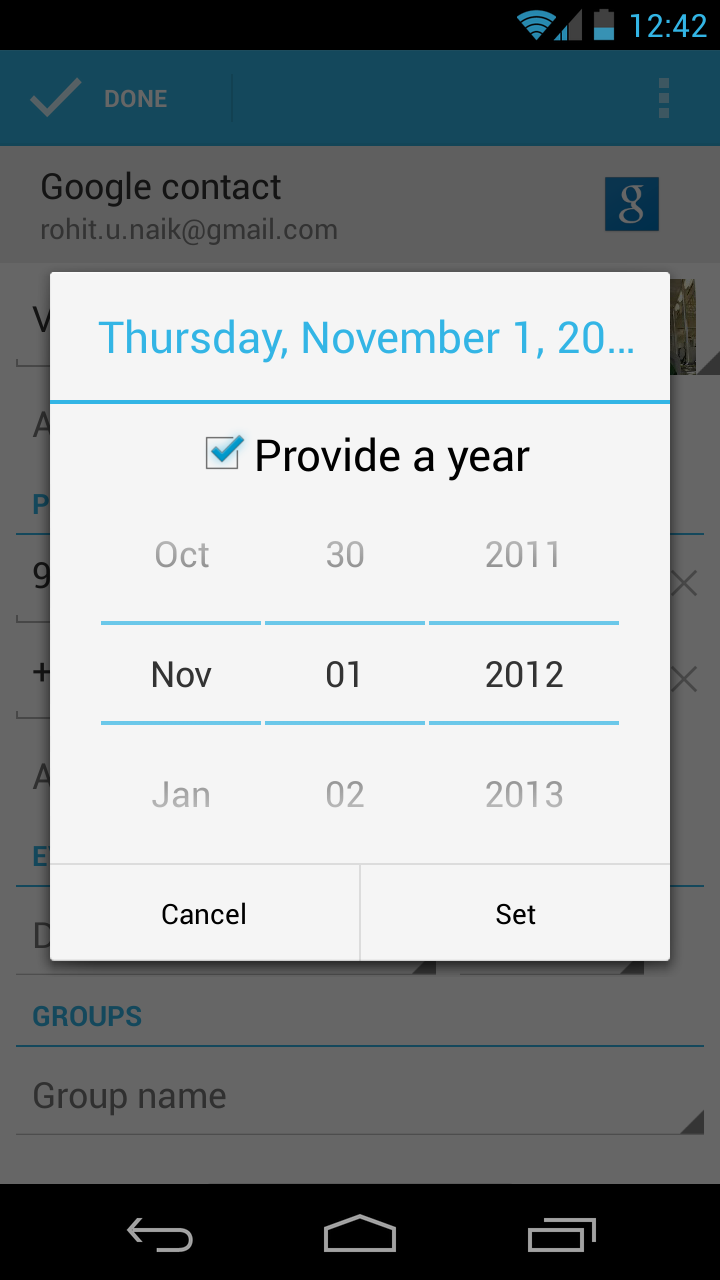
A bug in Google's Android 4.2 (Jelly Bean) mobile operating system has caused the entire month of December to disappear. But fear not: Google has recognized the issue, which we hope means a fix will arrive soon.

Sorry, kids, Christmas is cancelled this year – at least, that’s what Google’s Android 4.2 (Jelly Bean) mobile operating system is telling users. As first reported by AndroidPolice on Saturday, Google accidentally left out the entire month of December in its most recent Android update. Fortunately for users, a fix is likely coming soon. (We hope.)

Christmas Android bug

The absence of December in the Jelly Bean calendar is especially disruptive to the People (contacts) app, since birthdays, reminders, or any other notes related to the month of December cannot be added (since December does not currently exist). The flaw comes built in to the new Nexus 4 and Nexus 10 devices, as well as new or upgraded versions of the Nexus 7 tablet and Galaxy Nexus smartphones.

The no-December flaw was first noted in an Android bug-tracker forum on November 14. It has since been confirmed by a number of users from around the world. But it wasn’t until Saturday, November 17, that Google acknowledged that December 2012 was missing from Jelly Bean.

All said, this is a relatively minor bug – more a source of mild annoyance than catastrophic mayhem. (If, on the other hand, Apple had left out December in iOS, there would surely be nothing short of Hell to pay for the Cupertino giant.) Alas, Google’s roll-out-fix-later modus operandi has likely saved it from too much wrath, if not a dose of embarrassment.

Still, Google has yet to comment on when a fix is due. But we would guess that an update will arrive before December does.

Image via Jeff Cameron Collingwood/Shutterstock


Source : digitaltrends[dot]com

Nov 14, 2012

That was fast: Google already launches Android 4.2 update to fix Google Voice bug

Google has already released an update for Android 4.2 that fixes bugs with Google Voice.

Android 4.2 may be Google’s newest mobile operating system update, but new doesn’t always mean perfect. The latest iteration of Jelly Bean has reportedly caused issues with Google Voice, but the search giant has already issued a fix.

Within 24 hours of its release, Google launched an update for the operating system that fixed inaccuracies with Google Voice. The app has experienced problems ever since the fresh, treat-themed upgrade launched alongside Google’s new Nexus 4 handset and Nexus 10 tablet. Some complaints said that the bug would Force Close a text message if you tried to add a new contact at the same time. This text messaging glitch appears to be the most significant issue, but the update is believed to address any and all compatibility problems between Android 4.2 and Google Voice.

Luckily, the majority of Android users have probably never even encountered this inconvenience. Android 4.2 is only currently available for the Samsung Galaxy Nexus and the LG Nexus 4, which means that the bug has only affected a small number of Android users. The updated operating system will also ship with the Nexus 10 tablet that debuted on Tuesday and almost instantly sold out in the U.S. and UK within minutes (though we don’t know how many sales it took to sell out).

Android 4.2, initially believed to be called Key Lime Pie, represents the next major software upgrade for Android devices. Google introduced the previous edition of Jelly Bean, Android 4.1, at its I/O conference in June along with its Nexus 7 tablet. The search engine giant emphasized the “buttery smooth” interface that users would experience with Jelly Bean, and its new iteration promises the same.

The update boasts new features such as the ability to open multiple windows and apps simultaneously and Android Beam integration. This is Google’s term for its Near-Field Communication (NFC) capability, which lets users share photos, YouTube videos and other content by touching Android devices back-to-back. One of the most noteworthy additions is the new Photo Sphere camera, which takes snapshots in various directions and stitches them together to form one big picture.

While this may seem exciting, it could take a while for the update to completely roll out. Google recently announced that the Nexus S and Motorola Xoom will not be getting Android 4.2, and data collected by the company shows that Android 4.1 is still barely present on most devices.


Source : digitaltrends[dot]com

Nov 9, 2012

7 Google Android Apps to Protect Your Phone from Virus

Google Android is one of the most popular operating systems in the mobile world. As an open source platform it allows others to modify the system files and develop applications. Unfortunately this can result in security threats to the very device that stores all your personal information. Protecting your personal data is easy with one of these free securities and antivirus applications offered for Android.


Antivirus Free
The Antivirus Free application will protect your phone from any malicious apps and viruses by discovering new apps installed on your system and cross-referencing them with a database. The app will request certain permissions which all for an easy installation and function.

Avast! Mobile Security
This application is a fully featured antivirus and anti-theft security application. The avast! application has an automatic virus scans and alerts for infected URL’s. In addition, if your phone is rooted you can add a firewall, control anti-theft features with remote SMS commands.

AVG Antivirus free

The AVG Antivirus is a free security application that protects your smartphones and tablets in real-time, from any viruses, malware and spyware or online corruption. In addition, this app has a task killer, phone locator, app lock and real-time scanner.

Dr.Web Antivirus Light 
This application will not effect your mobile phone operating system performance or reduce the batter life. Dr. Web Antivirus Light uses a distinctive process for discovering new virus families based on previous threats which reduce the size of the virus database.

Lookout Security & Antivirus
On a daily and weekly basis the Lookout application will scan your mobile phone for viruses. In addition, Lookout will scan the root folder of your mobile phone and solve any other problems relating to holes in security.


NetQin Mobile Security & Antivirus
The NetQin application identifies new applications installed and check a database for malicious apps. The functions and use are practical and user-friendly. In addition, there is an anti-theft feature which will allows you to track your robbed phone through Google Maps.

Zoner Antivirus Free
The Zoner Antivirus application provides protection against trojans, worms, spyware, adware, malware and viruses. In addition, the application offers theft protection which enables you to control remotely your device through SMS messages.

It could be devastating if your mobile phone is lost, stolen, or compromised by a virus. It is free and easy to protect all your information stored in your Google Android with one of these antivirus applications.

Tags: Anti-theft Security, Antivirus Free, Automatic Virus Scans, Avast! Mobile Security, Dr.Web Antivirus Light, Google Android Apps, Lookout Security & Antivirus, Mobile Phone Operating System Performance, NetQin Mobile Security & Antivirus, Security Holes, Trojan Worms, Zoner Antivirus Free

Source : techtalkafrica[dot]com

The power of three: BorgWarner builds world’s first three-stage turbo system for diesels

BorgWarner has developed a high-performance three-stage turbo system for BMW's diesel M cars. The system has given the engine a big gain in both power and fuel economy.

Turbocharging technology has come a long way in recent years, doing much to improve the power output of smaller engines and generally helping to keep fleet fuel economy numbers up. But now BorWarner has introduced a new turbocharging system which represents a major leap forward for the world of turbocharging. Making its first appearance in the BMW M550d xDrive Sedan and Touring, the X5 M50d Touring and the X6 M50d is a 3.0-liter inline-six using the world’s first three-stage turbo system for diesels.

The system uses two smaller high-pressure BV45 variable turbine geometry turbochargers and one large B2 low-pressure water-cooled turbocharger. The idea is for each turbocharger to spool up at a different engine speed, and therefore more effectively keep a high volume of air flowing into the engine at all times. Compressed air allows for a better burn from the fuel, effectively getting more power out of the same amount of fuel.

The problem which many early turbo systems suffered from was that a single turbo can provide compressed air across only so much of the power band. This meant that engines would either bog down at higher revs or (more usually) suffer from “turbo lag” when revs were low and the turbo wasn’t yet up to speed. Much of this has been improved in recent years as twin turbos operating in sequence made for a more progressive application of boost, as opposed to the on/off nature of older single-turbo systems. A three-stage system is an evolution of this same idea, all three turbos keeping air flowing at whatever the engine speed.

BorgWarner says the system provides almost 25 percent more power and eight percent better fuel economy when compared to the older two-stage system used in cars like the BMW 740d (125.5 horsepower per liter of displacement versus 100.5 horsepower per liter of displacement for the old system). The engine produces 381 horsepower and 546lb-ft of torque, more than enough to do justice to the M badges on the cars. Diesels haven’t been very popular with road-going performance cars in years past, but as companies like Audi and Peugeot continue to look to diesel for their motorsports applications, the idea of a diesel in a high-end performance machine makes more sense. Where this technology will go next isn’t specifically known yet, but if the benefits are as good as BorgWarner claim, we’re sure to see a lot more of it.


Source : digitaltrends[dot]com

Nov 6, 2012

Windows Phone 8X vs. Galaxy S3 vs. iPhone 5: spec showdown

Galaxy S3 vs Windows Phone 8X vs iPhone 5 spec comparison

The biggest representatives of every operating system go head-to-head-.to head. The iPhone 5, Samsung Galaxy S3, and HTC Windows Phone 8X square off in a Spec Showdown. Which phone best meets your needs? Take a look at our comparison and make your call.

Since Apple makes its own products, it’s latest product is the default market leader for iOS. For Android and Windows Phone handsets, however, the field is wide open. The market defines the front runners with their wallets, and there’s the media darlings that manage to snag the hearts of reviewers. The Samsung Galaxy S3 has become Android’s model phone, in part because of an aggressive and enjoyable ad campaign, and because it’s just a darn good handset. With Windows Phone 8 just becoming available, we can’t be certain what the mobile operating system’s chief representative will be. What we can say with confidence, though, is that HTC’s Windows Phone 8X can make quite a case for itself. How do these three heavyweights of the handset world stack up against one another? Take a look at the stat sheet and draw your own conclusions.

Read our full reviews for the iPhone 5, Samsung Galaxy S3, and HTC Windows Phone 8X for our extended take on each option. 


iPhone 5 

iPhone 5 display

Galaxy S3

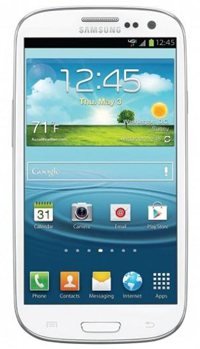
galaxy s3

Windows Phone 8X 

HTC Windows Phone 8X tiny

Size  123.8 x 58.6 x 7.6 (mm)  136.6 x 70.6 x 8.6 (mm)  132.3 x 66.2 x 10.1 (mm)
Weight  112g  133g  130g
Screen  4.0-inch LCD  4.8-inch Super AMOLED  4.3-inch Super LCD 2
Resolution  1136×640 pixels  1280×720 pixels  1280×720 pixels
OS  iOS 6.0.1  Android 4.0 with TouchWiz UI  Windows Phone 8
Storage  16/32/64GB  16/32GB  16GB
SD Card Slot  No  Yes  No
Processor  Dual-core A6X  Dual-core Snapdragon S4 (US)  Dual-core Snapdragon S4
RAM  1GB  2GB  1GB
Connectivity  Wi-Fi, 4G LTE, HSPA+  Wi-Fi, 4G LTE, HSPA+  Wi-Fi, 4G LTE, HSPA+
Camera  Front 1.2MP, Rear 8MP  Front 1.9MP, Rear 8MP  Front 2MP, Rear 8MP
Bluetooth  Yes, version 4.0  Yes, version 4.0  Yes, version 3.1
Battery  1440mAh  2100mAh  1800mAh
Charger  Lightning connector  Micro USB  Micro USB
Marketplace  Apple App Store  Google Play Store  Windows Phone Store
Price  $200+  $200+  $100+
Availability  AT&T, Sprint, Verizon  AT&T, Sprint, T-Mob, Verizon  AT&T, T-Mob, Verizon

What it means: You can sit and compare the processing power and pixel-per-inch count on each device and come to a conclusion about which phone is most technically sound. That said, the biggest and most glaring difference between these three handsets is in one category: the operating system. Apple’s iOS is streamlined and smooth, like everything Apple; Google’s Android OS is in a seemingly constant state of upgrade, but rarely are the changes met with complaints; Windows Phone 8 brings the complete implementation of Live Tiles, and we’ve already started to see that Microsoft may be on to something. The deciding factor may come down to your other devices and computer. If you own a Mac, sticking with the Apple theme may be best for the purposes of continuity. PC users that sprung for Windows 8 should consider snagging the Windows Phone 8X to get the full functionality of the OS. Android devices can work with Mac, Windows, or even Linux, and the NFC features like S Beam make the Galaxy S3 appealing if your friends of co-workers also own the device. Luckily, if you are making your choice from this group, it’s hard to pick wrong.

(Specs by Jeffrey Van Camp)


Source : digitaltrends[dot]com

Oct 25, 2012

Imgur evolves into a more socially-friendly service – without alienating its loyal Redditors

imgur

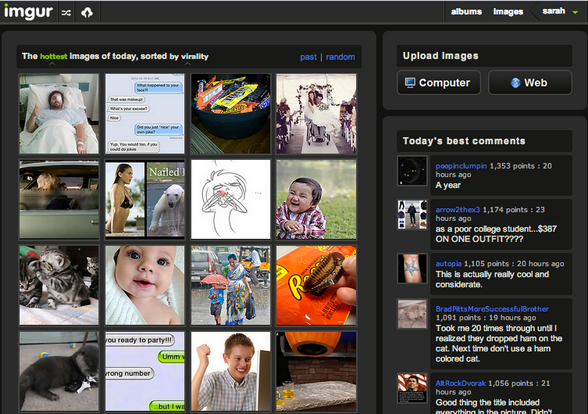
Imgur made some rare but dramatic changes to its service, adding Reddit-like functionality to look more like a social network. A new commenting system has also been introduced to the site, giving users more options for how they discovery Imgur-hosted images.

Imgur has undergone a redesign, which is a rarity for a site that pushes updates less frequently than even Reddit. But if the new features are any indication of a shift in the site’s focus, it looks like Imgur is intent on becoming a fully functioning social media platform for user generated content.

In an August 2012 AMA with Imgur creator and CEO Alan Schaaf, who developed and launched the site back in Feburuary 2009 from his dorm room as a Junior at Ohio University, we got a glimpse at some of the impressive data supporting Imgur. The number of page views, duration, and bounce rate were so encouraging, it was clear the site had a shot at being more than just an uploading and hosting service. And that high rate of engagement means Imgur is an attractive asset for advertisers that can overlook the NSFW and oftentimes copyright-violating content that the site is home to. 

Here’s a quick look at some of Imgur’s analytics:

  • Visits: 205,670,059
  • Unique Visitors: 45,046,495
  • Pageviews: 2,313,286,251
  • Pages / Visit: 11.25
  • Avg. Visit Duration: 00:11:14
  • Bounce Rate: 35.31%
  • % New Visits: 17.05%

The update is subtle, and while it doesn’t overwhelmingly impact Imgur’s function, it definitely hints at the platform’s direction. Before today, Imgur was little more than an image hosting service. Auxiliary features (like the Imgur gallery) are the bells and whistles that were gradually added over time, but have never been the focus. Even the algorithm powering what images did or didn’t make it to the gallery depended on the traffic the images generated on third-party sites like Reddit.

Today that changes: When users upload images directly to Imgur, they can submit the images directly to Imgur’s coveted gallery. The updated sorting algorithm will surface the best images to the gallery’s front page based on certain variables including the number of votes the image receives from within Imgur, the number of views the image receives, and the period of time that users have interacted with the image. Imgur users can also now sort and discover new content based on the hottest, newest, and top scoring images.

Long-time Redditors know that upvotes for submitted content is as valuable as being upvoted for comments, so the comment update to Imgur will now be an extension of the way Reddit functions. In fact you’ll see the top comments that surface on the right-hand column of the home page.

imguraffeWhile it’s certainly a social turn, those closest to the matter — Redditors — seem to think Imgur won’t be staying too far from its roots. Reddit general manager Erik Martin assured me that Imgur’s motivation is different from Facebook’s and Instagram’s. Martin even pointed me to a recent image uploaded to Imgur that garnered half a million views in just a couple of days of Frank Tanabe, a Japanese American World War 1 vet. “It was just a story and image he wanted to share with the world, and Imgur and Reddit let him do that very efficiently,” says Martin. That image was taken from the Tanabe’s son’s Facebook profile and uploaded to Imgur.

Other updates today include a reputation system that award digital Imgur “medallions,” community-based commendations, and the long-awaited introduction of Imgur’s official mascot and logo, the Imguraffe. Imguraffe was born of an April Fool’s joke the team tried to play on its users, replacing the site with the image. Turns out, we all love him, and now he’s been officially added to Imgur’s branding. While the announcements reveal nothing about future iterations, according to the AMA, the next feature updates that we may be seeing from the Imgur team are mobile apps and even an e-commerce store, but no official word on their introduction yet.

The bottom line for Redditors and loyal users is that nothing about the Reddit-Imgur relationship or the site’s basic utility will change — except that now you have what’s essentially an image-only Reddit, should you choose to discover content this way. 


Source : digitaltrends[dot]com

How Does The Navigation System On My Phone Know Where I Am?

The concept of a navigation system was first proposed around 50years ago. Around 20 years ago, only the Government had access to satellite technology so it amazing that in such a short space of time satellite based technology has made its way into navigation systems and even mobile Phones. You would be hard pressed to find a high or mid-tier phone without a built in navigation system and even some entry level phones (such as the entry level Android phones) come with a ready to use navigation system. Gone are the days when you need to stop and ask for directions but have you ever wondered how your phone determines where you are? Surely the navigation system doesn’t call its friend up and ask it for directions! Does it?

As you read this blog post, a network of GPS satellites are orbiting the Earth at an altitude of about 20,000 KM, making two full rotations around the Earth every day! A few Satellite systems have emerged but only two have made their way into mainstreams phones. At the moment, GPS is more widespread but GLONASS is said to be more accurate due to the way the satellites have been positioned. Many new devices such as the iPhone 4S, iPhone 5, Galaxy S3 as well as the new Sony Xperia phone make use of both GPS and GLONASS satellites to obtain greater accuracy and to shorten location finding times. GPS has 27 satellites and 3 of those are used for backup purposes. Like GPS, GLONASS has 3 for backup purposes as well but only has 24 satellites.

Google Maps on Android

Navigation system on IOS 6

How does it work? 

A random number is generated consisting of a long string of data and is continuously broadcasted by each satellite. The contents of the data being transmitted is not important but what is important is that the contents of the data being sent by the satellites and hat being received by the navigation systems is the same.

Your phone compares signals sent from a number of satellites in real-time. Phones use data from 4 satellites since GPS satellites have been positioned so that 4 satellites are able to communicate with a receiver at any given time. Comparing data from 3 satellites is considered to be sufficient but GPS makes use of 4 satellites for additional accuracy.

The phone now knows the distance between itself and the satellites tracking it but doesn’t know in which direction. To do this, it uses trilateration which compares the distance between you and three other locations although GPS uses 4 locations for additional accuracy.  If a satellite can see your phone known you must be somewhere in the radius of what that particular satellite can see. If a second satellite can see you then you know that you must also be within the radius of what that satellite can see. However, since two satellites can see you, you know that you must be somewhere where the radius of the two satellites intersects. The introduction of a third satellite can show you exactly where you are.

Now that your phone has your latitude, longitude and altitude it can now compare these coordinates with its own maps in order to determine the details of where you are.

BIO: This is a guest post on behalf of RAM tracking who specialise in vehicle tracking software. Vehicle tracking software uses a similar method to determine where the driver is.

Report an error

No tags for this post.
Source : techtalkafrica[dot]com

5 amazing things about Windows 8

5 amazing things about Windows 8

Microsoft's latest operating system marks the first time Windows and touch have worked together. But before you discount Windows 8 as a half-baked OS, you may want to learn about a few really great things it has to offer.

Windows 8 represents a huge change, not just for Microsoft, but for everyone who uses a computer. Microsoft is pushing Windows to new heights in terms of design. In the process, it’s created a hybrid operating system that fuses speed and mobility with serious productivity. Sure, it may take some getting used to, but we believe Microsoft stumbled (or planned to stumble) on the future of computing. With Windows 8, you no longer have to spread your life across devices. Instead, your laptop can be your tablet and your tablet can be your desktop (with an external display) and so on and so forth forever and ever. 

It will definitely take some getting used to — the hands-on nature of the OS already requires a bit of a brain rewire — but change should be exciting. This is the first time in a long time that Microsoft has drastically overhauled the aesthetics in Windows and it should be celebrated for it. Yes, it has its limitations and annoyances, but Microsoft is steadily rolling out updates and responding to customer feedback. There’s nowhere to go but up. 

Earlier this week we published a list outlining five really annoying attributes of Windows 8 and they still stand true. But we did say it wasn’t all bad and this is why.  

Windows 8 and Windows RT 

Introducing two very distinct version of Windows (RT and 8) and not properly explaining them is, admittedly, ill-advised. It’s confusing to customers but the two versions are a necessary evil to drive the success of Windows 8. To put it plainly, Microsoft needed to compete with the iPad. It was do or die.

For those of you who still don’t know the difference between Windows 8 and Windows RT (it’s not your fault), Windows 8 is the full version complete with support of legacy apps and access to the classic desktop environment. It runs on x86 devices, which can be powered by Intel or AMD chips with an estimated battery life of 8 hours. RT, on the other hand, is the mobile version of Windows 8. Apps can only be downloaded through the Windows Store (third-party software is not compatible) and it runs on ARM chips that boast up to 20 hours of battery. There is technically a desktop mode, but it only exists to run Microsoft Office and a desktop version of Internet Explorer. 

microsoft surface windows rtWindows 8 is a fantastic platform for users who need a proper desktop and can’t lose their favorite Windows 7 apps, but people in the market for an iPad replacement don’t need a high-powered device and certainly won’t be wooed by promises of 8-hour battery life. For the average consumer looking for a tablet, a streamlined version of Windows is the best fit. It’s optimized for touch, installing apps is quick and painless, push notifications are supported, and battery life undergoes a significant jump. Right now the Windows Store is a bit bare, but more and more apps will be made available in the coming months. Both Google and Mozilla already have beta versions of Chrome and Firefox optimized for Windows 8-style UI. It may take a while for your favorite apps to catch up with the new requirements, but the basics are already available.

The bottom line is that without Windows RT to offer superior battery life and cheaper prices, Microsoft wouldn’t stand a chance at competing against iOS and Android in the tablet market.  

It’s two operating systems gently molded together

Windows 8 has received a whole lot of criticism for plastering a mobile OS on top of a desktop environment and calling it “revolutionary”, but the truth is that most people will rarely leave the Start Screen. For most common tasks (ie: web browsing, email, music, social media, video, etc.) the Windows 8-style interface will do just fine. For web browsing, you have IE10, which is surprisingly not horrible, the Mail app is acceptable, and social media is built into the People app. However, as we all know, mobile apps aren’t always the most productive pieces of software and that’s where the traditional desktop is crucial for power users. 

It’s the inclusion of the desktop environment that proves although Microsoft is ready to move forward with Windows, it wants to take existing users by the hand and give them time to adjust. Rather than shoehorn mobile elements into its desktop OS (much like Apple seems to be doing with OSX), Microsoft chose to make its mobile elements very much distinct from the traditional desktop. What may seem like an odd design choice at first, is actually a powerful tool. The PC is split into two software modes: consumer and producer. In the desktop mode, you’ll primarily be creating new content, while in the Windows 8-style UI, you’ll be consuming content. It’s a nice separation that can keep you focused while performing various tasks. Having both the mobile and classic sides of Windows on the same device has more perks as well, like using the same device for web browsing before bed that you use to work on your kick-ass career (or hobby). 

It’s a fresh design

There’s no denying that — for better or worse — Windows 8 brings something fresh and exciting to personal computing. While Apple seems to only be interested in coasting along on its established reputation for reliable hardware and software, Microsoft is the one pushing traditional computers into the future. Like any new design, the Windows 8-style UI won’t appeal to everyone, but it would be foolish to attack Microsoft for forcing us to confront a new type of interface. 

Asus Vivo Tab RT Windows 8 homescreen

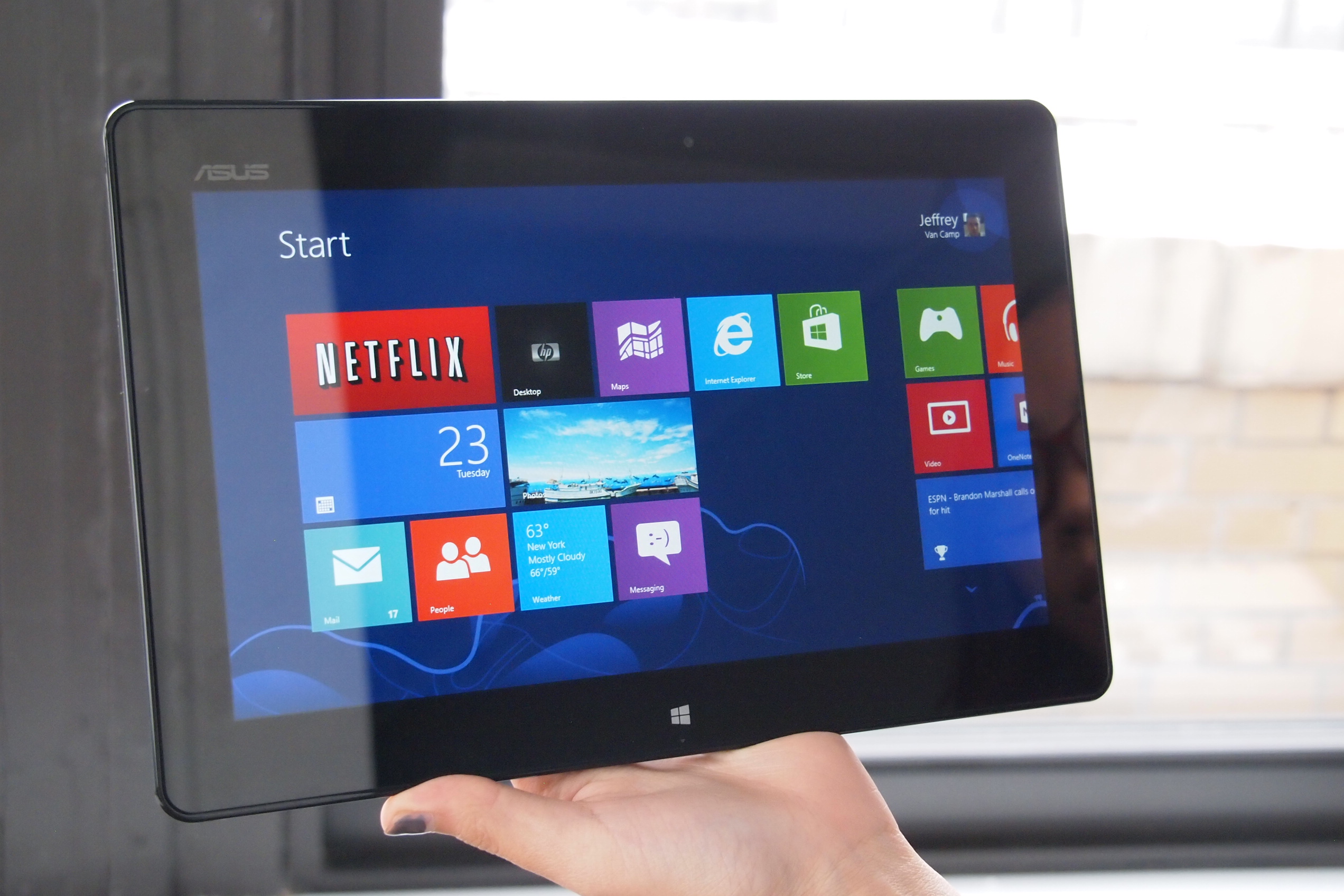
Of course, design goes deeper than aesthetics, but Windows 8 has that covered as well. Live Tiles are by far the most obvious innovation here. They work great on a smartphone or a tablet, offering quick updates from your most-used applications. No more sifting through programs and webpages to catch up on what’s new because the same thing can be accomplished with a swipe across the revamped Start screen. It’s information at a glance and it saves a whole lot of time and effort, which should be the goal of new consumer technology. 

This is also the first time Windows has had its own distinct and compelling “look”, with a focus on design. Its bold colors, crisp lines, and silky animations, a computer running Windows 8 cannot be ignored. 

It’s built to be touched

With Windows 8, Microsoft has made old hardware obsolete to usher in a new era of computing where touch devices are the norm. In the past, Microsoft tried to make everyone happy by sticking with a familiar OS design and loading it on touch hardware but we all know how that turned out. It was awful. 

Thankfully, that’s all changed. Windows has been rebuilt, revamped, and revitalized to be touch-friendly, borrowing heavily from its smartphone equivalent, Windows Phone 8. It’s an interface that practically begs you to touch it, and once you give into temptation, it’s satisfying as hell. Touch commands feel intuitive and natural after only a few brief moments of use and in the end you feel completely in control. In response to the touch-first nature of Windows 8, PC-makers have generated their most ambitious devices yet. So far we’ve seen sliding tablets, keyboard docks, touchscreen laptops, dual-screens, and a 20-inch tabletop device. Most devices arriving in the next few months have managed to successfully combing the tablet and PC one super-computer-of-the-future.

Take Samsung’s ATIV Smart PC as an example, it packs the internals and profile of an ultrabook but can be removed from its keyboard dock to function as a traditional tablet. Toshiba’s Satellite U925t is a tablet complete with a slide-out keyboard. ASUS brings the world its first dual-screen laptop, placing a second display on the lid of the device. It may not be in everyone’s budget to immediately upgrade their PC, but there’s no question that the future of computing is here and it’s ready to be tested.  

It’s the Internet

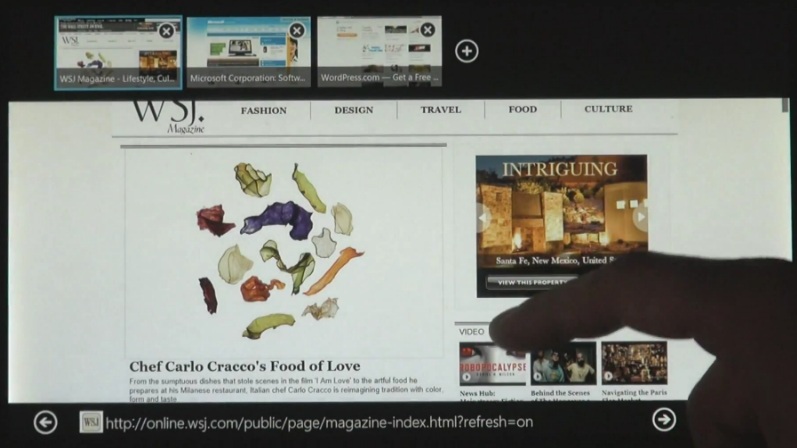
windows-8-internet-explorer-10-touchWindows 8 brings the internet to you with built-in apps. No longer is interaction with the Web available solely through your web browser of choice, now it’s right there to greet you once you boot up — something Windows 8 is really quick at by the way. 

We covered Live Tiles earlier, but it’s really amazing to witness how connected they are. For instance, the People tile shows you recent status updates and profile photos of your contacts, the Weather tile displays the current forecast, and the Mail tile keeps an updated unread message count and previews the most recent subject line. There are also tiles that display stocks, sports updates, and news headlines. As the collection of Windows 8 apps grow, the capability of tiles will grow as well, further reducing the time spent in a browser. Windows 8 doesn’t just give you access to the internet, it is the internet, and that’s a very powerful thing. 

We’re ready for it

To conclude our love letter to Windows 8, we must admit our excitement and amusement in watching a technology giant like Microsoft learning to lead once again. Microsoft is a company that (up until recently) was basically written off as a boring, stuffy, enterprise-obsessed, mindless, corporate machine. However, it’s that label that has made this current transformation so captivating to watch. Of course, there will be missteps along the way but that doesn’t make it any less fun to follow along. Based on the anticipation that surrounded the release of the Surface tablet, the world is ready to embrace something new. We may not be ready to let go of our beloved desktop, but at least we’re willing to take the first step. 


Source : digitaltrends[dot]com

Oct 12, 2012

Dell announces new Windows 8-running PCs, lets you preorder now

Dell is introduced its lineup of upcoming PCs, running the new Windows 8 operating system.

There’s the new tablet-slash-ultrabook called XPS 12, the XPS 13 ultrabook has received an Ivy Bridge update, while the XPS One 27 and Inspiron One 23 All-in-Ones got touch-enabled screens. All four are available for pre-order in the USA, Canada and select European countries with shipping expected to start on October 25.

The most interesting device in the pack is the XPS 12. It has a 12.5″ touchscreen of 1080p resolution and with 400 nit brightness, which can be rotated full 360 degrees, making the ultrabook usable as a tablet. The XPS 12 comes with a choice between Inter Core i5 and i7 processors and either 128 GB or 256 GB SSD.

The XPS 12 should ship around October 30 and starts at $1199. Here’s itsproduct page.

Next comes the XPS 13 which got announced at CES this year. It’s received an update to Intel’s Ivy Bridge processors and replaced the Intel HD 3000 with Intel HD 4000 graphics. It will come in two variants – an i5 and i7 with 128 GB SSD, starting at $999.

Dell estimates October 25 as a shipping date. Here’s the product page.

The XPS One 27 is an All-in-One PC with a 27″ WQHD (2560 x 1440) display which is now also touch-capable.

The XPS One 27 is rather pricey, but has very solid specs to show for it. Price starts from $1599 and shipping will start between October 25 and November 1, depending on the model. Here’s the product page for the XPS One 27.

Finally we come to the Inspiron One 23, which is the smaller All-in-One PC from Dell. It still has the 23″ 1080p display only now it’s been bumped to a touch panel too.

Price starts from $649. Check out the product page here.

And here’s a promo video of Dell’s new PC offerings.


Source : blog[dot]gsmarena[dot]com

Oct 10, 2012

Groupon’s turning its Breadcrumb acquisition into an iPad point-of-sale system

breadcrumb

Groupon unveiled its latest play in assert the company as a commerce platform with the iPad-based point-of-sale system for merchants.

Groupon acquired iPad point-of-sale solution Breadcrumb just a few months ago and today the daily deals giant has accordingly unveiled its own POS system for local businesses to use on the iPad. While Groupon has offered a Square-like card reader to its clients, the new service is a fully-featured cash register replacement. Given Groupon’s recent launch of its payment system, Groupon Payments, the physical POS system is a natural next step. 

With Groupon Payments, Groupon hopes to reassure shareholders that have been disappointment by the company’s performance since its initial IPO price at $20 per share tanked and settled into single digits. At the moment, based on Yahoo Finance, Groupon’s stock is priced at $5.31. Still, that number is up since September, when it was at its lowest at $4.15 per share.

According to Groupon’s blog post, Breadcrumb’s General Manager Seth Harris explains that the company will be purposed with the hospitality industry in mind. “We started Breadcrumb to provide the hospitality industry with the best POS experience it has ever had,” says Harris. Breadcrumb is a fairly robust point-of-sale system: Servers can search for menu items and rearrange tables within the iPad-based software, take and place orders, split checks, process payments, and access analytics to track sales and performance.

breadcrumb pricing

Breadcrumb for Groupon will run strictly on iPads for a recurring monthly rental fee of $99, and this cost includes 24/7 support from Groupon’s hospitality focused customer service representatives. Breadcrumb will likely have multiple payment plans depending on the number of terminals that a business is interested in renting. All plans include the iPad compatible Breadcrumb software for rent, unlimited users, and free updates. But for $399 per month, merchants can use Breadcrumb on as many as 10 iPads, according to Breadcrumb’s site. Although, for that cost, the hardware (iPads, printers, and cash drawers) isn’t included.

Groupon Payments will likely serve as the payment system running on top of Breadcrumb’s platform. We’ve reached out to Groupon to clarify this.

When we last talked to Groupon, we learned exclusively that the company is working on developing a brick-and-mortar point-of-sale terminal for local mom-and-pop type shops, which should be introduced within the next month. According to a Groupon rep, not all small retail owners are tech savvy and interested in evolving into iPad POS services. 

With Groupon’s stock price slowly climbing, the company may have found a way to crawl out of the daily deals black hole.


Source : digitaltrends[dot]com

Best Android Apps [Part 1]

Android apps are mobile softwares specifically developed for operating on the Android OS or operating system. This is probably the most popular platform used in tablets, cellphones along with other mobile devices. Google’s OS has an open source nature which directly means that users can download and install numerous fantastic applications on their phones and tablets. Most of the top Android apps are free, and there are free versions of the paid ones, so users can always choose to make the most of the Android apps store without having to worry about the finances involved. Last time, we posted something on Best iPhone Apps, feel free to check it out.

Back in 2008, the first ever Android-powered handset was released and since then the Android app store has become one the most visited marketplaces for downloading of applications. Back when it first started out, the Android Market for apps was quite minimalistic as compared to the Apple store for applications. Today, the store offers millions of applications for quick and easy download.

In the crowded Android Market, finding the best and top rated apps can be quite a challenge. This is where a compressive list of apps comes in handy. The apps are usually rated based on how many downloads it has recorded and the general public reviews collected. Here is a list of best apps for Android phones and tablet PCs based on user reviews and number of downloads:

1) Seesmic for Twitter (Free)

There are many Twitter applications on Android, including an official one by Twitter itself, but Seesmic has been popular for numerous reasons. It provides unlimited support for several accounts and a home-page widget shows the newest tweets in real time. The design is very professional and it is quite user friendly, this app is free but there’s a pro version you can get for £1.89 available here

2) Samsung ChatOn (Free)

While there are plenty of messaging tools for the Android platform, Samsung’s ChatOn take the cake. With multi-platform support and the ability to incorporate social networking features, ChatOn has clients available for older, non-smart Samsung phones as well.

3) Flicker (Free)

Flickr is one of the best Android apps for users who like all their news, tweets and updates in one place. The app supports Twitter and Facebook sharing and users can click pictures from within Flicker. There is a set of Instagram-like filters as well. If you can get it free, why not, this app is available for free

4) FX Photo Editor ($3.99)

The FX Photo Editor is a great photo editing tool. It is packed with filters, cropping tools and frames and also lets users tweak their pictures with various other resourceful features and tools. There is a free version as well that comes with fewer features.

5) BeWeather (Free)

Although there are various weather apps for users to choose from, BeWeather is often considered one of the best android apps. It displays the current weather in vibrant HD weather animations. Users are also given many customizable clock and weather widgets. Weather applications are always a huge hit with smartphone users and these also come in handy.

6) Postman SMS Spam Blocker (Free)

Users who prefer a good text message spam filter and blocker can download the Postman SMS Spam Blocker for free. This app automatically filters unwanted text messages so that they never actually reach you. Filtering out spammy and unwanted texts is one of the biggest concerns for smartphone owners. With an application like Postman SMS Spam Blocker, the task becomes simple and hassle-free.

7) doubleTwist Alarm Clock ($1.99)

This is one of the most beautiful and feature-rich alarm clock apps for Android. Unlike most other alarm clock apps, this one is paid but its layout makes it worth the money. doubleTwist has been popular for releasing some of the best known Android apps.

8) Google Maps (Free)

One of the top Android apps for navigation is the Google Maps Navigation app. Designed for users with Android 1.6 or above, the application offers turn-by-turn navigation and route calculations are done as soon as the trip starts. Users are on target even when the GPS signal is lost.

9) Dropbox (Free)

Dropbox gained a lot of popularity when it was introduced for the iOS platform and its Android version has also become highly popular, making it one of the best apps for Android. The app allows users to sync files across all their devices with ease. Although everything is not as automated as users would have hoped, it is still a great app.

10) Photon ($0.99)

For users who love puzzle games, Photon is one of the best android apps. If you loved games like Bejeweled or Chuzzle, then Photon is something that you must download on your Android phone or tablet. The game is easy to play and poses quite a challenge to even the most seasoned of players.

Report an error

Tags: android apps, Android Games, best android apps, best apps for android, top android apps

Source : techtalkafrica[dot]com

Oct 3, 2012

iOS 6 now active on over 60% of iPhones

Apple’s latest operating system version, iOS 6, has already made its way to over 60% of iPhones.

The new update has also made its way to roughly 45% of iPads and just below 40% of iPods since its release on September 19th.

The statistics, tracked by Chitika data analytics, reflects data gathered on September 30, so the totals are surely even higher today. Chitika claims that the reasons for the higher version fragmentation on the iPad and iPod as opposed to the iPhone is that certain versions of the iPod touch can’t go past iOS 4, and the lack of incentives offered by carriers to encourage upgrades.

Overall, having to concentrate on only a handful of devices allows Apple to ensure quick rollout of its OS versions, and is far and away better than what Google can offer on Android.


Source : blog[dot]gsmarena[dot]com

Sep 25, 2012

Samsung lays out Jelly Bean update plan in vaguest way possible

Monday brought the latest update of Google’s mobile operating system, Android 4.1, to Samsung Galaxy 3S owners. While owners of the arguably most popular Android device are already enjoying the update to Jelly Bean, other Samsung consumers will have their sweet tooth satisfied soon. Well, kind of.

The Korean manufacturer is ready to roll out Jelly Bean to at least fifteen of their phones and tablets. Included on the list are the following:

  • Galaxy Tab 7.0 Plus
  • Galaxy Tab 2 7.0
  • Galaxy Tab 2 10.1
  • Galaxy S Advance
  • Galaxy S Duos
  • Galaxy S2
  • Galaxy S2 LTE
  • Galaxy Note
  • Galaxy Note 10.1
  • Galaxy Music
  • Galaxy Chat
  • Galaxy Ace Plus
  • Galaxy Ace 2
  • Galaxy Beam
  • Galaxy Mini 2

When will these devices finally get to install the latest installment of the Android OS? As soon as, well… soon. Samsung has given us device names, but no official date or timeframe for the arrival of Jelly Bean. Rumor has it if you can guess how many jelly beans Samsung has in a jar in their office, they will give you an early update. But that could also be a rumor we just made up (and it is).


Source : digitaltrends[dot]com
How To Install ios 6 on iPhone ,iPad or iPod Touch

Apple, as promised in an event organized at yerba Buena center unveiled ios 6, a sixth generation operating system for iPhone, iPad and iPod touch.

As I think, almost everyone is looking forward to upgrade to ios6 and probably eager to enhance your gadget with new and exciting applications.  You can grab the latest ios from direct links at the end of this post and below is the step by step tutorial on how to download and install ios6 on your iPhone, Ipad or iPod touch.

Before you download and install iOS 6, you have to make sure that you’re not rely on unlock, if yes, don’t update to iOS 6, and there is no untethered jailbreak available for iOS 6, and you can only make a tethered iOS 6 jailbreak and that too is only limited to iPhone 3GS, iPhone 4 and iPod touch.

  1. Back up all your device using iTunes, or by using iCloud.
  2. If you are jailbroken on  iOS 5.1.1, you’ll need to save shsh blobs before Apple stops signing that firmware. This process can be done either using the latest tethered version of Redsnow under “Extras” or using the latest tinyumbrella or iFaith.
  3. Download and install iTunes 10.7 from here. This is required by the final version of iOS 6.
  4. Installing over-the-air (OTA) is most preferable, and in order to achieve that head over to Settings > General > Software Update. If you are jailbroken, then installing via iTunes is the best choice, by downloading iOS 6 direct links below.
  1. Windows users have to hold down the SHIFT key on your PC or Option key on Mac, which will enable you to browse to the downloaded firmware file.

Note: iOS 6 and corresponding updates are currently only installable on the following devices:

Once installed, you’ll be ready to enjoy the goodness offered by the new iOS 6.

Tags: Apple iOS, iOS 6, iOS 6 Features

Source : techtalkafrica[dot]com

Sep 24, 2012

7 Common Threats in WordPress and Their Solutions

WordPress is undoubtedly the most popular content management system in the world. Millions of websites around the world are being powered by this CMS thanks to its usability and scalability. But this popularity has also made WordPress a happy hunting ground for the hackers. Hundreds of security issues have been unearthed and fixed over the years as newer versions of the CMS tightens screws on these security threats. However, since WordPress is used as a blogging tool by many newbies but for them security threat increases due to lack of awareness. Here we shall take a look at some of the common WordPress security threats and their solutions.

1. Password Hacking

This is the most common problem that most WordPress users around the world talk about. Having your WordPress website hacked can do a lot of damage to your image and to your brand. A professional hacker can gain access to the administrative section of your website and install scripts which can steal your data or damage the whole server. People fall victim due to the habit of using easy to remember passwords such as their names, phone numbers and date of birth.

Solution

- It is important that you set a password which isn’t predictable and has a combination of alphabets, numbers and special characters for example [ndyx#189@]. Also you should always uncheck the ‘Remember Me’ box when using a public computer.

2. Themes and Plugins

Since WordPress is an open source platform, there are a number of free plugins and themes available which enhance the functionality of your website. This allows a lot of malicious themes and plugins to circulate in the system which can compromise the security of your website by hacking information, interrupting services and redirecting traffic causing a lot of harm to your site as well as the users.

Solution

– Always download themes and plugins from trusted sources, preferably the WordPress site itself. Keep the themes and plugins updated with the latest security patches whenever they are available. Remove unused themes and plugins from your server as they act as breeding ground for threats. Remember, if you are using the same WordPress set up for too long without any update you are inviting trouble!

3. Database Access using Root Account

WordPress stores content and web files in one database and when you make use of more than one application, separate databases are created. These databases can be accessed through the WordPress root account which are saved on the server or web hosting account. Any hacker who cracks into your root account gets complete access to all your databases creating a security issue.

Solution

– To overcome this problem you need to create dedicated accounts to access each database instead of using the root account. Although this might seem a laborious job, this can go a long way in securing your website.

4. SQL Threat

There are two core components which power a WordPress website – the database and the PHP script which runs the system. This makes the website vulnerable as hackers can make use of SQL injection to gain access to the database. This allows them to steal sensitive information such as customer data etc.

Solution

–You can prevent SQL injections by changing the default database tables prefix and customizing with strict rules which shall be used to access your .htaccess file hosted on your web server.

5. Database Permission

This is nothing but a set of rules which allows a web application to access and modify the secured parts of your database. Many people make the grave mistake of setting database permission too low which can easily be exploited by the hacker to gain control of the website.

Solution

– You need to set strict permission for web applications to access your database by updating the rights privileges. You can customize the set of permissions required for each type of application to access your database thus keeping the malicious web applications at bay.

6. Operating System Vulnerabilities

Most of us focus on securing the WordPress website taking all necessary precaution and often ignoring the source operating system and the infrastructure that is used to manage the website. Your computer or laptop is a major source of security issues to your WordPress website.

Solution

– Good food is always prepared in a clean kitchen and thus you need to secure the infrastructure at your end. Use a strong anti-virus and Internet firewall for your desktop/laptop to secure your website.

7. Database Backup

The best of the security measures can go awry when the website falls prey to professional hackers who always look to outsmart developers and break through the security cordon often exploiting the database.

Solution

– Backup your WordPress website religiously on a regular basis as this will help you restore the website quickly in case it has been hit by the bad guys. Backing up the site once a week is advisable. No web development platform in this world is full proof in terms of security. In fact, a WordPress website is as secure as you want it to be. Keep the above things in mind while developing or managing your WordPress site and it will shield against external threats easily.

This guest post is contributed by Jeff Thomson. He is working as a wordpress developer with MarkupBox.com. Markupbox.com is a specialized PSD to HTML Conversion Company, backed with years of experience and diligent professionals. MarkupBox offers PSD to HTML, PSD to WordPress, and other conversion services like PSD to Joomla, PSD to Magento, PSD to Email, PSD to Drupal, PSD to CSS and much more.

Tags: Internet Security, Online Security, Web Security, WordPress

Source : techtalkafrica[dot]com