Continuing the integration with important third-party applications, Apple is said to include another new feature in Siri in the upcoming iOS 6.1 update. While currently you can get movie ticket reviews and timings with iOS 6.1, in future you will also be able to purchase tickets through Siri.
This new feature comes courtesy of Fandango. You will see a button to purchase tickets in Siri when you search for show times or movie reviews. Moreover, you can also speak directly to Siri and ask to book the tickets for a particular movie.
Once you do that, the device will launch the Fandango app and your tickets will be booked. If you don’t have the app installed, you will get an option to download it from the App Store.
This feature will only available in the US for a while and won’t be compatible with all the theaters.
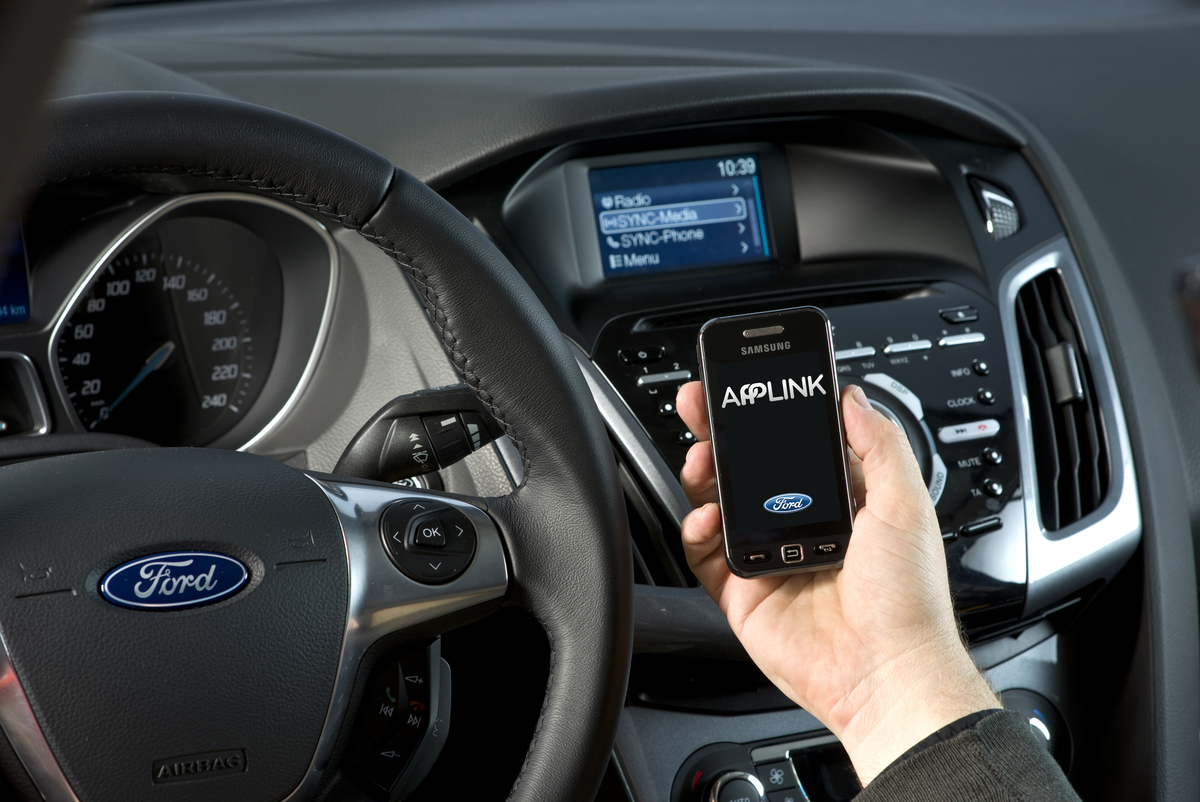
Owners of select Ford vehicles can now use the same Scout app from their smartphones to navigate in the car thanks to Ford Sync's AppLink integration.
If you’re anything like us, you have a favorite navigation app on your smartphone or computer. The issue arises when you get into your car and have to deal with a completely different navigation system. All the settings, features, and ease of use provided by your smartphone-based navigation are nullified in your car — not to mention the fact that you’ll need to pay a separate fee for the nav system in your car.
Thankfully, Ford and Scout (a customizable navigation app from Telenav) have solved this issue. Scout, a daily navigation app available for both iPhone and Android, distinguishes itself from its competitors by offering not only turn-by-turn directions, but also recommendations on where to go, how to get there, and where to go once you’re there.
Ford has made Scout accessible in several 2012 and 2013 Sync AppLink-equipped Ford models, including; Fiesta; Focus; Fusion; Mustang; F-150; Super Duty; E-Series; and Expedition.
For $24.99 per year or $4.99 per month, users can download the premium Scout app. Sync allows Scout users to utilize the app’s distinctive features through “Car Connect,” relaying directions by way of voice commands projected through the vehicle’s audio system through and the radio display.
The premium Scout app also offers traffic updates with automatic re-routing, traffic camera information, speed-trap listings, speed-limit alerts, and lane assist.
Scout is immediately available for Android on AT&T, Verizon, and Sprint networks through Google Play.
Lightt is a new take on content sharing, producing animated GIF-like video clips of the world as you're seeing it. Will the platform prosper thanks to a future integration or is it doomed to fall on Instagram's sword?
You can’t launch a new photo-sharing app without being called an Instagram challenger, and the unfortunate label has not escaped Lightt. The new app launched yesterday, revealing a new take on the photo feed. Instead of creating a network based on stills and filters, Lightt takes 10-second videos and plays them back fast-forwarded with no sound. Will Lightt face the same fate as the amibitious yet ill-fated Color, or will its future integration with Google’s Project Glass keep it safe from being buried in the underbelly of the App Store?
How Lightt works
Your Lightt sign-up experience is nothing new: Download the app, create your account, idly flip through the initial instructions pointing out icons and what they do, and you’re off. Perhaps the strangest part of the whole thing is your profile picture: Instead of letting you pull a still from your gallery or even take a photo, you create a short video that Lightt speeds up and turns into your avatar. It’s disorienting… and honestly, the result is a little strange – it’s like one of those haunted house paintings where the eyes follow you.
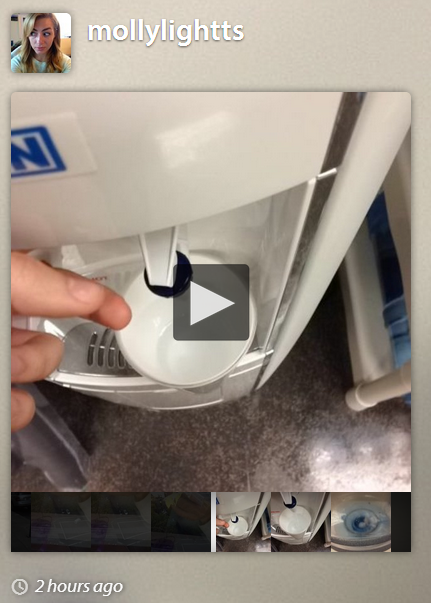
After that, you should just jump in and start using Lightt. You hit the center camera icon to take quick videos. You can take one (10 seconds), or keep hitting the icon in order to continue to capture the scene – or what Lightt calls a highlight (“A highlight is a burst of pictures that captures about 10 seconds of time in one tap. Your highlights upload immediately and play back faster than real life, like the speed of our memories,” per the Lightt blog).
You can share photos to Facebook or Twitter – thought realize that they aren’t grouped together and you’ll just be posting continuous blocks of this content. From there, you’re sent to a Web viewer, but this is the only way to see your media via desktop, to share it out, and then hit the link. There aren’t any embed options right now, either, so you can’t host your Lightt content on your Tumblr, WordPress, or any other blog yet.
The app has a home page, which is segmented by your feed, a “happening now” feed, and a “featured” feed. You can also navigate to your own page, your friends list, and an activity bar. Users are able to leave comments or like highlights – and you can strangely share other users’ highlights to your own social networks.
The Color connection
If you immediately started playing with Lightt or looking through the available feed and thought things seemed familiar, you’re not the only one: My first thought is that this is exactly what Color tried to do. When the beleaguered startup first launched, it had a rather simple photo-sharing mechanism (no filters, no editing, no video, no captions, just point and capture) but did introduce what was a rather revolutionary location-aware social network.
Eventually Color pivoted into a video streaming application and became a Facebook Timeline app. The idea was to “show the world what you’re up to,” and users with the app would get an invitation to “visit” the recorded moment in real-time via Facebook. However, when I tried to use the Color app, I recieved this notification from Facebook.
This, on top of the mountain of rumors that Color is not long for this world (which, honestly, could end up meaning very little if the company is indeed acquired by Apple, not to mention the money it stands to make off patents), all points to the fact that the app wasn’t a hit with users.
And there are some similarities between Color and Lightt. There’s the fact that they are both image, media-focused apps. But that’s not exactly a novelty anymore (you could create a daily newsletter full of these app launches). Then there’s the location element; Color bet heavy on this and ended up scaring the crap out of users. Lightt is using location as well, but it’s not nearly as important to the app (you can choose to have location settings turned on or off, though Lightt will prompt you to give up the data so it can auto tag the vicinity of your content).
The big difference between the two apps is the fact that Lightt has a much more user-friendly, explanatory interface. Color was without words, without explanation, without guidance; you were thrown into this entirely new and unfamiliar territory with no gentle hand to lead you through it. Lightt didn’t make this mistake. And in Color’s defense, the team never thought they’d get the type of early fundraising or attention that they did – the startup has been honest about that fact that mistakes were made.
Don’t look a GIF horse in the mouth
While Lightt falls squarely into the photo-sharing genre, the media it creates is actually far more similar to apps like Cinemagram or Gifture, which take your short-form videos and turn them into animated GIFs.
Lightt sees the result as more of a visual timeline of your activity, but the rest of us are surely going to see the sped-up, stop-motion effect as an animated GIF. This medium has at once become the pride and joy as well as the scourge of the Internet. Twitter has fiercely fought animated GIF avatars (you’re no longer able to upload them to the site), and there’s a quiet but budding movement supporting cleaner Web design that eschews the ostentatious, attention-demanding art form. Despite any of this, they are assuredly the Web’s bread and butter, and it’s hardly an exaggeration to say Tumblr is bursting at the seams with the stuff.
Animated GIFs are the Internet’s comeback kid: After a brief love affair with them in the 90s, they died down for whatever reason. And now, they’re back with a vengeance.
However, while there are a handful of apps tapping into this popularity, they aren’t able to produce as high quality of results. The limitations of working on a small screen with nothing but your hands and the video you can capture with a smartphone means your creations probably won’t enjoy to the viral success many Web animated GIFs do.
While Lightt makes the process far easier (anyone who’s tried Cinemagram, Kinotopic, or Gifture knows the inaccuracy and frustration of coloring in the desired moving segment of media with your finger), the effect isn’t quite an animated GIF. Not that Lightt wants it to be – but maybe we want it to be. The jury is still out on how well we’ll ever be able to make these with mobile devices, or whether we even want to, but what you’re able to make with Lightt right now sort of feels like a half-hearted effort.
Instagram, you’re safe
Instagram killer, Lightt is not – but the most interesting part about the app is where it’s going, which is to Google Glasses. This is where Lightt could make sense; walking around, holding my iPhone up while I record a scene still just feels awkward. That’s the beauty of Instagram: It’s instant. It’s a quickly captured moment. Lightt is still a little too much work, but the minute you implement it into something I’m wearing, the results could be stunning.
For the time being, the actual quality of what you create using Lightt isn’t up to par – Instagrams, and photo apps for stills in general – are still much prettier to look at. Video is a trickier beast, it’s a much more complicated process under-the-hood. Which is why time will only tell if Lightt can bring something compelling to the table when it hits Google Glasses.
Google's Vic Gundotra's Google+ post shows Android sporting Snapseed integration.
Vic Gundotra, Google’s Senior Vice President of Engineering, has already shown off Google’s Snapseed integration through a Google+ post yesterday. During a flight to Baltimore, Gundotra published a photo to his profile, which through a tag indicated that the photo was taken using the Snapseed app.
Google recently acquired Nik Software, a company that specialized in developing and selling a line of digital image editing tools, just last month. But the acquisition was suspected to be motivated by Nik Software’s iOS photography app and Instagram competitor, Snapseed. Now, it would appear that Snapseed will be making its way to Android phones in the near future.
As we’ve reported earlier, based on the latest data (June 2012) that Nik Software has released about the number of Snapseed users, it revealed that there are nine million users. It pales in comparison to Instagram, which has an excess of over 100 million users. Even if Snapseed has grown to 15 million users, there should be no mistakes that Instagram still outcompetes Snapseed — and then some. But it’s also available for Android and iOS, and adding Snapseed to the Google Play market would inevitably bump its numbers up.
It’s possible that Snapseed will seen a deeper integration with Google products and perhaps the Google+ ecosystem, and if more users can be driven to Snapseed, we might see the partnership play out like a mini version of the Facebook-Instagram deal. Of course, the $4.99 to download Snapseed isn’t doing it any favors, and we’re wondering if that price tag will be around for long. But one thing is very nearly certain: Snapseed should be available for Android in the near future.
Facebook edges into productivity tool territory by adding Dropbox integration to Groups.
Today Facebook and Dropbox announced they’re teaming up to offer file storage and sharing to Facebook users. “Today we’re psyched to announce that you can share stuff from Dropbox right inside Facebook Groups!” the Dropbox blog reads. “Now you can share notes with your study group, add the latest game schedule to your basketball team’s group, or post a birthday video to your family’s group at lightning speed from wherever you are.”
After connecting your Facebook and Dropbox accounts, users will be able to pull up the contents of their Dropbox folders and pick and drop content into Facebook Groups. Everything added to a Group from Dropbox will also be viewable via smartphones and tablets.
Users have already had the ability to upload files to Groups, but it’s been a limited feature (anything shared, for example, had to be under 25MB). The Dropbox partnership means more types of media – like video – will be uploadable and that size cap will dramatically increase.
The deal is pretty win-win-win, though if anybody’s coming out ahead it’s easily Dropbox. The market for cloud storage and sharing is heating up, and while Dropbox has become a venerable name in this space competition from Box, Skydrive, and Google Drive has been significant. A tie to Facebook is a big benefit, though, and means that anyone using Groups as a real sharing function is going to go ahead and connect to their Dropbox account or get one. The move also means Facebook probably doesn’t have any serious cloud ambitions.
The win for Facebook, obviously, is that Groups is getting beefed up and could become a much more viable collaboration tool. Social business and productivity tools are making a big push and getting ridiculously high valuations – think Yammer, Evernote, and juggernaut Salesforce. Of course, the hurdle is that Facebook has an image and that image is social… just social. But you can’t claim to be a productivity feature unless you build out productivity features, so it’s a smart move. And that last win, clearly, is for users. The new feature will be rolling out starting today.
From toys for your dogs to the new Moleskin with Evernote integration, here's our roundup of the gadgets coming up this holiday season.
Tons of exhibitors, so many gadgets to sift through. We were present at the Pepcom Holiday Spectacular tradeshow which gave us previews of what’s coming up this season in consumer tech, and here are the products we think you should keep an eye out for. At least we will.
Tagg: GPS and Fitbit for your pups
If your dog has a habit of running away, the Tagg pet tracker system will do Fido some good by helping you keep track of his whereabouts. Tagg collar runs on a GPS system to let you know exactly where your dog is at all times, and you can set the parameters of where you think it’s okay for your pet to be. If Fido steps outside this boundary, you’ll get a text alerting you of the situation, and use the accompanying app to locate your pet.
Now we know what you’re thinking: What if this thing runs out of battery? Tagg has a “sleep” integration that will put the collar to energy conservation mode to keep the battery from draining when the GPS isn’t quite necessary. This means that if the Tagg collar is located near the charging base, the collar will be in sleep. When the collar is detected to be too far from that range or goes off your set parameters, only then will the device begin using the charge. In standby mode, the collar can last up to 30 days while constant use can extend up to a week — so unless your dog runs away constantly, you’ll probably only need to charge the Tagg collar twice a month.
Newly updated is an upcoming fitness tracking integration to see how much activity your dog is getting a day. You’ll get an overview of the level of activeness your pet receives per day to keep him healthy and fit. For $100 plus an $8-per-month subscription, Tagg is essentially a smartphone and a Fitbit for your dog. Not a bad time and money investment for man’s best friend.
Looxcie action live-cam
We’ve seen GoPro cameras that promise to deliver quality photos while you’re on your most extreme adventures. We’ve also seen livestream webcams that are mediocre at best. Looxcie wants to be the best of both worlds by providing you full 1080p capacity streaming while allowing you to mount the lightweight camera anywhere you go.
The camera connects either via Bluetooth or Wi-Fi, and optionally via your data plan to run your live stream. You can also access the video streams in your history if you want to revisit old clips (say, a web show you host weekly) and share them either publicly or with those you carefully select.
What’s also integrated into Looxcie is camera sensors and Bluetooth capacity, meaning the device can double as a Bluetooth headset and a point-and-shoot. You can also leave Looxcie recording a video without saving, but press a special button to retrace the last 30 seconds of what you just saw. “For example, I can leave the camera running while I’m watching my son play soccer,” Looxcie CEO Romulus Pereira tells me. “And I can press this button to record just the part where he makes the goal.” Makes perfect sense for those who witness strange things all the time, wishing they had a camera to capture what just happened. Looxcie HD Explore launched this past week at $330 a set.
Duracell Powermat and smartphone cases
For those who want to combine extra battery power with a protective smartphone case, Duracell Powermat 24-Hour System is definitely one hot item making a buzz in the consumer tech market. The $100 set comes with a charging station, a portable backup battery pack, and a chargeable smartphone case. All you have to do is leave the battery pack and case (with or without your phone already inside) on top of the power mat overnight for charge. When you’re ready to go for the day, just pick the gadgets up and go.
The set comes in a variety of candy-coated colors and is currently available for the Samsung Galaxy S3 and iPhone 4/4S. The iPhone 5 edition is in development, with plans of a release sometime by Q1 of 2013.
Evernote and Moleskine
Launching October 1st, the Evernote integration with Moleskine notebooks may just change the way we incorporate physical note-taking into our digital lives. From what Evernote demonstrated to us at Pepcom, the app is able to recognize the moleskin pages by reading the hues of the paper and the dotted lines so that when you snap a picture to load into your phone, Evernote can make your notes brighter, clearer, and easier to store. The smart stickers can also programmable to set as tags for particular types of notes, such as Recipes, To-Do’s, Receipts, Deadlines, and more.
Alternatively, you can also take your own picture with your phone’s camera app and upload it within the Evernote app. You can group photos and edit them as you please when they’re all ready in your Evernote list, and of course, shareable to your friends and family. Not to mention the elephant logo embedded in the leather cover looks exclusive, beautiful, and just plain cool. The app integration will be available for both iOS and Android. Our Molly McHugh is excited… aren’t you?
Keep an eye out for one or more of the above items as we hope to get review units shortly.