Pages

Showing posts with label users. Show all posts

Nov 19, 2012

Google strikes deal with European music publishers to add 5.5 million tracks in 35 countries

google music

Google has inked a music licensing deal with Armonia that will enable users to play 5.5 million tracks on Google Music in 35 European countries.

Google Music is about to get a much-needed boost to its catalog thanks to a new deal with overseas rights holders. The Associated Press reports that the platform inked a licensing deal with European music publishers and artists that will add an additional 5.5 million tracks spanning 35 countries throughout Europe.

Typically, music licensing deals are secured on a country-by-country basis, as has been the case with Amazon and iTunes, but by working with Armonia, a major European music publishing group that represents licensing organizations based out of France, Italy, and Spain, Google has obtained the rights to stream music in 35 more countries in one fell swoop. The royalty and financial parts of the deal were “in line with industry standards involving Google rivals like Amazon and iTunes,” says SACEM spokesperson Catherine Kerr-Vignale.

The deal will enable Google Music users in these 35 countries to sync their albums and music to their Google Music library that can hold up to 20,000 songs. It also grants its European users the opportunity to purchase music from what we can tell include mainstream artists, considering that music from Lady Gaga and Rihanna are among the types of tracks that have been named in the deal.

The announcement comes after Google Music unveiled its free scan and match feature that finds the music on your computer and uploads it to the Google Music platform. Normally, users of Amazon and iTunes are charged an annual fee of $25 for the same feature and the extra storage.

The deal will be critical in expanding its services internationally to remain competitive and in particular to stave off rumors that circulated in March suggesting that Google Music was bleeding users consistently on a weekly basis and “not living up to expectations.” Some music label executives at the time were voicing their concerns that Google was shuttering the doors of its Google Music project.

Google Music’s main struggle can be traced back to its contention with the major music labels. The labels are wary of partnering with the platform because they see Google Search as a path toward illegal downloading, which it undeniably is, and want the company to block these sites completely or at least do more to thwart music pirating — and they’re holding out on a deal until Google appeases them. And for all its work partnering with indie labels and artists, the relatively empty library remains a problem. While Google Music does have partnerships with Universal and Sony, it’s becoming more and more important to net all four labels in order to compete with the likes of iTunes and streaming services like Pandora and Spotify. 

Perhaps this new deal will make it a more viable option overseas, although it seems like Google Music faces an uphill battle in general. 


Source : digitaltrends[dot]com

UK rethinks awful opt-in web porn filter, comes up with a marginally better idea

After giving consideration to an opt-in Internet content filter, where users would have to request access to adult material, the UK government may announce an active choice system instead before the end of this month.

The debate over whether Internet service providers should be automatically blocking adult content on the Web in the UK continues, however this weekend, news of a slightly tweaked plan has broken.

British Prime Minister David Cameron is said to be pushing forward with a new set of proposals, which veer away from the opt-in schemes from before — where the filter would be active unless you asked for it to be switched off — to a slightly more sensible opt-out system.

Referred to as active choice, the idea is that anyone who buys a new computer or signs-up with a new ISP will be asked whether children will have access to the computer. If the answer is yes, users will be guided through the installation of a filter, before answering a series of questions to set its sensitivity.

To stop cheeky under-18s from bypassing the filter before installation, unnamed measures will be implemented to confirm the person’s age from the start. The proposal may be announced before December.

Filters for the technically naive

Details on the new filter come from a report published by the Daily Mail, a UK newspaper with a poor reputation which has been pushing its own Block Online Porn campaign for a while, despite publishing questionable content itself on a regular basis.

It cites studies that say one in three children under the age of 10 have viewed pornographic material online, while four out of five aged between 14 and 16 do so on a regular basis.

While the new plans go against the blanket op-out schemes previously being considered, the Daily Mail is still claiming this as a victory, despite the system being nowhere near as restrictive as it wanted.

Internet filters appeal to the technically naive, but there’s no guarantee they’ll work. One of the reasons a filter is being considered is to assist parents with no knowledge of computers or the Internet (and obviously, no wish to learn) help stop their children accessing adult content. Except filters are easily avoidable by those with a modicum of know-how, i.e. the kids.

Filters are often ineffectual

There are also problems with filters not only blocking the wrong content, but failing to block that which it’s supposed to. For example, last year a well-known adult video website still appeared to users behind TalkTalk’s HomeSafe filter, as the message the site had been blocked only appeared in a box usually reserved for an advert.

TalkTalk is still the only major ISP in the UK to provide a cross-platform Internet filter, although Sky and Virgin Media have both agreed in principle to implement the government’s plans in the future, should they become mandatory. For now though, both let users choose what can be viewed online in the privacy of their own homes.

It’s becoming increasingly likely that a government enforced filter will be introduced in the UK in the future. While worrying, if one really must be introduced, this latest version is the least insidious discussed so far.


Source : digitaltrends[dot]com

Nov 14, 2012

Sony mocks clueless DSLR users with new ad campaign

Sony has released a new ad campaign for its NEX range of cameras that mocks DSLR users. But not just any DSLR users, clueless DSLR users in particular.

The ads basically concentrate on DSLR users who carry a ton of equipment around for their cameras and don’t know the first thing about how to use them. Most of the situations shown in the video are places where a simple point and shoot camera would be more appropriate but the people are seen carrying around complicated DSLR rigs that are more trouble than worth.

The video goes through multiple scenarios, such as one where couple of girls on a beach are taking a self portrait with a zoom lens and a lens hood attached to their camera just for uploading on social networks. In another scenario, you have a guy who despite having two DSLRs on him manages to miss the moment because he couldn’t get them up and running in time.

The point of these ads is not to mock DSLR users in general (clearly that would be silly because Sony sells some of their own) but basically people who like to carry a gun to a pillow fight. The only bad part about these ads is that there is zero mention of Sony’s own cameras and had it not been for the YouTube description you wouldn’t even know it was for the NEX series.

You can watch the full video below and there are several more short ones in the source link.


Source : blog[dot]gsmarena[dot]com

Facebook rolls out the share button to mobile users

Designed to encourage mobile users to share more types of content with their friends, Facebook is rolling out a new share button for the mobile interface.

Detailed by Techcrunch earlier today, Facebook has launched a share button on the mobile version of the social network and is planning to add sharing capabilities to both the iOS and Android applications at a later date. While the ability to share a particular article, video or picture is commonplace on the Web version of Facebook, mobile users can simply tap on the new share link in order to pass along an interesting piece of content to their friends. When a user brings up the mobile version of the social network, they will notice a new Share button to the right of the Like and Comment buttons. 

Tapping the new share button brings up an interface that allows the user to write a comment that goes along with the shared content. In addition, the user can isolate the post to a specific subset of their friends through groups or post it publicly in order to reach all subscribers.

Once the user is satisfied with the post, they confirm the sharing action by tapping the Share button in the top right corner of the screen. Alternatively, cancelling the post returns the user to the news feed. The new share button is only appearing within the News feed at this point. When visiting a personal page of a friend or a brand, the share button hasn’t been incorporated within the design yet.

The launch of the new sharing feature marks a trend in Facebook’s strategic approach to mobile. While the inclusion of the sharing button isn’t a technical achievement by any means, the priority of improving Facebook’s mobile interface is evident. According to Facebook’s third quarter results, the social network has approximately 600 million active mobile users each month. In addition, about 120 million of those active users check Facebook exclusively through a mobile device. The addition of the share button on the mobile version of the site could result in a spike in the amount of articles, videos and pictures that are shared each day. 

With the addition of the share button for mobile users, this brings Facebook more in line with social network competitor Twitter. On the web version of Twitter, users are encouraged to retweet posts and share them with friends. It will be interesting to see if mobile users on Facebook transition from the Like action to the Share action. Potentially,  it could significantly increase the amount of shared content people find in their News feeds each day and possibly drown out other status updates from friends and family.

However, it could be extremely helpful to brands and advertisers since the share action is more valuable when attempting to spread a particular piece of content. In a related story noted by The Next Web, Facebook is also rolling out a new feed that allows a user to view posts from brands and other pages into a completely separate feed. While posts from those pages will still appear within the News feed, users can visit this page in order to view recent updates only from liked pages.


Source : digitaltrends[dot]com

Launch of new iMacs may be delayed till 2013, report says

iMacs (October 2012)

Waiting to get your hands on one of Apple's new iMacs? Well, it seems like you might have to wait a little longer than expected.

Users of old iMac machines who for the last couple of years have been waiting patiently for Apple to unveil a refreshed machine before upgrading were finally able to feast their eyes on the latest model last month when Apple unveiled a shiny new, and rather thin (at the edge, at least), design.

Shipping dates were set for November for the 21.5-inch model and December for the 27-inch model. Many of those iMac users have no doubt started to make plans for their older machine, whether it involves giving it to a friend, using it as a giant paperweight or simply consigning it to the attic.

Well, those plans might have to be put on hold for now as it appears the launch of the new machines may have been pushed to 2013. This will come as a big disappointment not only to those hoping to purchase a new iMac, but also to Apple executives who’d been looking forward to healthy sales of the new computer during the upcoming holiday shopping season.

French Mac-specialist blog MacBidouille says it has learned from a “commercial source” that Apple has delayed the launch of the new iMacs because of issues with its advanced welding process – possibly so advanced that it hasn’t quite got the hang of how to do it yet. The process, called ‘friction stir welding’, uses high heat pressure to create a seamless joint in the iMac’s frame.

Apple Insider pointed out in a report on Wednesday that other challenges for manufacturers include the screen’s lamination process, which gets rid of a tiny air gap between the iMac’s display and front glass, which was present in previous versions of Apple’s desktop computer. “In August, KGI analyst Ming-Chi Kuo reported that the process is more involved with the 27-inch model and would cause supply constraints for the initial batch of machines,” Apple Insider wrote.

The iMac’s page on Apple’s website displays a “coming soon” badge, while the online store continues to show a November shipping date for the smaller iMac and December for the larger one. If MacBidouille’s source turns out to be correct, we can expect to see these dates change soon.


Source : digitaltrends[dot]com

Run with – or against – anyone in the world in real-time with Yog

yog web page

Yog, launching today out of beta, is a mobile social network for runners that allows users to run with or against each other in real-time.

If you need a running buddy or someone to challenge you, the Yog network  is more than happy to turn your workout into a cooperative or  competitive effort. The iPhone app connects you with other runners, so you can join them, or race them, depending on your motivation. 

Fresh out of 2011’s class of GE and OMD’s incubator, the social running application for iPhone is launching officially out of beta today after 14 months of testing. Yog was founded by self-professed Yoggers and co-founders Will Dennis, Yog’s backend and Web “ninja,” and Peter Pelberg, who tells me he’s the guy who handles everything but the code. More officially speaking, Dennis is the CTO and Pelberg the CEO of Yog.

There are plenty of running and fitness apps out there that brandish the title of “social” simply because they allow you to push your workout stats to Twitter or Facebook. But Yog is actually social because it turns your solitary run into a shared experience. And based on this social framework, “motivation” was built into the app by incorporating features that encouraged habit and peer pressure – two social characteristics, Pelberg concluded, that drive human motivation.

yog set up

Yog lets you run with anyone in the world in real-time. Yoggers with the app can set up a date, time, and distance that they’d like to run, and then invite friends from your iPhone contact list or Facebook friends to join the running group. But what makes the experience social is that these runs are publicly viewable on Yog’s system. Anyone who sees the invite shared using Facebook, Twitter, email or other channels can add themselves to the group whether or not they have Yog’s iPhone app downloaded.

For instance an interested runner from New Zealand, who may not necessarily be friends with you but happened to stumble on your Facebook post through a mutual friend, can join in on the run. If a runner doesn’t have the app, an email or text message with a link to download Yog will be sent to them and proceed to add them to the group.

The run itself begins promptly on the designated date and time, but group participants can run from anywhere in the world. In fact, Yog’s beta stage had global testers from four continents and 25 countries. The only requirements for you to participate is that you have to have your iPhone on hand while running (which would could see being a bit cumbersome), and you must be running outdoors. Pelberg confirms that for now, the app won’t work on treadmills since the co-founders are outdoor runners and encourages users to enjoy the great outdoors. And to curb cheaters who would think to ride a car or a bike, which would completely defeat the purpose of self-improvement, Yog automatically disqualifies runners who exceed the fastest recorded mile time ever run in human history.

yog live runs

During the race, each runner’s distance is updated in real-time and displayed on a progress bar showing the distance that has been covered by each user. 

“We see this social aspect as being both beneficial to people that are just starting to run and need motivation and need somebody to run with, and for competitive runners, we see it as a great training tool to rally people around training for 5ks, 10ks, half marathons, and up to ultra-marathons,” says Pelberg. Runs can be as short as 0.1 miles and as long as 50.9 miles.

At the end of each race, runners can view what place they came in, as well as personal metrics like calories burned, average miles per hour, pace, and other statistics. While Yog itself is a free app, access to your statistics requires a one-time $0.99 fee that lasts until perpetuity.

“We see this physical act of exercise as a tremendous platform on which to build a really rich digital experience that changes the way you run and think about running,” he tells me. “Everybody on our system is running together; that’s our currency. We’re creating an entirely new running experience.”

Yog’s working on adding features as well. On the immediate agenda, the Yog team has built the backend architecture for user profiles, “so that we’re able to understand and populate a user profile when we implement that down the line.” But profiles won’t be surfaced just yet since the team plans on implementing features in babysteps.

Down the road, leader boards, self-improvement metrics, skill-based matching, and Wahoo armbands are ideas that the team is toying with and could make it into the app in the near future.

Yog is available in the Apple App Store.


Source : digitaltrends[dot]com

DT Daily: Nokia unveils ‘Here’ map technology, Google Fiber debuts in Kansas City

Like 1
0
0
More
0
0
0

Source : digitaltrends[dot]com

RIM introduces BBM Voice to help convince you and your friends to come back to BlackBerry

BlackBerry BBM Voice

Research in Motion has added an interesting new feature to BlackBerry Messenger named BBM Voice, which lets you call fellow BBM users for free provided your phone is connected to a Wi-Fi network. It's a great idea, provided your friends also use BlackBerry phones.

Research in Motion knows it needs to win back the general public’s support, and it also knows that one way to do so is by coming up with a feature that will save someone money. BlackBerry Messenger was that feature several years ago, as it made use of the BlackBerry network plan you had to pay for anyway, and provided “free” text message conversation with fellow BlackBerry owners.

Now though, a high percentage of the dedicated BlackBerry owner’s friends use iPhones and Androids, rendering BBM a relic from better days past. Now RIM has come up with BBM Voice, which it claims is “for the times when you want to hear a friend’s laughter instead of reading LOL.”

That’s right, BBM has become Skype, as it now offers the chance to call your BBM friends through version 7 of the software, using only a Wi-Fi connection. There are no geographical borders and no time limits, and as it doesn’t count towards your monthly bill, no extra charges either.

RIM makes no mention of whether BBM Voice will break free from a Wi-Fi connection and use a 3G/4G data connection in the future. It’s hardly a surprise, as networks — particularly in the U.S. — are rarely enamored by features that lose them money.

BlackBerry Messenger will show who in your contact list is available to call using BBM Voice, and a split screen display lets you send text messages or files at the same time, plus the service is compatible with Bluetooth headsets too; setting it up perfectly as a way to work collaboratively while away from the office. Those not using a BlackBerry for business will appreciate the chance to avoid massive international roaming bills too.

So, free messages and free calls, all through a single app. Sounds great, right? It is, but — and here’s the problem — to take advantage of BBM Voice, your friends and colleagues all have to have BlackBerry phones too, and as we’ve established already, they’re now using iPhones and Androids.

BBM Voice is a beta program at the moment, but you can bet it will have been perfected by the time BlackBerry 10 arrives after January 30 next year, as being able to say “free calls and messages with BlackBerry 10” should help people take notice of the new OS. All RIM needs is for those people to convince their friends/family/acquaintances/dog it’s a good idea too.


Source : digitaltrends[dot]com

Nov 10, 2012

This week in Facebook news

This week in Facebook: MItt Romney's page is losing friends, popular users can promote posts, and Facebook is upping your self esteem but killing your self control.

Not a week goes by that Facebook doesn’t issue a handful of releases or create a buzz around itself, and this one was no exception. Here are five of the top Facebook stories you may have missed from the last five days.

Mitt Romney is bleeding Facebook friends

romney facebook page bleeding of friends

With the election over and along with it Mitt Romney’s campaign, and now Mitt Romney’s Facebook page is stuck in social media purgatory. Campaigners will no longer be updating the page, it just simply “exists.” Whatever the motivation may be, followers of the former presidential candidate’s Facebook page are unliking Romney in droves. “Refresh the page – 12.08 million. Refresh again – 15 less,” Caitlin Dewey of The Washington Post wrote when she first realized what was transpiring. We checked it out for ourselves, and indeed, we were witnessing an exodus of former followers fleeing his Facebook page – based on our eyeball calculation, we estimate about 10 followers were unliking the page every second. At this rate, should it be maintained, the “Likes” count will plummet to zero in just two weeks.

Fedex encourages shipping using its Facebook app

Just in time for the holiday season, and not long after Facebook Gifts was officially announced, Fedex is making a foray into making shipping social – sort of. Fedex’s newly launched Facebook App is called Ship To Friends, which is undoubtedly inspired by Facebook Gift’s own shipping process. On one hand, when we checked out the app we could see the value in the fact that it simplifies the process of shipping a package on the Web. If you’ve ever tried shipping a package on Fedex’s own website, you’ll know how frustrating it is to navigate as well as figure out the price and size of the package. Ship To Friends takes you through the process, with the prices listed clearly alongside delivery hours and dates. It makes you wonder why Fedex.com’s native shipping feature isn’t as easy to use as its Facebook app.

A couple caveats to note from our testing is that that international shipping isn’t supported and the app doesn’t send a shipping request to friends — meaning you can’t request that your friends enter in their own mailing addresses, which is a feature offered on Facebook Gifts. 

Facebook testing audio notifications

facebook audio notification settings

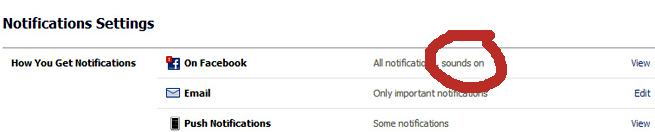
You might remember the days of the iconic “You’ve got mail” alert. It was annoying yet endearing, and apparently something similar may be heading to Facebook. Facebook confirmed with Venturebeat that alerts, which ping users when they receive new notifications, are being tested selectively. The alerts, if rolled out to all users, can be turned on and off in the account settings page.

Popular Facebook users can now get in on Promoted Posts

Facebook promoted post for over 5000 friends

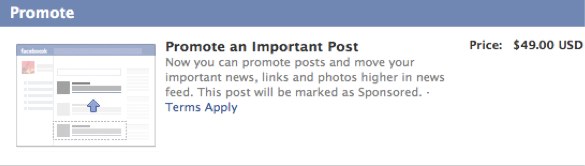
The upper echelons of Facebook users, who have more than 5,000 friends and/or subscribers, were unable to reap the “benefits” of the Promoted Posts advertising product that Facebook launched last month. Namely journalists, celebrities, politicians, and anyone else who would most likely have thousands of subscribers are the ones this change applies to. For those of us that fit in the 5,000 friends and fewer category are only charged $7 for a post to be promoted. It’s being reported that these users are being charged a premium of $49 to promote a post to friends and subscribers.

Facebook inflates egos, users lose self-control

Facebook can be addicting for some people, and for others it can boost self-esteem. A study by researchers from The University of Pittsburgh and Columbia University examined the effects of social media on human behavior and according to the paper, users are selective on what they share online and tend to portray themselves on social networks in a positive matter. This effectively boosts their self esteem. Interestingly enough, the study mentions that people looking in a mirror tend not to feel good about themselves. With this in mind, the researchers found a correlation between high self esteem and self control. “Enhanced self esteem from using a social network can have a detrimental effect on behavior,” says researchers Keith Wilcox of Columbia Business School, and Andrew T. Stephen of The University of Pittsburgh. “We present evidence suggesting that greater social network use is associated with a higher body-mass index and higher levels of credit card debt for individuals with strong ties to their social network.”

The root of the problem is that “elevated feelings of self-worth can lead to more impulsive or indulgent behavior. Citing Wilcox’s previous research, the study adds that inflated feelings of pride, which is related to self esteem, “results in more indulgent choices in subsequent tasks that are unrelated to the source of pride.”

We’ll go ahead and add this to the mountain of behavioral effects social networks are having on us. 

Facebook testing commenting threads

facebook comment threading

If you’ve ever cursed Facebook for overlooking the ability to comment on a comment, it looks like you’re in luck. A blogger and social media manager of Kairay Media discovered that comment threading was enabled on a Filipino Facebook page.

This feature, limited to a small test group, enables users to reply to comments. You’ll see a “Reply” button next to “Like” on the original comments. The replies to the comments can also be “Liked.” A third level of commenting isn’t supported. Facebook confirmed that the structure, as of testing, is as follows:

1. Comment

2. Reply to comment

Facebook’s spokesperson also provided us with the same statement, explaining the purpose of the feature:

“We are testing a new way to add comments to a post on Facebook. With this test you will be able to reply to another comment as well as the original post. This is just a small test at this stage.”

Comment threading, while being tested out at a limited scale, is a much awaited feature that many of us will be glad to embrace. For one thing, it should help to contain those heated arguments or side conversations in its own thread without disrupting the general flow.


Source : digitaltrends[dot]com

Facebook starts testing nested comments, sound notifications

Facebook Login Close-up

Rolling out a couple new features to a subset of users this week, Facebook is testing more in-depth commenting as well as sound alerts for notifications.

Mentioned on Mashable this week, Facebook  has started testing threaded comments on the Web version of the social network. Rather than posting a replay at the end of a long string of comments, this allows Facebook users to directly reply to comments within a conversation that’s on a user’s Timeline page. Beside the Like button on individual comments, Facebook has placed a “Reply” link to open up a comment box. After the reply is submitted,  a smaller version of the user’s profile picture will be positioned underneath the original comment. In addition, there’s another new link called “Write a Reply” that appears underneath the newly nested comment. Facebook has also added a “Hide Replies” button on the original post to allow users to hide that portion of the conversation.

Facebook threadedIn a statement released to Mashable, Facebook corporate communications manager Meredith Chin confirmed the testing process stating “We are testing a new way to add comments to a post on Facebook. Now you will be able to reply to another comment as well as the original post.”

Assuming nested replies works in conjunction with the notifications feature, Facebook users won’t have to tag someone’s name in the reply in order to get their attention. This will also be useful when conversations tend to veer off course from the original post or when brands need to specifically reach a fan. Threaded commenting has been a feature offered through Facebook’s comment plugin for third-party sites, but Facebook has yet to roll out the updated function on the site despite user requests for it. Facebook is currently testing threaded comments on a select group of profile pages, but users can see it in action on this Thai page.

Interestingly, the threaded comments feature currently doesn’t work on the mobile version of the social network quite yet according to ZConnection. Facebook users will simply see a chronologically stream of comments rather than the threaded version that appears on the Web version of the site. It’s possible that this could lead to confusion when replying to a comment within the mobile interface. 

Detailed by Venturebeat, Facebook is also testing a new sound alerting a user that a notification has arrived. This feature is currently being tested on a select group of profiles and there’s no indication from Facebook representatives that the social network will roll out the feature to a wider group. This feature would be ideal for Facebook users that want to be alerted the second that they get a reply to a particular comment, but it could become annoying for someone that receives twenty or more notifications a day. 

The good news is that Facebook has included an option to turn off the sound. If the notification sounds have been added to your profile during this testing phase, you can visit Account Settings and click on “Notifications” to manage the feature. Click the “View” link on the tab in order to reveal a checkbox for the sound notification feature. Check out the YouTube video below to hear the notification feature in action.


Source : digitaltrends[dot]com

Nov 8, 2012

How to create your own Reddit community

How to make a subreddit

Reddit has become the social news titan it is today thanks to regular users creating interesting, fun (sometimes frightening) communities. Here's how to become the moderator of your own subreddit.

Over the past few years, social news website Reddit has become one of the most popular, powerful, and controversial destinations on the Web. But unlike corporate-run Internet giants, Reddit’s massive success comes from its decentralized nature, which allows any user to create his or her own community (known as a “subreddit”), with its own central topic, rules, and character. This is also what makes Reddit such an irresistible time-suck, with layer upon layer of new subreddits to explore and participate in. But there’s no reason to just lurk along the sidelines: Getting in on the Reddit moderator action is easier than you might think. Here’s everything you need to know about launching your own subreddit.

Step 1: Log in and click

If you don’t already have a Reddit account, you can easily create one by clicking. (It only takes a couple seconds, and you don’t need to add an email address if you so choose.) Once you’re logged in, just click the “Create you own community” button, which appears along the right side of the website.

Step 2: Original idea

The first thing you’ll need is a name for your subreddit. It can be as long or as short as you like (though, as a Web rule of thumb, shorter is usually better). Something easy to remember and descriptive of the community’s topic of choice is recommended, but it could simply be a good name or memorable. In other words, it can be whatever you want. But the name you choose will have a large impact on whether your subreddit becomes successful.

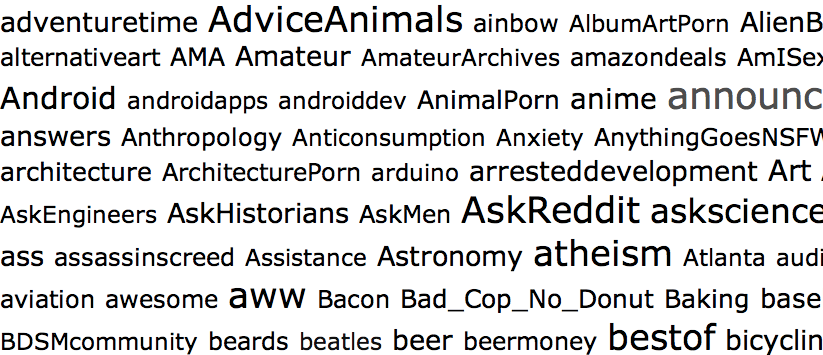
subreddits

 Coming up with a good subreddit name is, by far, the most difficult part of this whole process. According to MetaReddit, there are currently 187,384 subreddits, which means your big idea may very well have already been taken. If it has, come up with another idea. There’s no sense in simply littering Reddit with pointless communities.

To check if your subreddit name idea is available, click here to search all subreddits. If nothing comes up under whatever name you type in, move on to step 2.

Step 3: Fill it out

Once you’ve decided upon a name for your subreddit, you’ll need to actually make the dang thing. This involves nothing more than filling out a number of fields in a Web form, checking a few boxes, and clicking “create.” But to give you confidence, here’s what you need to know.

subreddit-2

Name: This is where that brilliant original idea you just came up with comes into play. In this field, the name should have no spaces between words. Case size does matter, however, so capitalize the letters you want to appear capitalized.

The main thing to remember, however, is that you cannot change the name – ever. So triple-check that it’s right before hitting “create.”

Title: This does not have to be the same as the name, but it can be. Unlike the name, spacing does matter for the title. And you can also feel free to add in a tag line as well, since length does not matter. The title can be edited later if you want to tweak it or change it in any way.

Description: Here, you can describe what your subreddit is all about. It’s viewable to the public, so this should also serve as a pitch to draw in other people who might be interested in subscribing.

Sidebar: The side can be used to provide subscribers with links to other subreddits or other websites. Some subreddits list the rules of the subreddit (if you choose to have particular rules), the description, and any other relevant information in the sidebar as well. And like the title and description, the sidebar can be edited at any time.

Language: From my tests, it appears as though the language setting does nothing.

Type: You have three types of subreddits you can create: Public, restricted, and private. Public lets anyone subscribe, and is the most common type of subreddit. Restricted allows you to decide who can post links and who cannot. And private is only visible to Reddit users you invite to join. Chances are, you want to make your subreddit public – but once again, this option can be changed.

Content options: You can limit the types of content to only links, or only text posts (that link to a comments page on your subreddit). But I’d recommend allowing “any” type of post, at least to start. If the community evolves, and you want to set a restriction later, you can.

Wiki: Here, you can set restrictions on who can change the subreddit’s settings. The safest option is “disabled.”

Other options: Here you can decided whether to put an over-18 age restriction on your subreddit (which you should do if you plan to make it of the NSFW variety), whether to allow it to show up as a default subreddit for users (which is a good way to help your community grow), and whether to show thumbnails of images on submitted posts (which is good to do if your subreddit is image-heavy).

And that’s it! Click the “create” button, and you’re officially a Reddit moderator of your own subreddit.

Step 4: Promote!

Once you’ve created your subreddit, you’ll need to let other redditors know it exists. One good way is to submit a link to your subredd to the /r/NewReddits community. Another way is to post links in related communities. For example, I run the /r/GermanShepherds subreddit. I got the word out there about it by mentioning it in comments on /r/dogs or /r/dogtraining, and other related communities. So, if possible, find other subreddits that mesh well with your new community, and start spreading the word.

Odds & ends

Now that you’re a moderator, you’ll have access to “mod mail,” which is usually populated with messages from users whose submissions were caught by Reddit’s spam filter. You can access mod mail by clicking the Reddit alien head icon next to your regular user mail, or though a link in the “Moderator Tools” section that appears along the right side of your subreddit page. From there, you can also check subreddit stats, view reported links, add new moderators, and other fun administrative tasks.


Source : digitaltrends[dot]com

With Twitter accounts hacked, users urged through email to change passwords

Twitter usernames and passwords leaked — but you don't have to worry

This morning Twitter sent out a network-wide email to its users whose accounts were compromised, and urged them to change their passwords.

Users have been calling out Twitter for its vulnerable account authentication for some time now, but the social network still remains mum about the apparent holes in its security. Today Twitter was finally subject to its largest attack, which due to its scale, forced the company to send user-wide alerts via email notifying its users that their accounts have been compromised.

In an email sent this early this morning, Twitter had acknowledged that accounts had been compromised by a third-party site, and urged its users to change their passwords. We checked Twitter and noticed that many compromised accounts were used to tweet spam, but the original users have been able to regain access to them.

Here’s what Twitter said in the email:

“Twitter believes that your account may have been compromised by a website or service not associated with Twitter. We’ve reset your password to prevent others from accessing your account.

You’ll need to create a new password for your Twitter account. You can select a new password at this link: https://twitter.com/pw_rst/…

As always, you can also request a new password from our password-resend page: https://twitter.com/account/resend_password

Please don’t reuse your old password and be sure to choose a strong password (such as one with a combination of letters, numbers, and symbols).

In general, be sure to:

Always check that your browser’s address bar is on a https://twitter.com website before entering your password. Phishing sites often look just like Twitter, so check the URL before entering your login information!

Avoid using websites or services that promise to get you lots of followers. These sites have been known to send spam updates and damage user accounts.

Review your approved connections on your Applications page at https://twitter.com/settings/applications. If you see any applications that you don’t recognize, click the Revoke Access button.

For more information, visit our help page for hacked or compromised accounts.

-The Twitter Team”

Earlier last month, Dennis Jones and his Twitter handle @blanket was hacked, which lead him to discover a mature black market for hacked Twitter, Minecraft, and YouTube accounts. Each account can sell for as little as $60. Digging deeper, we discovered that hacking Twitter accounts as basically become child’s play. Many “hackers” are simply teenagers who browse forums like hackforums.net. These communities are full of tutorials that can guide anyone step-by-step through taking over coveted Twitter handles. These forums are also a proliferating marketplace for selling or trading programs used in malicious virtual attacks, including cracking passwords.

We reached out to Twitter and inquired about how many accounts have been compromised, and who was responsible for the attack. We’ll update you once a spokesperson gets back to us.


Source : digitaltrends[dot]com

Nov 5, 2012

What! Windows RT hogs 16GB of Microsoft’s 32GB Surface tablet

surface rt tablet microsoft

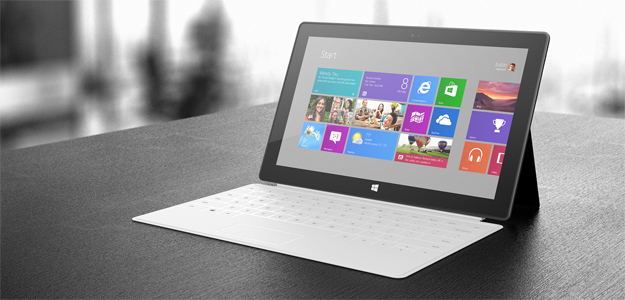
We originally thought Microsoft was being generous with 32GB storage standard for the Surface RT, but it turns out only 16GB of that is available to users. The rest of the storage is taken up by Windows RT and Microsoft Office.

If you thought a $500 Microsoft Surface RT with 32GB of storage was too good to be true (compared to the iPad’s 16GB for the same price) then we’re here to say you’re right. If that was your dream then you may want to start amassing memory cards because Microsoft had to use half of that 32GB for Windows RT, Microsoft Office, and other software.

Microsoft broke the news in a new post titled, “Surface disk space FAQ”, outlining exactly how much space on the Surface RT is available for apps, music, videos, and photos. According to the FAQ, the 32GB version has 16GB of free space and the 64GB version will have 46GB free. We are hoping this isn’t a universal issue for all Windows RT devices, but keep it in mind next time you read about a Windows RT device with an attractive storage size.

Another part of the FAQ explains that 32GB is actually 29GB when using it in the real world. Silly us for trusting the quoted storage sizes. Here’s the official explanation:

The advertised local disk size is shown using the decimal system, while Windows displays the disk size using the binary system. As a result, 1 GB (in decimal) appears as about 0.93 GB (in binary). The storage capacity is the same, it’s just shown differently depending on the how you measure a GB (decimal or binary).

At least Microsoft was kind enough to feature expandable memory through microSD cards that can hold up to 64GB of extra data. There’s also a standard USB port if you are in need of something in the terabyte range for a massive media collection.

Still, Microsoft routinely boasts that the Surface has double 16GB of storage when only 16GB is available to users. Windows RT has enough uncertainty surrounding it with its basically useless classic desktop and nearly empty app store. It doesn’t need this storage drama added to the mix. The Microsoft engineer quoted last month saying Surface RT users would have 20GB of space available only makes things more uneasy.

With iOS and Android optimized for mobile storage sizes, we kind of expected Windows RT to be relatively svelte in terms of gigabytes. It wouldn’t be surprising if Microsoft addressed the size of Windows RT in a future update. Perhaps it will prune it down as time passes and eventually — fingers crossed — phase out the legacy features and classic desktop altogether.

What do you think of Microsoft’s misstep? Is expandable memory enough to make up for less internal storage?


Source : digitaltrends[dot]com

Nov 2, 2012

Hands On: Amazon wants you to trust it with your photos

Amazon's cloud storage service for photos isn't just for Kindle HD users anymore. The company made its Cloud Drive Photos app available for most Android devices today. Signing in with your Amazon account will net you 5GB of free space for your pictures.

Android phone and tablet users have yet another option for cloud-based storage, though this time it’s specifically for photos. Amazon has made its Cloud Drive Photos app, which is already integrated into the Kindle Fire HD, available on most Android devices. This app looks like a service that will serve constant photo-snappers quite well.

The app initially asks for users to sign in using an Amazon account. You’re going to want to sign up for an account if you don’t already have one, because this app is completely useless if you don’t. The point of a cloud drive service is to save space, not take it up. Once you’re signed in, you’ll be greeted with the app’s home screen, or the “Cloud” tab. This simply explains to you how to access your drive online and add content from your computer that can then be viewed on your phone or tablet.

There is a second tab atop the display in this app called “Photos.” This is where you will actually be able to see the photo content that is currently saved on your device. Your camera roll, screen captures, Draw Something drawings, Instagram images, and all other photographic data is displayed. These are displayed by category, which can then be explored to see what each album holds. Pressing and holding on an album or an individual picture will allow you to manage the selection, prompting you to either remove it from the device or upload it to the cloud. These are very contrary choices, so make sure you select the one you want. The app also doesn’t appear to automatically sync and there is no option to do so in the settings, so you’ll have to manually update your sync after every snapshot, making this app annoyingly out of date compared to options from Google+ and others. 

All users of Amazon’s Cloud Drive Photos get 5GB of free storage. That can be upgraded to 20GB of space for $10 a year. Everything you upload is accessible right from your Amazon account, making it easy to manage from your phone or your computer. The app isn’t exactly feature rich, but it does the job it claims. An auto-sync feature would be nice, but it looks like we’ll have to wait until the next update to see if it’s there.


Source : digitaltrends[dot]com

Oct 29, 2012

How You Can Host your Website on Google For Free

Google offer users a simple way to host their site by using Google Sites. To do this, you will require a Google account to sign in. This can be done by creating a Gmail account. You have the option to use many pre-built templates or create a site from scratch. This is a very simple process


Navigate to the Google Sites page and enter your sign in information. Click the Sign in button and you will see the Sites page. If this is your first time on the page, click the Create button to continue. Click a template option that you want to use for your site. If you do not want to use a template, click the option for Blank template. Enter a name for your site and then type the security code at the bottom of the page.

Click the Create Site button at the top of the page to continue. Google will then take a moment to set up your site. When this process is complete, you will be taken to your new Google Sites Page. Click on the Edit Page button in the menu bar at the top of the screen. The page editor is similar to a text editor. This means that you can type text on the screen or add new elements. You should see a toolbar appear on the screen.

Click the Insert button to add elements to your new page. You have the option to add many elements to your page such as an image, a link, and other common elements. Gadgets are also available that include an option for Recent posts. Options from Google can also be placed on your page. This includes the use of a calendar, a chart, a document, a Picasa photo and even Adsense.

If you want to change the appearance of your page, click the Layout option. Once you have added your selections, click on the Edit sidebar link. This will take you to the Manage Site page. You can add many options and change features from this area. Click the Change site layout to make any changes that you require.

Click the Preview button to see your changes before they go live. When you ate satisfied with all of the changes, click the Save button at the top of the page. If you so not want to save your changes, you need to click on the Cancel button. Click the Home button to go back to the main Sites page.

Tags: Google App Engine, Google Sites, Google Webhosting, Webhosting

Source : techtalkafrica[dot]com

Oct 27, 2012

How to Setup & Run Your own Web Proxy Server for Free

A quick instruction guide to setup your own private proxy server. This guide is meant for home users as opposed to industrial strength proxy setups.

What is a Proxy Server?

In Computer networks, a proxy server is an application or firmware, which means both hardware and software, that communicates between a network and a client machine. The proxy server inspects the data or packets sent by a network. Because of broadband connections and millions of computers accessing the world wide web everyday, the threat of harmful data being sent to client computers from individuals has increased. A way to surf the internet safe and secure is to set a free proxy server to monitor packets being sent form the internet. it is a server (a computer system or an application) which acts as an intermediary for requests from clients seeking resources from other servers.  most proxies today are web proxies that help to provide access to content on the World Wide Web.

The diagram above shows communication between two computers (in grey color)

A forward proxy forwarding requests from a network to the Internet.

An open proxy forwarding requests to and fro anywhere on the Internet.

A reverse proxy forwarding requests from internet back to the servers in an internal network

The popular Win Proxy, is a windows based software that will guide you through setting up a free proxy server for home use.

After you’ve downloaded Win Proxy, you need to run the installation file, and follow the wizard. One important question you’ll need to understand when going through the wizard is if you want to install Win Proxy as a service or a normal application. If you currently have Windows NT, then the best choice would be to choose normal application.

The steps to install Win Proxy on your computer are fairly easy and shouldn’t be much of a hassle. After you’ve completed the setup, run Win Proxy and the server should be up and running.

As Win Proxy is already configured to act as a proxy server for your network, you are only left to tweak some settings to use the caching options, to do this you will have to inform your current browser to use Win Proxy.

For people using the Firefox browser:

Step 1: Click the tools menu, then select the options link and under the advanced options, choose the network tab

Step 2: Click Settings

Win Proxy automatically installs set of default options that are decent for many users, although if you want to modify it, to get a lot more performance. First launch your web browser from a computer located on the network, then point it to http://PROXY_MACHINE:3129, PROXY_MACHINE is the IP address of the computer hosting the proxy server.

After doing this, you will see the browser based configuration panel for Win Proxy. The casual user may not want to adjust any settings, but it comes in handy if you have specific security needs.

Win Proxy comes with multiple features for the advanced user to set up through the administration panel.

There are also setting that will allow you to provide access to only certain websites or not allow access to some websites and even individuals by setting up accounts for all users.

Keep in mind, that Win Proxy isn’t recommended for a business, or an orginization, but it gets the job done for home users. If you want a more powerful solution, Freeproxy and 3proxy are two highly recommended proxy server software choices.

Tags: Free Proxy Server, Freeproxy, Winproxy

Source : techtalkafrica[dot]com

8 Windows 8 tips and tricks for new users

win 8 tips tricks windows 8

Are you struggling to learn Windows 8? These eight top tips will help you grasp Microsoft's new OS quickly.

Windows 8 includes many new features which give users the opportunity to use Windows in different ways. A new interface, and new ways to interact with your computer, as well as new shortcuts, new menus and an entirely new class of apps, are all waiting within the new OS. All of these features can be useful, that is, if you know how to use them. Learning these tricks is easier and more useful if you actually try them out, so grab your Windows 8 device and give it a go as we dive in and take a look at eight new tricks for Windows 8.

Search by category

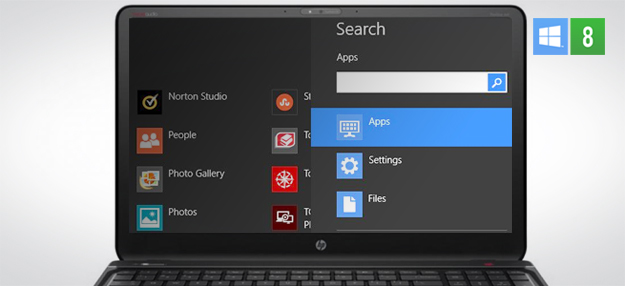
Windows 7 included a search feature that was handy, but Windows 8 ups the ante by providing even better search functionality via the Windows 8 UI. It’s now possible to filter your search by apps, settings, or files. You can access the search function from any screen by placing your cursor in the upper right hand corner of your display. This will activate the “Charms” bar, which includes a magnifying glass for search. The result is familiar. Select a category and type in what you’re looking for.

It’s also possible to access search using hotkeys. Win + F will take you to Files, Win + W will take you to Settings, and Win + Q will take you to Apps.

Manipulate the Start screen

Windows populates the new user interface with tiles automatically, but, since every user is different, it may not pick the best apps for you. However, it is possible to un-pin and re-size tiles just by right-clicking on them. Want to modify multiple tiles? Simply right-click on them in succession to do so. Tiles can also be moved using the good ol’ drag-and-drop technique.

You’ll also notice that the tiles are placed in groups. To modify them, click on the minimize button in the lower right-hand corner (it’s very small, next to the scroll bar), and then right-click groups to add names or delete them.

What about pinning all-new apps or functons? For that, go to the Apps search page and find what you want to add to the Start menu. Right-click and then click Pin to Start. This only works for apps — not settings or files.

Tab through Windows 8 apps only

Alt + Tab is a classic shortcut for moving through different app windows quickly. Now it is being joined by a new hotkey: Win + Tab. Pressing these two together will bring up a new interface on the left-hand side of the screen that lets you move only through Windows 8 apps. It’s a nice way of multi-tasking when you are not in the classic desktop environment.

Gain context and snap windows

The top of a new Windows 8 app is an important part of the app interface. Once inside the app, placing the mouse cursor on the top of the screen will turn the cursor into a hand. Once that’s happened, you can right-click to open up a context menu that will provide a few useful options. It’s usually not much, but the specifics depend on the app.

Doing this also lets you use the new snap features in the Windows 8 interface. To activate this, left-click and drag downwards, and the window will shrink. Now, drag the window to the right or left and watch it automatically snap to that portion of the screen. You can use this to watch information in one Windows 8 app while primarily using another. This will continue to function in the desktop if you go to it after snapping a Windows 8 app to the left or right side of the screen.

Access settings quickly

Underneath the new interface, all of the old Windows 7 utilities are — for the most part — still there. That being said, you may not need to access them often due to a new PC settings interface. You can access setting by searching for “PC settings” or by pressing Win + I and the clicking the Change PC Settings link at the bottom. This new interface will let you handle basic settings pertaining to network connectivity, privacy, and currently-connected devices, among other things. This is often the fastest way to change basic settings.

That same Win + I menu can also be used to power off your computer or change screen brightness without having to open the Change PC Settings link.

Learn Ribbon and the Quick Access toolbar

Windows 8′s other big interface change is the addition of the Ribbon to Internet Explorer. The icon-driven UI replaces the text-menu interface of  the old version. However, it only sometimes appears by default. To summon it, you need to use the new option tabs at the top of Explorer (Home, Share, View, etc.). You also an click the tack icon at the upper right or you can use the Ctrl + F1 hotkey.

When Ribbon is not active you will see the slimmer Quick Access toolbar. It has only a few fuctions by default, but users can add more. To do this, open the Ribbon, right-click on an icon, and then click “add to Quick Access toolbar.”

Get to know your history

One of the best feature in Windows 8 is File History. It’s an automatic update service that  can back up information to a second drive and also lets you selectively restore data. First, however, you have to open and access it. To do this, search for File history in the  settings search. Open it, and then click the Turn On button. File History handles the rest.

If the drive you want to back up to is not selected you can change drives by clicking the “Select a drive” link on the left. You also can restore files by clicking the “Restore personal files” link.

Access system functions with an old-fashioned hotkey

Though Windows 8 tosses out the old Start button, it does add another menu that can be of use. The menu doesn’t have a particular name, but it’s accessed using the Win + X hotkey and it appears where Start used to be (the lower left hand side).

From this menu it’s possible to access a number of utilities like Control Panel, Task Manager, and the Device Manager. It’s an old-fashioned menu that uses a gray background with black text but it will appear in either the desktop environment or the new Windows 8 UI.

Do you use or know of any good Windows 8 tips and tricks? Let us know below.


Source : digitaltrends[dot]com

Oct 26, 2012

How To Find and Get A Job Using Pinterest

The website Pinterest is all the rage among the social networking faithful these days. As its name might suggest the site works like a virtual pin-up board, allowing users to create boards for just about anything a. The social aspect comes into play when other users then re-pin items of interest and the chain of sharing is created. In this way certain things can go viral and gain a much larger following than they might on a regular site where users browse with little interaction. And it’s because of this that the issue of how to use Pinterest to look for a job became so important.

Current TV Joins Pinterest

Flickr image courtesy of methodshop.com

Before deciding on how to use Pinterest in your job search one must evaluate where they are in that search. You can’t figure out how to use such a rapidly growing and involved website without first knowing what you want to get out of it. Job seekers can use Pinterest to narrow down their field of interest, build up a portfolio for prospective bosses or even figure out the best way to present themselves at potential interviews.

See Also: Using Pinterest To Find New Things To Enjoy

The beauty of Pinterest is that information can easily be found on just about anything often when it’s least expected. If a job seeker is trying to figure out exactly what they’re interested in, it’s as easy as picking a Pinterest board category and browsing through. Closer inspection may reveal more discussion about the topic.

For those wishing to work in fields that lend themselves well to being photographed and shared, Pinterest is a great place to first start developing a portfolio. Jobs such as design, photography or fashion can all be displayed on Pinterest. Someone’s best work can be posted to relevant boards and the web address given on resumes for prospective employers to check out. This provides a cost-effective alternative to developing an entire portfolio websites, especially for those just starting out in their careers. And the more people like and re-pin those items the more it shows off the benefit of a skill to prospective employers or clients who may be looking and gauging interest.

Pinterest + iPad = Love

Flickr image courtesy of Bunches and Bits {Karina}

Pinterest is a great resource for killing time and browsing through vivid photographs to share with the world. But for those on a mission to secure a new job, no matter what the field is, this growing social networking site is also a helpful resource. By knowing how to use Pinterest to its full potential someone can find a new career field, show off their skills in that field and be on their way to a new job in no time.

Tags: Pinterest, Pinterest Job Search, Pinterest Jobs

Source : techtalkafrica[dot]com

How to Find Your Facebook ID

As of March 2012, an estimated 901 million people are active users on Facebook, the most popular social media network on the planet, I believe this number has increased to over 1 billion people. The social networks has taken great measures to manage each users account with a number of features to provide their members with security and privacy while using their accounts. When a new member sets up their Facebook account for the first time, the system immediately assigns the Facebook user with an ID number.

For whatever reason, users may want to know how to retrieve their Facebook ID. The steps to do this are simple, and just a few clicks away.

How to Find Your Facebook ID Number

1) Log into your Facebook account.

2) You should be able to see your name beside your profile picture at the upper right corner, click on it

3) There are two ways of doing this, you can either hover your mouse over your profile photo or click on your profile photo and wait for the page to load.

5) Go to the URL bar in your browser with your mouse and slide it along the bar; you should see a string of
numbers appear.

6) Look for the set of numbers that follow after the word “fbid=”.

7) This is your Facebook ID number.

Social networking websites such as Facebook has one priority which is to help their account users stay connected with their family and friends, and also have endless opportunities to meet new people along the way. Email, phone numbers, and physical addresses can all be easily accessed with an active Facebook ID. The Facebook ID number especially comes in handy if you’re a person who uses Facebook applications on a regular basis. It also allows you to compare your social ranking with your friends’ ID’s as well.

Also See: How To Enable Your Facebook Timeline: Fast & Easy

A Facebook user who wants to know how to find their ID number by means of an app can retrieve it by following these instructions:

1) Log into your Facebook account

2) In the search box, type “What is My ID?”. Locate the top search result from your query in the drop-down
menu.

3) You will see the phrase, “Go to App”, click the tab and then click “Allow”.

4) Your Facebook ID will appear.

To locate Your Facebook Fanpage ID, you can follow similar steps

Tags: Facebook ID, Find Facebook ID, Get Facebook ID

Source : techtalkafrica[dot]com