Pages

Showing posts with label market. Show all posts

Nov 14, 2012

Online ad revenues to skyrocket in five years time

The online ad market is growing by leaps and bounds, according a new report that predicts it to reach $143 billion worldwide in the next five years.

International spending on Internet advertising is expected to rise by almost 50 percent over the next five years, according to a new report from a team of analysts tracking the global online ad market. The report, issued today by research and analytics firm Digital TV Research and entitled Online Advertising Forecasts, predicts that ad spending online will reach $143 billion dollars in 2017.

That figure is a significant rise over the anticipated figure for 2012 – $92 billion – and more than double the amount spent on Internet advertising just two years ago, which amounted to $66 billion. According to Digital TV Research, what’s driving the increased rate of growth is the changing demographics of the Internet itself; simply, the more people that get online, the more important online advertising will become. Specifically, the report says, the growth of broadband Internet worldwide plays an important role: By 2017, the number of homes expected to have broadband Internet access is estimated at 745 million across 40 countries (The report covers only 40 countries), which represents almost half (49.2 percent) of total households in those countries. In comparison, those figures for 2010 were 473 million, or 33.5 percent of total households.

The report goes on to estimate that, despite the overall leap in spending, individual cost-per-household won’t dramatically increase; author Simon Murray suggests that it may rise as little as $26 per broadband household, from 2010′s $139 per household to somewhere in the region of $165 per household.

Overall, America will continue to lead the way in Internet ad spending. Its ad spending is expected to increase by more than double by 2017, from the 2010 figure of $26 billion to $58 billion in five years’ time; overall, however, its share of the international online advertising revenue pie is anticipated to stay the same between the two periods, at 40 percent. The United Kingdom is also expected to remain in second place in the global spend table when it comes to online advertising, with its spending reaching an estimated $11.7 billion by 2017. China is expected to overtake Japan for third place at some point in 2014, with its ad revenues projected to grow from the 2010 figure of $2,600 million to $10,808 in 2017.

These figures, however, only tell part of the story – As Digital TV Research admits, the report offers numbers “for advertising expenditure via fixed broadband, and therefore do[es] not include mobile advertising.” That may skew thinking, as mobile ad spending is itself is growing significantly. Estimates from eMarketer earlier this year projected US mobile ad spending to almost double in 2012 compared with 2011 ($2.4 billion compared with $1.23 billion in the previous year), with the trend expected to continue as smartphones become more and more accepted as “the norm” by the mass market of users. Admittedly, $2.4 billion is a long way down from $92 billion, but nonetheless: An almost 100 percent increase year-on-year? That’s got to be worth paying attention to.


Source : digitaltrends[dot]com

Facebook partners with job search Web veterans to unveil its Social Jobs application

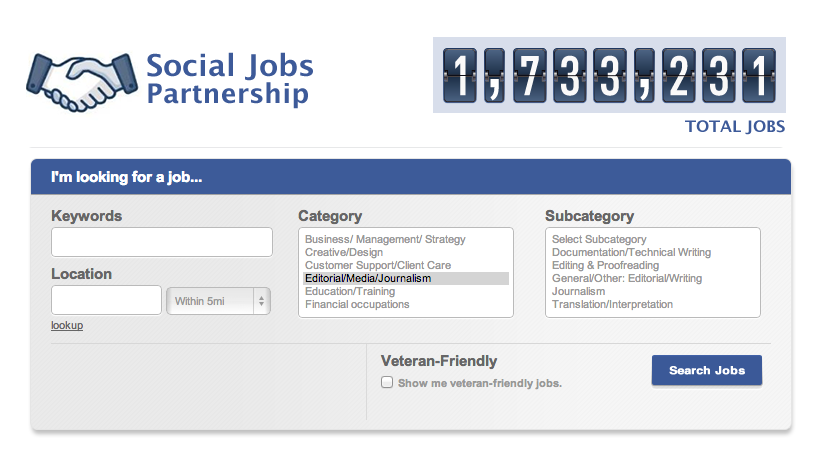
When you spend all your time on Facebook anyway, why not give the job market a quick look for new opportunities? The Social Jobs app aims to bring them straight to socially-apt job seekers.

The elections have come and gone but the high unemployment rate remains. You could either wait for the government to create more jobs, or you can try tapping the power of your social circles and hop on Facebook’s latest job searching app powered by employment websites BranchOut, Us.jobs, Work4Labs, Jobvite, and Monster.com.

As part of the Social Jobs Partnership – an initiative backed by the U.S. Department of Labor, the National Association of Colleges and Employers (NACE), DirectEmployers Association, the National Association of State Workforce Agencies – the collaborative effort aims to direct job listings to where they can get the biggest limelight. The simply-titled Social Jobs app, which does not require you to give permissions or add any third-party software, allows you search for jobs in a variety of industries and outputs listings from the combined opportunities posted on Monster, Jobvite, and the like. You can also narrow your searches by zip code or check the veteran-friendly box to consolidate local, applicable opportunities. At launch, the app hosts more more than 1.7 million jobs with additions on the way.

“Facebook is all about connecting people and we’re thrilled to see developers leveraging our platform to connect job seekers and prospective employers,” said Marne Levine, Facebooks’ Vice President for Global Public Policy. “By allowing job seekers to view and share job openings based on personalized criteria, like location and industry, the Social Jobs Application builds on our broader effort to help people use social media to find jobs in the U.S.”

The condensed location of job searches on Facebook makes perfect sense, given how potential employers are likely already searching for you on Facebook when you apply for a position. Much like the purposes of LinkedIn, Facebook also provides a window for networking opportunities – if users feel compelled to combine their personal social network profile with their professional life. Of course, there are no promises that you’ll find a perfect fit using the app but it sure is nice to have a single bookmark to give the job market a quick sift.

There’s no word on whether the app aims to extend to international markets, but for the moment, Social Jobs is a good start to bring you some potential opportunities stateside.


Source : digitaltrends[dot]com

Nov 9, 2012

Best Microsoft Surface tablet cases and accessories

Microsoft covers surface tablet

What kind of cases and covers, or Microsoft Surface accessories are available on the market right now? Join us as we take a look at some great options for the Surface with Windows RT and the Surface with Windows 8 Pro.

If you’ve been tempted by Microsoft’s new Surface tablets then you’ll probably be on the lookout for a new case and maybe some accessories. There’s no denying that the magnesium shell and Gorilla Glass 2 screen look tough – just check out the skateboard demo – but that doesn’t mean you won’t want some protection or a practical bag to carry your shiny new tablet in.

We’re also going to take a look at the options out there for Microsoft Surface accessories. There are a couple of adapters that might prove essential and everyone could use some extra storage. The choices for cases are limited, partly perhaps because the Surface tablet has a built-in kickstand (something that cases and covers often offer) and partly because manufacturers are unsure how popular it will be.

Anyone still undecided about the new tablets should check out our Microsoft Surface with Windows RT review to find out how it stacks up.

Touch Cover ($120)

microsoft touch cover surface tablet

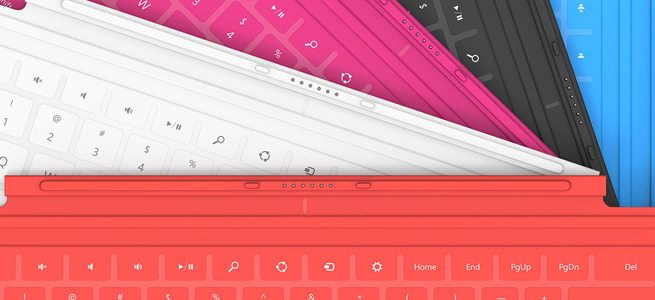
This super-slim, pressure-sensitive keyboard doubles up as a protective cover. It also has a trackpad and some handy Windows shortcut keys. It snaps into place with a magnetic seal that’s quite strong. It’s great to have a keyboard cover that’s only 3.5mm thick and weighs just 0.46 pounds, but there is a drawback. Most reviews have pointed out that it is uncomfortable to type on because it is so flat and unresponsive. The color choices of cyan, magenta, and red are also going to put some people off, but don’t worry they come in black and white as well.

Type Cover ($130)

It is bigger and it only comes in black, but for serious typists the mechanical keys of the Type Cover are going to be far preferable to the Touch Cover keyboard. It is still only 6mm thick and it weighs 0.55 pounds. It also has the trackpad and shortcut keys and it clicks on with the same magnetic attachment. The Type Cover really makes the Surface feel like a laptop and it’s much easier to get used to than the Touch Cover which makes it well worth the extra $10.

Incipio Padded Nylon Sleeve ($40)

A nylon sleeve isn’t going to offer major protection from bumps, but it will keep dust and scratches at bay. The close-seamed zipper has a neoprene lining and rubberized pulls for ease of use and comfort.  The inner lining is soft, faux-fur which provides some cushioning from bumps and there’s a handy external pocket with a zipper for extras. It comes in a range of two-tone color combinations and it’s one of the few options on the market right now designed specifically for the Surface.

Surface HD Digital AV Adapter or Surface VGA Adapter ($40 each)

If you were expecting to find any extras beyond the power supply in your Microsoft Surface box then you’ll be disappointed. Many will consider these pricey adapters to be essential, and they are described as “proprietary”. For $40 a piece you can get an adapter for any HDMI-compatible display or one for any VGA-compatible display. This is definitely the simplest way to see your Surface content on a big screen or through a projector. Don’t feel that you have to splash out for the official adapter, though, because the Surface has a standard micro-HDMI port so any HDMI-to-micro-HDMI cable will do and if you shop around there’s no need to spend more than $5.

SanDisk microSD Memory Card ($10 to $60)

Since there is actually only 16GB free in a 32GB Microsoft Surface you might be looking for extra storage sooner than expected. The Surface supports microSD, SDHC, and SDXC memory cards. You can pick one up from Amazon at about $10 for 16GB up to about $60 for a 64GB card. You’ll find the memory card slot behind the kickstand. For cheap storage without any added bulk a memory card is your best bet.

Thumb drive or flash drive ($10 to $60)

The Surface tablets also have a USB port. The RT has a USB 2.0 port and the Surface with Windows 8 Pro has a USB 3.0 port. If you invest in a fast flash drive you’ll be able to transfer files quickly and easily. You can back up emails or documents and you can watch movies or listen to music. These handy accessories are a cost-effective and convenient way to boost your storage capacity and they’re great for transferring files from your old PC or laptop. They come in all shapes and sizes and you can find a comparison via the link above. If you need more space then consider an external hard drive instead.

Bluetooth Headset ($50 to $150)

With support for Bluetooth 4.0 you could choose any Bluetooth headset to use with your Surface. The tablets do have built-in dual digital mics, stereo speakers, and a camera, but some people prefer a headset when they Skype. Whether you want to go for the Plantronics Voyager Legend or something from Jawbone, Motorola, or Aliph, really depends on your requirements and your budget.

Xbox 360 Controller ($40)

All the gamers out there will be glad to learn that the Surface tablet supports wired Xbox 360 controllers. It won’t work with wireless controllers, but just like any Windows PC, if you plug a wired Xbox 360 controller into the USB you’ll be able to play games with it. This is more exciting for the Windows 8 Pro version of the Surface tablet because it will support a lot more games. It will be interesting to see whether Microsoft tries to make XBLA games available as it pushes more cross-compatibility with the Xbox 360 in your living room. The second screen app soon to be released on Windows 8 and RT, Xbox SmartGlass looks like the first step.

More ideas

The fact that the Surface tablets boast USB ports and have Bluetooth support means there is already a long list of potential Surface accessories. There’s no need to wait for a bunch of dedicated accessories to be released. You may well find your existing mouse or Bluetooth headphones will work with your new tablet. Post a comment and tell us about your favorite Surface accessories so far.


Source : digitaltrends[dot]com

Nov 6, 2012

Apple iPad mini stops by our office, poses for a hands-on video

With the announcement of the iPad mini, Apple will give the already handsomely growing 7-inch tablet market an extra boost. Now that the 7.85-inch slate in our hands, it’s time to take it for a quick spin and see what its deal is.

Some might say out that due to the price there isn’t any deal to be had here. Yet the really beautiful aluminum body of the iPad mini quickly makes you forget about that. The 7.85-inch LCD IPS display at the front packs a resolution of 1024 x 768 pixels resulting in a pixel density of 162ppi. It’s a rather modest achievement and will have the Nexus 7 grin, but the vast catalog of tablet-optimized apps that the App Store offers might make you forgive that too.

You won’t be wrong if you view the iPad mini as an enlarged iPhone 5 (or iPod Touch if you will), mainly because of the design of the slate. The big Apple logo at the back is surrounded of aluminum, with the usual array of buttons at their usual places for an iPad.

At the back, the iPad mini sports a 5MP camera, which shoots video at full HD resolution. There’s also a 1.2MP unit at the front for video chatting.

The internals of the iPad mini are well familiar as this is the same chipset powering the iPad 2. Just like its bigger brother, the mini packs Apple’s A5 chip, featuring two Cortex-A9 processor cores. Graphics processing is taken care of the PowerVR SGX543MP2 GPU.

Naturally, the iPad mini is running iOS 6 out of the box and comes with Siri to help you with your daily endeavors. As usual, we’ve prepared a quick unboxing and user interface video of the new iPad mini. Check it out below.


Source : blog[dot]gsmarena[dot]com

Nov 5, 2012

Samsung Galaxy S3 vs LG Optimus G spec showdown: Longtime rivals duke it out

Galaxy S3 vs Optimus G spec comparison

Samsung is currently enjoying its spot atop the Android market with its Galaxy S3. But no crown is safe from a good challenge, and LG is looking to provide one with the Optimus G. Can sheer power push LG's handset past Samsung's current king?

Samsung’s Galaxy S3 has managed to make itself the go-to phone when people look for an Android handset. Making its way up the sales charts on the back of its gorgeous Super AMOLED display, impressive processing power, and solid reputation of its predecessors, the Galaxy S3 snagged a top spot for Android-powered handsets right out of the gate. In a market marked by tons of competition though, there is someone vying for the throne. LG, Samsung’s South Korean rival, is hoping its Optimus G is capable of doing just that. With 2GB RAM and processor speed that matches the Galaxy S3′s offering and an HD screen of its own with the True HD IPS Plus Display, LG is making quite the case for itself. Take a look at how all the intangibles add up and see which phone best fits your needs.

Read our full reviews of the Samsung Galaxy S3 and the LG Optimus G for a more in-depth look at each option.


Galaxy S3

galaxy s3

LG Optimus G

LG Optimus G

Price
$200/$300 (with contract) $200/$300 (SIM-free)
Availability AT&T, Sprint, T-Mob, Verizon AT&T, Sprint
OS  Android 4.0.1 Touchwiz UX/US  Android 4.1 (Jelly Bean) 
Processor  Exynos 4412 (Quad-core)  Snapdragon S4 Pro (Quad-core)
RAM 2GB 2GB
Display  4.8″ Super AMOLED  4.7″ IPS LCD
Resolution  1280×720 pixels 1280×768 pixels
Dimensions (WxDxH)  5.38″ x 2.78″ x 0.34″  5.19″ x 2.71″ x 0.33″ 
Weight 4.69 oz 5.11 oz
4G LTE  Yes  Yes
NFC  Yes  Yes 
Wi-Fi  802.11 b/g/n (dual-band) 802.11 b/g/n (dual-band) 
Rear-facing camera  8 megapixels 13MP Sprint, 8MP on AT&T 
Front-facing camera  1.9 megapixels 1.3 megapixels
Video capabilities  1080p recording  1080p recording 
Internal storage  16/32GB  32GB Sprint, 16GB AT&T 
SD card slot  Yes (up to 64GB)  Yes (up to 64GB)
Max. battery life  11 hours (2100mAh battery)  10 hours (2100mAh battery)

What it means: LG clearly has a contender when it comes to the numbers. But with any boxing match, the tale of the tape only tells so much. You’d be best served taking each phone in hand and playing around with the UI. Both phones run on a modified version of Android 4.0, and those tweaks may be a deciding factor for you in one feels more natural than the other. You may also want to consider your carrier, because the Optimus G base model comes with a 13-megapixel rear-facing camera, but AT&T has neutered the device and dropped it to a standard 8-megapixel camera. The Optimus G ups the ante on the processor, jumping to a quad-core compared to the Galaxy S3′s dual-core. However, Samsung’s offering has the benefit of a sizable market share and some impressive NFC features that only work if two people have Samsung phones. If sheer power is your biggest sales point, consider the Optimus G, but if features outweigh numbers on your scale, the Galaxy S3 may be the way to go.


Source : digitaltrends[dot]com

Oct 26, 2012

A field trip to the Facebook black market in which we buy 1.5 million accounts and email addresses for $5

facebook black market

There's a black market for just about everything, including your private Facebook ID, email address, name and it costs just $5. After one IT specialist found he could net a million users' account information, we had to go and see for ourselves. To no one's surprise, it's very real and very easy.

The seedy underbelly of Facebook has surfaced yet again thanks to Bogomil Shopov, an online IT marketing and community management professional from Bulgaria, who recently was able to purchase one million names, email addresses, and Facebook profile IDs. 

While browsing the Web for free marketing tools and guides for his business, or “zero budget marketing,” as he told me, Shopov was led to Gigbucks. Gigbucks is an “e-commerce” platform similar to Fiverr, where buyers can purchase services or products for as little has $5 or as much as $50. But what he stumbled on was an offer for one million Facebook accounts and their email addresses that were mined from a Facebook app. Out of curiosity, Shopov purchased the Excel list for $5 and shortly thereafter received the list as promised. He recognized that the header was Turkish, indicating that the developers responsible for procuring the user information were from Turkey, but the accounts were primarily of users located in the United States, Canada, and the UK.

After publishing his blog post detailing the transaction, Facebook reached out to Shopov via phone to find out how exactly he’d gotten his hands on all this data. And when we checked out the URL again today, we noticed that the offer had been taken down from Gigbucks. Shopov told us that Gigbucks’s administrators notified him last night that the offer was removed, likely at the request (read: demand) of Facebook.

As Facebook has introduced more seamless interactions into Facebook Connect and its Open Graph apps, it’s become more difficult to know what you’re giving up and what you’re giving access to; it’s all much less noticeable than it used to be. Users may not realize that it’s rather simple for developers to mine your information; too many of us assume that third-party Facebook app developers won’t use your information like this. “The data that we voluntarily provide to social networks, even as we police our privacy settings, is becoming increasingly vulnerable,” says Robert Leshner, founder of Safeshephard. “It’s not Facebook or even LinkedIn that we have to worry about,” Leshner adds. “It’s the weakest link in the privacy chain, and right now that’s third-party apps. The walled garden of Facebook isn’t very well walled off – it’s crumbling.”

How third-party developers do this is by creating apps (that may or may not offer value) for the sole purpose of collecting user data, a practice we’ve talked about before. When you first use a Facebook app, a page pops up that describes the information you’re permitting the developer to access. Your email address, name, user ID, gender, and other basic information is fair game — and if it gets into the wrong hands, can then be aggregated into a tidy list and sold off.

There’s a rather large incentive among blackhat marketers to pay for this valuable list of real email addresses and Facebook accounts (Facebook, after all, has made a name for itself as the proprietor of real identities). These addresses can be used to boost the number of followers on Facebook pages (through invitations), or Facebook users can be placed on email lists. It can also be used to target these specific users based on email addresses, phone numbers, and user ID. Note that you can find the Facebook account associated with an email address simply by typing the email into Facebook’s search bar, similarly to how a researcher previously discovered the Facebook profiles associated with the phone numbers.

A simple Web query reveals an expansive and thriving underground market for Facebook IDs linked to email addresses. It’s reminiscent of the market for hacked Twitter accounts that we reported on earlier this month. In fact, we were able to purchase a couple of these lists for a little as $5 each. Like Shopov, we were sent a .rar file with several .txt files listing over 1.5 million email addresses, names, and Facebook profile IDs. And yes, it really was that easy.

What one of the sellers revealed to us just how prevalent and common the practice of buying and selling this data is: He purchased a list of 32 million email addresses and Facebook accounts from his friends and repackaged the list into sets of between one and two million email addresses to resell. There also appears to be some reusing and recycling going on, as we realized we’d purchased duplicate lists from two different sellers.

With our increasing reliance on using Facebook or other social networks to access third-party applications, our data can be easily misused and profited from by third-parties. Before you allow an app access to your information next time around, you might want to be more mindful.

We reached out to Facebook and will update you with their response.


Source : digitaltrends[dot]com

Panasonic planning European smartphone market exit, less than a year after its return

Panasonic Eluga

Panasonic could be planning to withdraw from the European smartphone market, despite only having rejoined at the beginning of the year. Poor sales are cited as the reason, but a lack of effort and financial problems could be closer to the mark.

A new report indicates Panasonic is considering withdrawing its range of phones from Europe, despite only having re-entered the market at the beginning of the year.

Having previously left Europe in 2005, so it could concentrate on sales at home, Panasonic announced its return in February, and showed off its new handsets during Mobile World Congress. A Reuters report says it wanted to sell 1.5 million phones this year, but it’s unlikely to reach this figure, prompting talk of a withdrawal.

It placed its hopes on two phones, the Eluga and the Eluga Power. The former is an Android 2.3 Gingerbread phone with a 4.3-inch touchscreen, and a 1.2GHz, dual-core Texas Instruments processor. Despite boasting a slim, 7.8mm chassis and an attractive, waterproof body, this specification barely provided the phone with the power to compete with devices from Samsung, Apple and HTC.

The Eluga Power could have been a bigger success, as it has a 5-inch, high definition touchscreen, a dual-core Snapdragon S4 chip, Android 4.0 and IP57 water and dust proofing. A true competitor to the Galaxy Note, then.

Both phones could be purchased through online retailers, but Panasonic never appeared to sign any deals with UK networks. While this isn’t quite as important as it is in the US, it would have been essential for Panasonic to re-connect with buyers and promote its new phones.

Evidence of trouble brewing came when the firm told TechRadar.com in August that it was selling its two phones “to consumers in Germany and Italy and currently does not have any plans to change this.” A report in The Times around the same time said Panasonic had put its European smartphone plans on hold, and “looked likely to abandon its mass market ambitions.”

The smartphone market is tough, but Panasonic’s potential exit could be directly related to the $7.6 billion bailout given to it by Japanese banks this month after record losses, rather than any failure to perform following its half-hearted attempt to break back into Europe.


Source : digitaltrends[dot]com

Samsung tops the global smartphone market, as HTC, Nokia and RIM fall further behind

Samsung Logo Door Offices

Research published by market analysts IDC has put Samsung way out in front of its rivals in the global smartphone market share charts, where Nokia has disappeared from the top five for the first time, and HTC has dropped several spots too.

Market analyst company IDC has released the latest version of its Mobile Phone Tracker information chart, showing where it places the world’s major phone manufacturers regarding smartphone market share and sales. Samsung is the star of the show, a fact reflected in its own quarterly results, while Nokia, HTC and Research in Motion all show signs of suffering at both its, and Apple’s hands.

Samsung has retained its position at the top of the charts, with a 31.3-percent market share, up from 22.7-percent last year. It’s estimated to have shipped 56 million smartphones between July and September, a huge improvement over the already impressive 28 million from the same period last year.

The Korean company has also announced its financial report for the same period, posting $7.4 billion in profits, beating its previous record for the fourth consecutive time. A Reuters piece on the subject puts its smartphone shipments at 58 million, slightly higher than IDC’s figure, and says that between 18 and 20 million of that amount were Galaxy S3 handsets.

HTC drops behind RIM and ZTE

Apple comes second in IDC’s ranking, with 15-percent of the smartphone market, up from 13.8-percent this time last year, and we all know how it has been performing recently. Research in Motion is gamely holding on to third position with a market share of 4.3-percent, down from 9.6-percent last year, but ZTE is a mere 0.1-percent behind — making a position change likely in IDC’s next report.

Finally, the top five is rounded out by HTC. This time last year, it had a 10.3-percent market share, and was ahead of both RIM and ZTE, but now, with a dismal 4-percent, it trails both of them. It’s shown to have sold 7.3 million smartphones this quarter, highlighting the gulf that has opened up between it, Apple and particularly Samsung.

To try to drum up some business in Europe, HTC has today launched Best Deals, a variation on the popular daily deal system, where HTC owners can enter their own deal preferences and, based on location, the app will return relevant offers. There are 12 providers signed up to Best Deals, including iVoucher, Daily Deal, Qype and LivingSocial, but perhaps crucially, not Groupon. The Best Deals app looks to be part of HTC Sense, is compatible with the One X, One S, One X+, the 8X and 8S, and will be available in the UK, Italy, Germany, France and Spain in November.

Nokia leaves the top five for the first time

Finally, we come to Nokia, a company absent from IDC’s top five smartphone companies for the first time since it first began keeping records in 2004. It does still appear in the overall list of general phone manufacturers though, and in second position. It has shipped a massive 82 million phones during the third quarter, down from the 106 million it shipped during the same period last year, and it retains an 18.7-percent market share.

Samsung again tops this list, with a 23-percent market share and a grand total of 105.4 million phones leaving its warehouse.

There’s no sign of the global smartphone market slowing down either, as the 179 million smartphones sold this summer is 45.3-percent more than this time last year.


Source : digitaltrends[dot]com

2013 Honda CR-V review

2013 Honda CR X review front angle

The 2013 Honda CR-V is one of the best-selling and most fuel efficient CUVs on the market, but even with last year’s styling overhaul leaves us a little drowsy behind the wheel. Does it do enough to overcome its aesthetic shortcomings? Read our 2013 Honda CR-V review to find out.

automotives drop cap moreHonda doesn’t build exciting cars, but you already know that. Honda builds reliable cars, and chances are you’ve owned one at some point in your life. 

The Japanese automaker is slowly getting better at delivering designs that are much less derivative of past models and more appealing to consumers, but at this point in the game it’s been more of a slog than a sprint to that rainbow-filled reality. What Honda does build, though, are cars that are incredibly fuel efficient, practical, and perhaps more than anything else, reliable. The 2013 CR-V embodies all of the latter, and while it’s an excellent car for families and those looking for greater cargo space, its sleepy design might turn a few off, especially when other, more vibrant, alternatives exist.

Interior

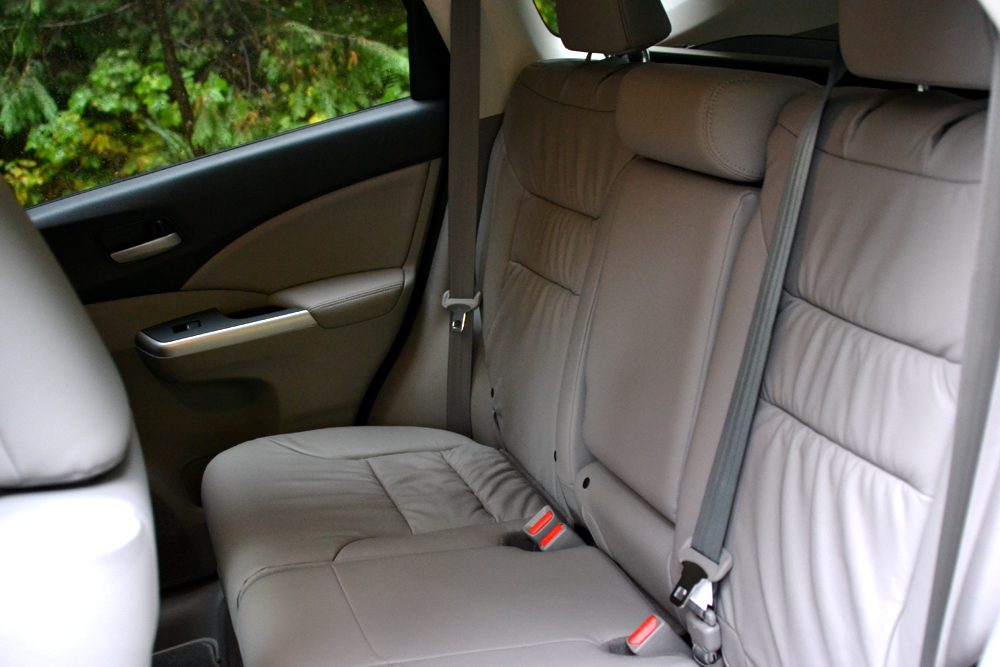
Open the door and step into the CR-V and you’re treated to a classic design lesson where function routinely triumphs over form. Honda has approached the CR-V’s interior with a utilitarian mindset and it shows. Everything is simple, from the flat bottomed and backed front and rear seats, to the large, blocky center console fenced between the passenger and driver side. The cabin isn’t completely confined to right angles though, and the center console features a gradual curve that juts out beneath the dash in order to accommodate the elevated shifter. Needless to say, drivers both young and old will certainly feel comfortable and home with the cabin’s simplified design.

2013 Honda CR X review front   2013 Honda CR X review front seats angle
2013 Honda CR X review back seat   2013 Honda CR X review sunroof

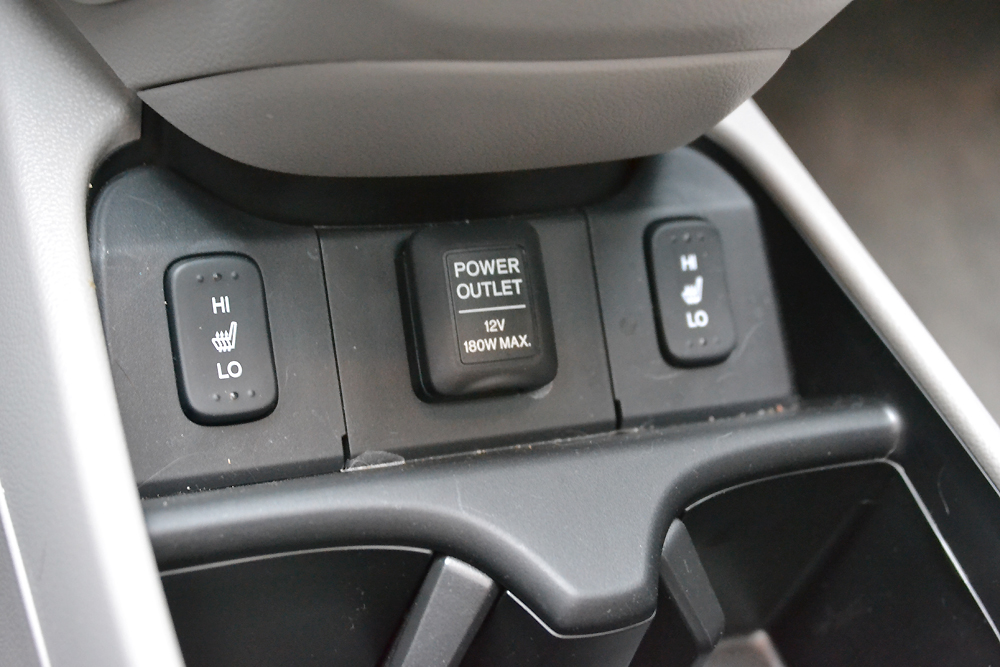
As it turns out though, simple doesn’t always equate to bad. The 2013 CR-V is very spacious and you’d be forgiven for thinking you’re riding in a much larger vehicle. Legroom up front and in the back is ample, and will easily accommodate longer drives. Getting back to that utilitarian mindset, Honda has included a wide array of storage compartments, the largest and most practical located between the two front seats. Further little touches like folding armrests help hammer home the CR-V’s attention to comfort and practicality.

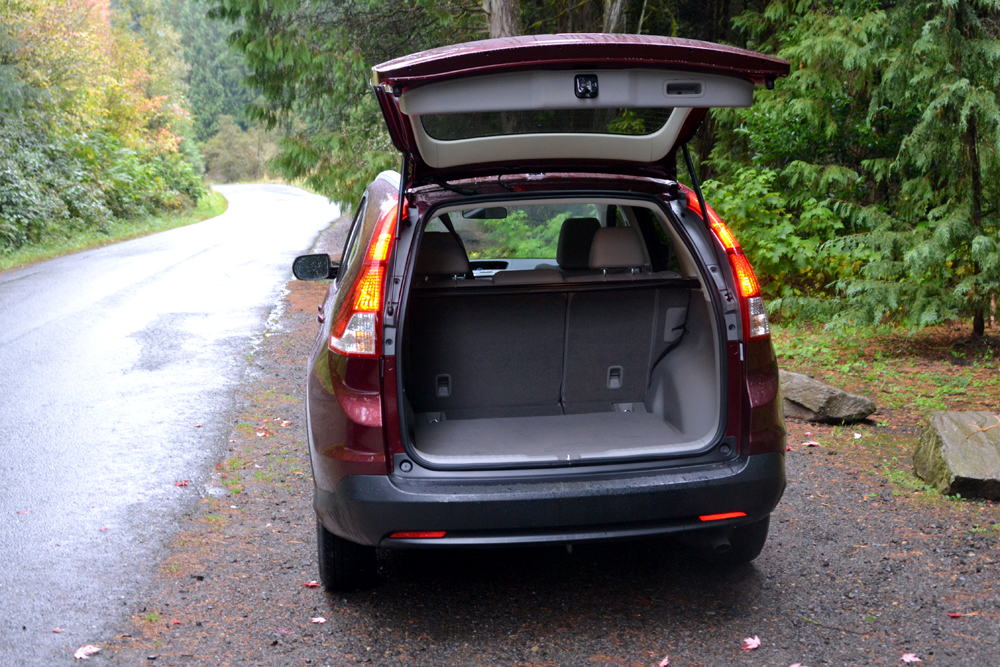
2013-Honda-CR-v-review-trunkA major part of a crossover’s appeal is its added cargo space and the 2013 CRV is a superstar in this department. With the rear seats up, the CR-V gifts a generous 37.2 cubic feet of carrying capacity; fold those rear seats forward and that number swells to 70.9 cubic feet.

Tech

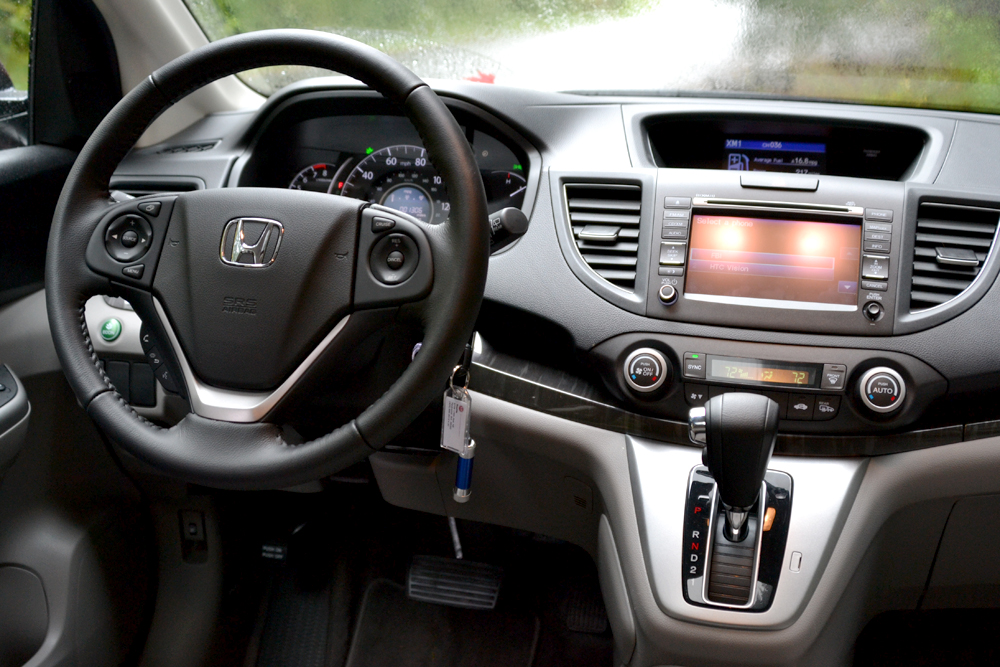
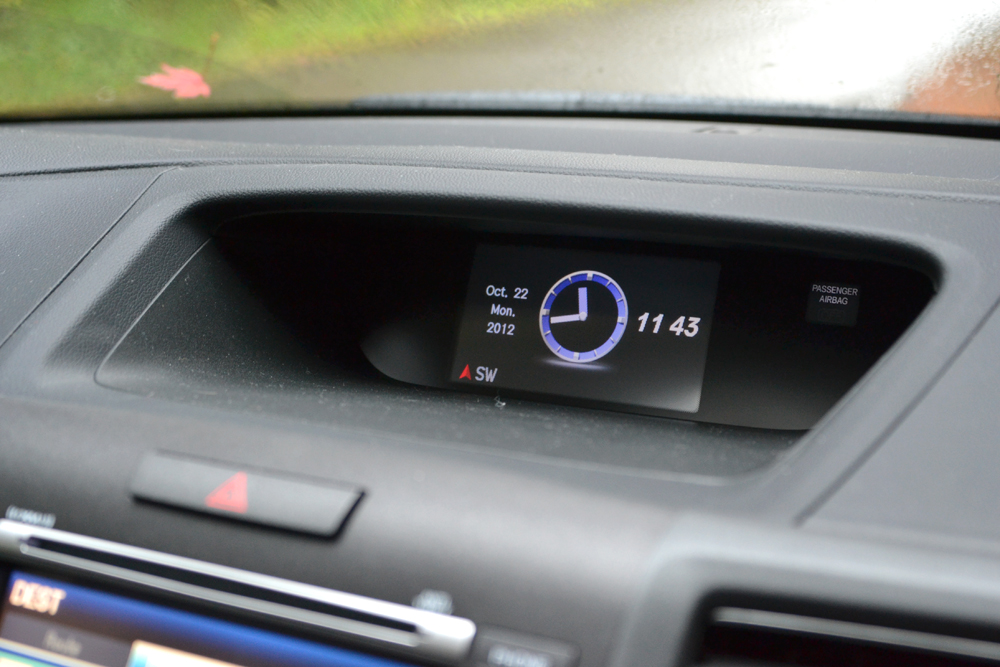
Adding to its practical sensibilities, the 2013 CR-V boasts a useful amount of cabin tech drivers will surely appreciate. Nestled atop the cabin’s dashboard is an Intelligent Multi-Information Display (I-MID) that relays information, such as your current fuel economy, tracklist, and turn-by-turn directions to name a few. Honda even allows drivers to upload pictures via a USB thumb drive and assign different wallpaper to the I-MID. In an age where we like to curate and customize virtually every digital experience we partake in, it’s a nice touch.

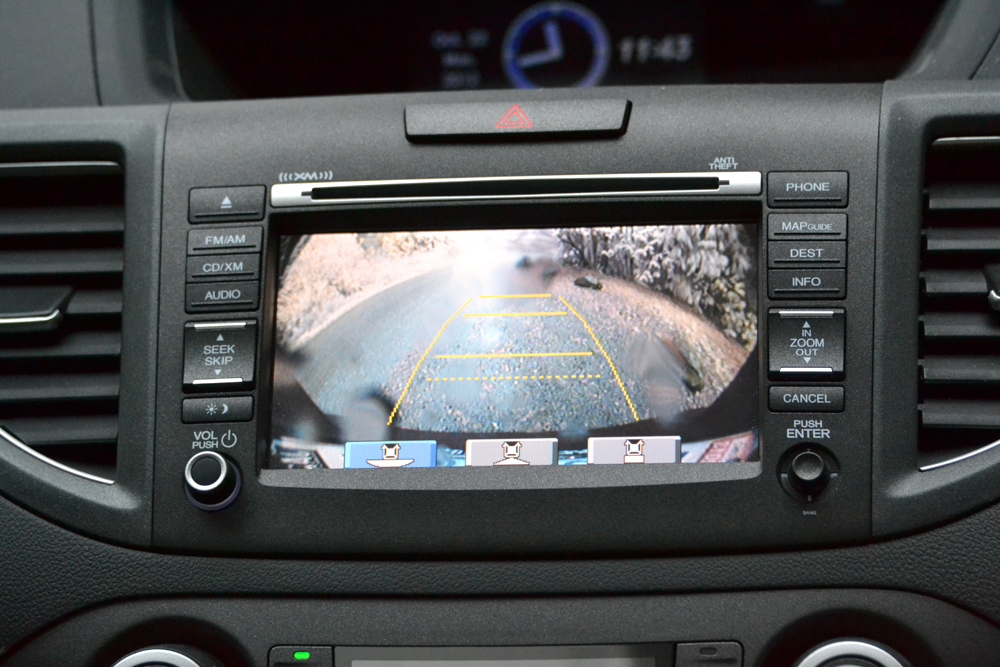
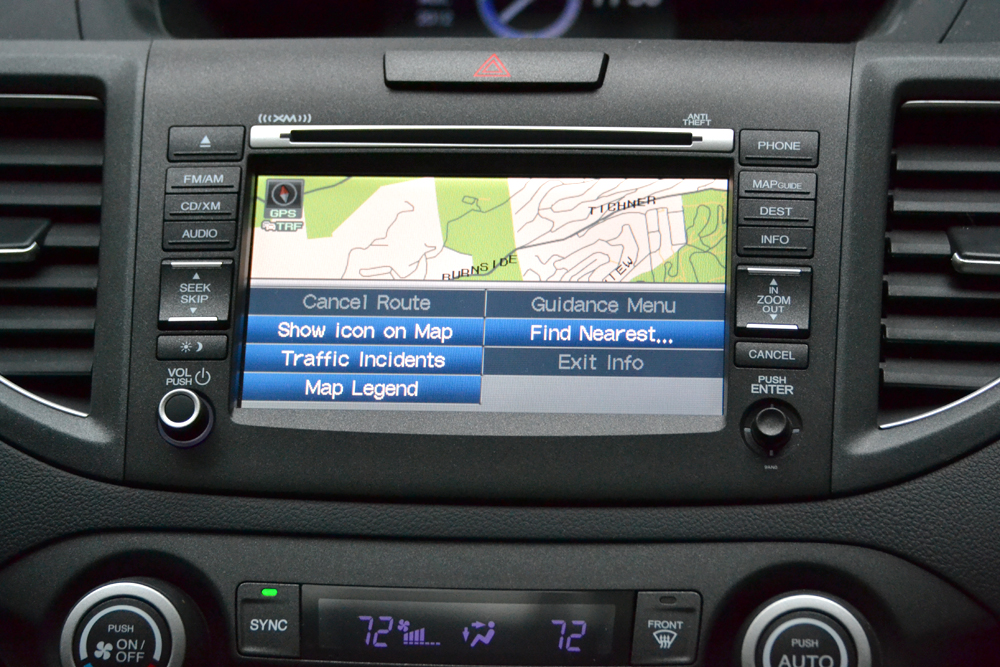
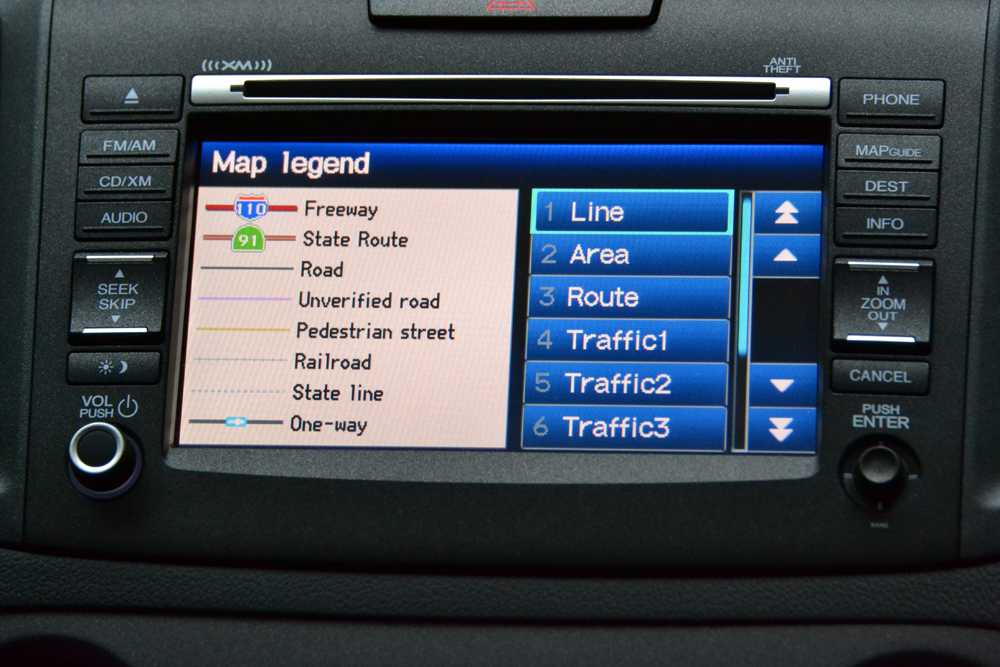
Located more centrally in the center console, we find Honda’s navigation unit and touchscreen LCD display, which we found the screen to be both responsive and clear. It isn’t as vivid as others we have come across in the segment, but most will find it clear enough. Flanking each side of the display is an array of buttons for more frequently used functions, so for instance, swapping between navigation, audio, FM/AM, etc. is fairly easy. Again we find a very simple and straightforward layout that will appease most, however, we found the buttons on each side of the screen to be too frustratingly small at times.

2013 Honda CR X review backup camera   2013 Honda CR X review console ports   2013 Honda CR X review secondary display   2013 Honda CR X review map gps   2013 Honda CR X review gps

As far as the navigation experience itself is concerned, we found it to be pretty robust and easy to use. Voice commands work without much of a hiccup, and as we mentioned, the turn-by-turn prompts are relayed seamlessly onto the I-MID display, with the only gripe being a lack of street names read aloud.

Of course no self-respecting modern car would be caught dead without a modicum of phone connectivity, and thankfully the 2013 Honda CR-V delivers. Once paired, drivers have access to both Bluetooth phone and audio features, so placing calls and listening to Internet radio applications such as Spotify and Pandora is supported. Speaking of Pandora, the CR-V incorporates the Internet radio service directly rather well. You can still use other apps or songs loaded onto your phone (iPods also work) , but instead of displaying the default screen, using Pandora adds those beloved “thumbs up” and “thumbs down” buttons to the interface. Although you can’t create a playlist through the vehicle, the CR-V will allow you to select one you’ve already made with ease.

With texting while driving the ultimate automotive no-no these days, it’s surprising we haven’t seen more automakers trying to incorporate a system that would help drivers stay connected to their friends and family. If you’re one of those people, you’ll be happy to learn that the 2013 CR-V features a rather nifty bit of tech that reads your incoming text messages.

Rounding out the onboard tech features is an excellent rearview camera that provides three different viewing angles when backing up — wide, normal, and top-down – that really comes in handy when trying to maneuver out of tight spaces.

Exterior

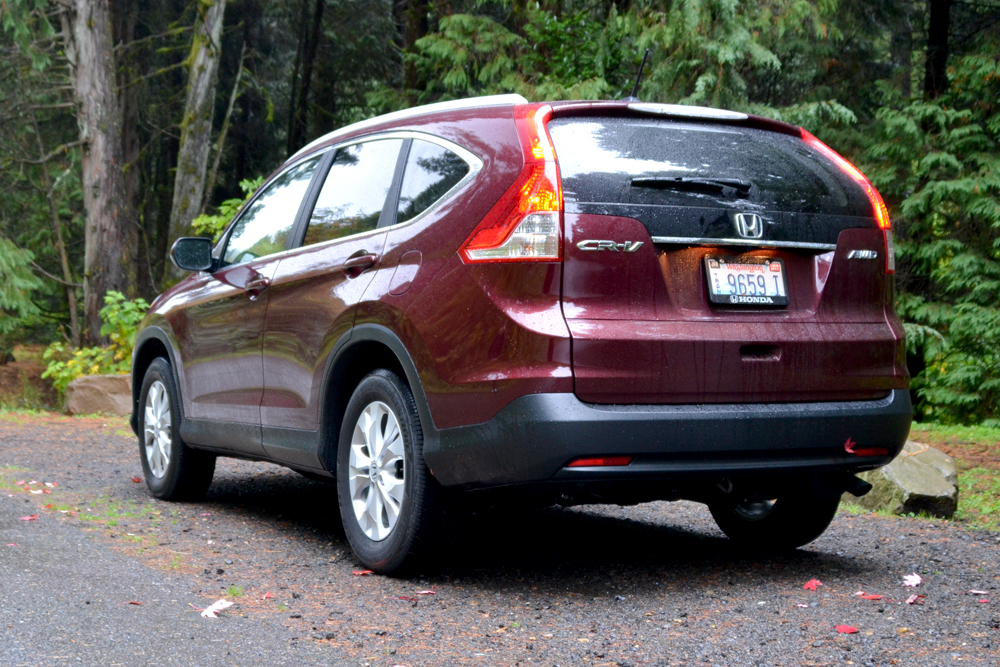
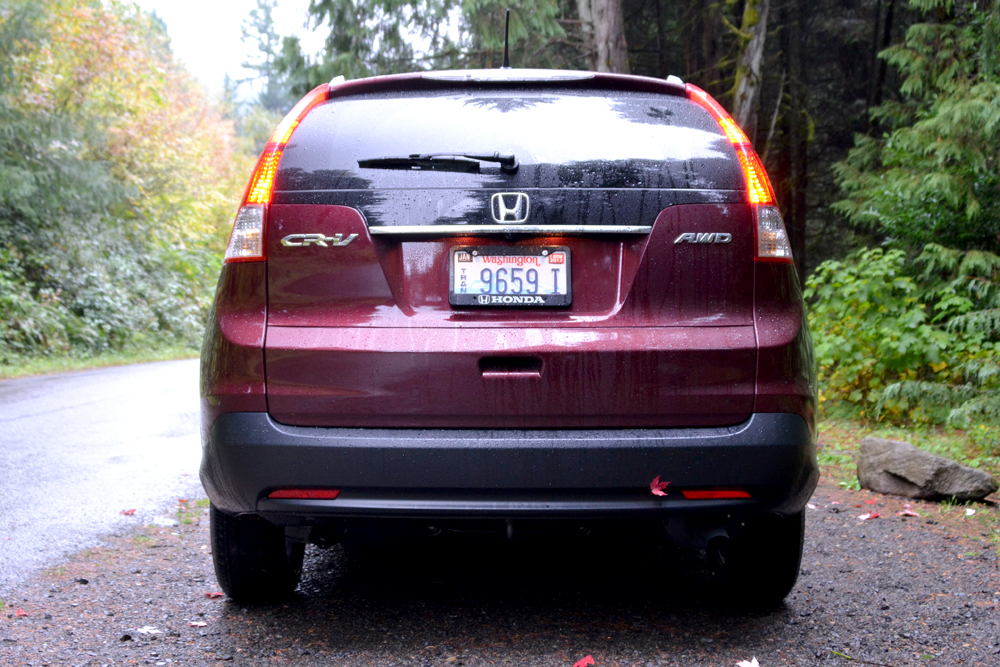
Many of you will remember Honda’s brilliant Superbowl commercials featuring actor Mathew Broderick indirectly reprising his role as Ferris Bueller while driving around in the updated and restyled 2012 CR-V. Truth be told, the CR-V has had more facelifts than Joan Rivers. Undoubtedly, we have come a long way since the boxy, boring, and banal stylings of CR-Vs in the past — and most will agree the latest CR-V is the sexiest version yet — but it still lacks that presence and charisma others in its class exude, like the Ford Escape and, our personal favorite, Mazda CX-5.

2013 Honda CR X review side cropped

2013 Honda CR X review back angle     2013 Honda CR X review rear     2013 Honda CR X review front headlight

Of course, step outside the 2013 CR-V and you’ll see just how all that space and utility found on the inside was accomplished. There isn’t a particularly windswept design, rakish athletic hood, or sharply pinched greenhouse. Instead, the CR-V is unapologetically wide and proportioned with practicality, not pizazz, in mind. There isn’t a lot of flair here, but to their credit, Honda’s design team has built a car that looks good. She might not be beautiful, but she’s pretty enough to introduce to your friends and family.

Powertrain

Without doubt, the CR-V’s interior and tech features make it one smart CUV, but it isn’t until we delve under the hood and examine its powertrain that we begin to see where it lacks a level of sophistication. While many of its class rivals have begun offering direct-injection engines and higher gear ratios transmissions (in the form of six-speed automatics) the CR-V offers neither. On paper, that sound as if it holds the CR-V back from other vehicles in its segment, but really it doesn’t. It will still get up and down the mountains, slog through mud and snow, and, above all, provide excellent fuel economy.

If we had to describe the 2013 Honda CR-V’s drivetrain in one word, it would be “adequate.” Powering this pleasant people mover is a 2.4-liter i-VTEC inline four-cylinder engine capable of pumping out a modest 185 horsepower and 163 pound-feet of torque. A five-speed automatic transmission and front-wheel-drive comes standard, while more industrious types can opt for all-wheel-drive.

2013 Honda CR X review engineFuel economy is the real standout feature on tap. EPA estimates sees the front-wheel-drive CR-V net 21 mpg in the city, 31 mpg on the highway, and a combined mpg of 26. For 2013, Honda has increased the CR-V’s mpg in the city by 3 mpg. Naturally, all-wheel-drive saps some of the fuel frugality from the numbers, with an EPA estimated 22 mpg in the city, 30 highway, and 25 combined. Fuel economy remains the same in the AWD from last year.

Still, even without adding a six-speed automatic, the 2013 CR-V is one of the most fuel-efficient vehicles in its class, and with the way fuel prices continue to fluctuate these days, that distinction simply can’t be overstated. The CR-V also includes an “Econ” driving mode that limits throttle response and seeks to provide a greater degree of fuel economy.

All in all, Honda’s crossover champ won’t whisk you off your feet, but its fuel-sipping engine will get the job done on the vast majority of roads conditions you’re likely to frequent.

Handling/Road Performance

Generally speaking, crossovers (like traditional SUVs) are not the most nimble vehicles to canter around in, and that’s pretty much the case for the 2013 CR-V. Handing is never dull, but it’s never truly exciting either. Our AWD model conducted itself well during both sharp and longer turns. Cabin sway remains minimal, and the CR-V’s MacPherson strut front suspension and multi-link rear keep ride quality tight and firm. We were a little disappointed in the lack of feedback from the electric power-assisted steering, as it continuously failed to provide any positive or negative feedback during our road tests, but most drivers will more than likely be able to live with it. Drivers looking to take frequent jaunts outside the city and suburbs would do well to opt for AWD, as it features Honda’s Real Time AWD system, which allows power to be sent to the rear wheels regardless of latent wheel spin in the front.

Overall, the CR-V does what it does and does it well. You won’t hate it, you won’t love it, but you will be satisfied by it.

Finish line

Overall, we really liked the 2013 Honda CR-V. We’ve never thought Honda’s crossover king was much to look at, but ever since last year’s overhaul, we’ve come to appreciate it more. As the old maxim states, beauty is in the eye of the beholder, and enough people have, do, and will appreciate (or at least be able to live with) the CR-V’s somewhat frumpy proportions. Style isn’t everything. While the CR-V would never be able to saunter down the Milanese runways, it’s a fairly good-looking car that most will enjoy. We long for more pizzazz, but that’s just us.

Where the 2013 CR-V fails to deliver on the style and performance outside, it virtually nullifies those complaints by being one of the most livable and accommodating vehicles we’ve stepped foot in. Couple that with an excellent fuel economy, a reasonable starting price (LX models start at $22,695) and more space than a Tokyo apartment, and the CR-V is one of the most compelling crossovers money can buy.

Highs

  • Cargo and cabin space is excellent
  • Fuel economy is one of the best in its class
  • Easy to use tech features

Lows

  • Transmission is less advanced than competitors
  • Sleepy exterior design
  • Interior is pretty lackluster in the looks department

Source : digitaltrends[dot]com

Oct 25, 2012

How To Look For a Job With Facebook

If you are in the market for a new job, you might be wondering how you can make good usage of the time that you are already spending on Facebook. Figuring out how to use Facebook to find your next job is almost as easy as using Facebook itself. In addition to the fact that social networking was designed to help connect people for various reasons, there are also several apps on Facebook that are devoted to helping people connect with a new employer.

facebook

Flickr image by pshab

It is vital that you learn how to protect your privacy on Facebook, however, so that your current employer does not find out that you are in the market for a new job. In addition to setting your post to friends only, you can also block specific people who are on your friends list from seeing individual posts. If you are not sure how to do this, read on for a quick tutorial.

Blocking Friends From Specific Facebook Posts

When you begin typing your status update, you will see a word in grey next to the post button. You can click on it and go down the list to the custom option. Once you have selected the custom option, you will get a pop-up window with a few other options. Under “make this visible to” you should select friends. Under “hide this from” you should list each person who works for your current company. By taking this step, you will ensure that your boss will not find out about your new job search until you are ready for him or her to know about it.

Once you have posted about your new job hunt, you should also individually reach out to all of the people on your friends list who work in an industry that interests you. For privacy reasons, make sure that you contact them via Facebook’s messaging system, rather than leaving a comment on their timeline.

Using Facebook Apps to Find a New Job

If getting the word out to your network of friends does not present you with a viable job lead, then you should utilize Facebook’s apps. There are several apps for those who are looking for a new job, and most of them have different focal points. BranchOut, for example, let’s you connect with others who work in similar industries, and it also enables you to meet new people through your list of Facebook friends.

branchout-homepage

inside-connections

Image courtesy of Personeelsnet

Facebook also has a Marketplace app that acts as the classified ads section of Facebook. At any given time there are millions of job postings listed from around the world, and the listings are easy to search via location, industry, job title and company.

If you properly utilize all of the available options, it is extremely likely that you can find your next job during your daily visit to Facebook.

Tags: Facebook Job Hunting, Facebook Jobhunt, Facebook Jobs, Facebook Jobsearch

Source : techtalkafrica[dot]com

Oct 23, 2012

iPad 3 vs iPad 4: Spec Showdown

Making a far quieter entrance into the market than its Mini counterpart, the iPad 4 has arrived. It's the fourth refresh the iPad has had in two years. Check out its specs alongside its predecessor and see if the iPad 4 is worth it for you.

Every company with a tablet on the market wants its product to be the “iPad Killer.” Unfortunately for its competitors, Apple has a tendency of killing its own products and bringing them back to life with improvements that leapfrog the last benchmark. In its nearly regular refresh — the fourth in two years — to the iPad, Apple is making some small changes. Visually, nothing changes as the device holds steady at the same dimensions and identical Retina display that was introduced on the iPad 3. The processor got a slight boost to a 1.3GHz A6X dual-core and the front-facing camera gets clearer with a 1.3-megapixel lens. The charging port is also changed out for the new Lightning Connector. Take a look at the full side-by-side spec breakdown below.

It doesn’t seem like Apple will be chasing too many current iPad owners with the iPad 4. The upgrades are fairly minimal from what the 3rd generation offered and likely won’t convert iPad 3 owners. More than likely, the iPad 4′s market will be for folks that are still without a tablet in their possession or for people who passed on the last two refreshes and still own the original iPad or the iPad 2. Assuming the price for the iPad 3 drops similarly to how the iPad 2 did (currently $400 in the Apple Store), it may become an attractive entry level tablet for people that prefer the Apple brand. The iPad 4 feels like it got pushed out to market to make the Lightning connector the universal offering in Apple’s mobile line. It may still be an option for hold outs, but iPad 3 owners may be wise to skip this generation.

(*A quick note: We use the words iPad 3 and iPad 4 to mean 3rd generation and 4th generation iPad.)


Source : digitaltrends[dot]com

Apple iPad mini enters the compact tablet battleground, faces the Nexus 7 and Kindle Fire HD

Apple just announced their 7.9-inch iPad mini and is now officially ready to enter the fight in the ultra portable tablet market.

iOS is the dominant platform in the large tablet class, but it’s a newbie in the compact segment. So does the Apple iPad mini have what it takes to successfully challenge the already established competition from Google (ASUS) with its Nexus 7 and Amazon with its 7-inch Kindle Fire HD.

We’ve prepared a quick comparison table for you, showing how the iPad mini stacks up against the competition.

 
Apple iPad Mini
Kindle Fire HD
Nexus 7
OS
Apple iOS 6
Android 2.3.3 Gingerbread
Android 4.1.2 Jelly Bean
Display
7.85-inch
IPS LCD
7.0-inch
IPS LCD
7.0-inch
IPS LCD
Resolution
1024 x 768
(163 ppi)
1280 x 800
(216 ppi)
1280 x 800
(216 ppi)
Height
Width
Thickness
200 mm
134.7 mm
7.2 mm
193 mm
137 mm
10.3 mm
198.5 mm
120 mm
10.45 mm
Weight
308 grams
395 grams
340 grams
Processor
1GHz dual-core
processor
A5
1.2GHz dual-core
processor
TI OMAP4460
1.3GHz quad-core
processor
NVIDIA Tegra 3
GPU
PowerVR SGX543MP2
PowerVR SGX540
GeForce ULP
RAM
512 MB
1GB
1GB
Storage
16GB / 32GB / 64GB
16GB / 32GB
8GB / 16GB
microSD card slot
No
No
No
Primary camera
5 MP, 2592×1944 pixels,
autofocus, 1080p video recording
No
No
Front camera
1.2MP Camera
“HD” Camera
1.2MP
Battery Life
10 Hours
11 Hours
10 Hours
Wi-Fi
Wi-Fi 802.11 a/b/g/n, dual-band, dual-antenna
Wi-Fi 802.11 b/g/n
Bluetooth
Yes
Yes
Yes
Network
2G Network GSM 850 / 900 / 1800 / 1900
3G Network HSDPA
4G Network LTE
No
No
NFC
No
No
Yes
Speakers
Mono
Stereo, with Dolby Audio
Mono
Availability
November 2, 2012
Currently available
Currently available
Price
$329 / $429 / $529
$199 / $249
$199 / $249

It’s way to early to be drawing any conclusions, but at first glance it seems that Apple isn’t really understanding what the compact tablet class is about. The way we see it – it’s about getting nicely performing and compact tablets at bargain prices.

Of course, no one was expecting Apple to pack their top-of-the-line A6 chip in the iPad Mini and start selling it for $199. But both the display and the pricing are disappointing. We were hoping to see a higher-res display or at least a more up-to-date CPU that could be relevantly put against the Nexus 7′s and the Kindle Fire HD’s.

Instead, the company that introduced Retina displays announced a 7.9-inch tablet featuring a display with just 162 ppi pixel density for the premium price (for the segment) of $329 (16GB).


Source : blog[dot]gsmarena[dot]com

Oct 17, 2012

Hands on: Dyson DC44 Animal Digital Slim is a mean cleaning machine

Dyson's latest device, the DC44 Animal Digital Slim vacuum, is one of the best handheld cleaners on the market, but is its $400 price tag justified? Our hands-on review investigates the wonders and flaws of this pricey gear to help you decide if this investment is right for your household.

Dyson vacuums have long been one of the pioneers in its own industry, offering an array of high-end equipments that are stylish, functional, and incredibly expensive. As gadget enthusiasts, we could not help but be excited by the latest Dyson Animal Digital Slim model, the DC44, which is portable, wireless, and gets the job done in no time. But at a retail value of $400, it’s admittedly not the most ideal price point for the average family. Here’s a look at what the shiny new gadget offers that most vacuums on the market do not.

Look and feel

At first glance, you have to commend the Dyson DC44, as with all other Dyson products, for being beautifully engineered. Compared to the many handheld vacuums I’ve ever had the opportunity to use, the DC44 is in its own league of craftsmanship. The plastic handle makes it feel like you’re holding an exaggerated, 5-pound staple gun, and the clear vacuum space in the middle lets you see the Dyson-coined “Root Cyclone” motor. According to Dyson, this patented tech spins the dirt into the sides of the dust bin, so in the long run, the device does not damage its filter or lose suction. Never have I felt so cool holding a vacuum, ready to clean my room.

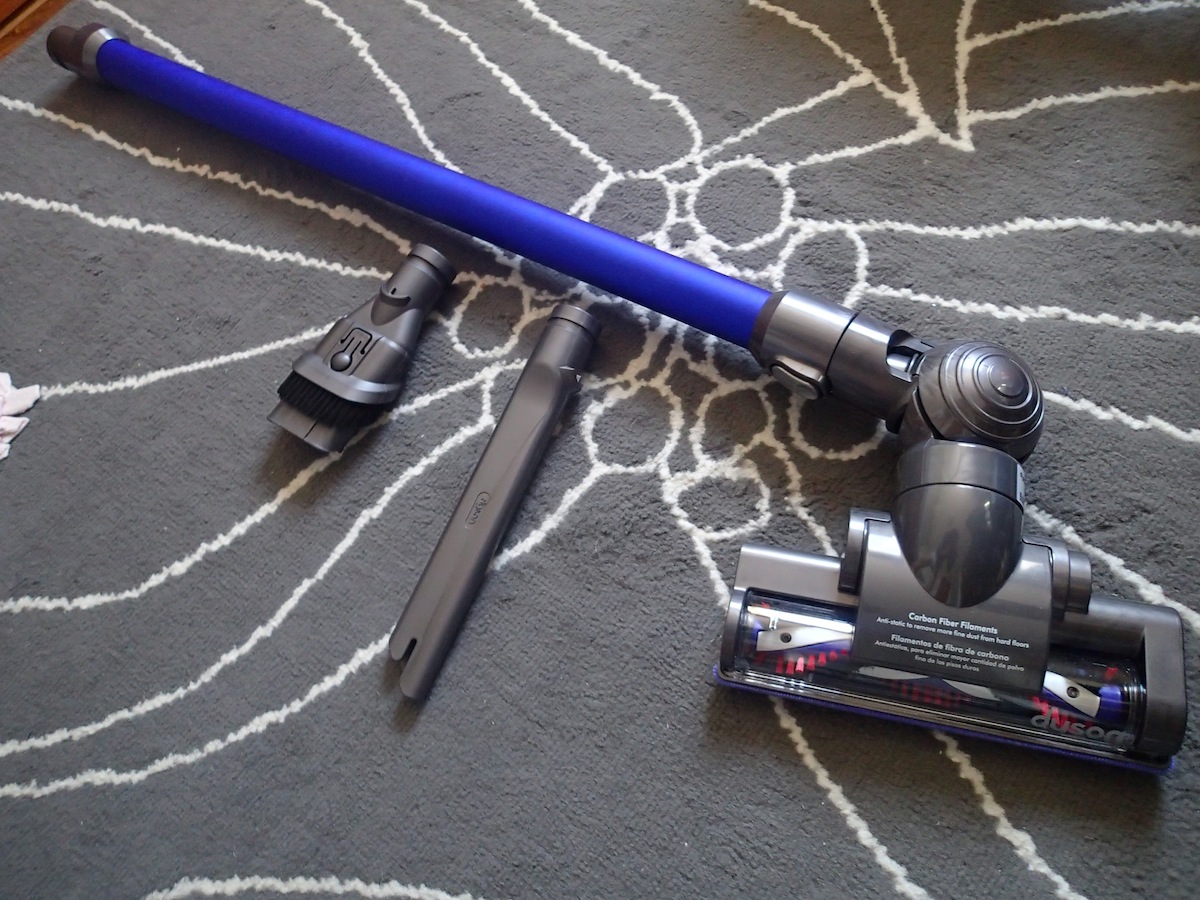
Straight out of the box, the DC44 requires minimal assembly. All you need to do is pick your intended attachment, which ranges from an extended leg for floor work, short cleaner head, crevice tool, and a combination tool that has a large opening and brush. The device comes charged, but if not, each charge takes 1-2 hours and will last you about 15 to 20 minutes. That seems short, but you can clean a decent amount in that time thanks to the power of this so-called Root Cyclone technology.

Utility

Starting with my carpet, I attached the regular cleaner head to the DC44 body and off it goes. The vacuum is loud, but not any louder than your average machine. One sweep of my carpet and you can see the dust beginning to pile inside the bin, and the DC44 is powerful enough that only one swipe is necessarily for a section. I’m so used to going over the same area several times and it became clear why 20 minutes worth of charge is reasonable for one cleaning session. If you need extreme suctioning for a certain trouble spot, you can switch to turbo mode, but it will drop the battery life down to approximately seven minutes. The vacuum will also work on wood floors, sofa covers, and car seats with the right attachment hooked up.

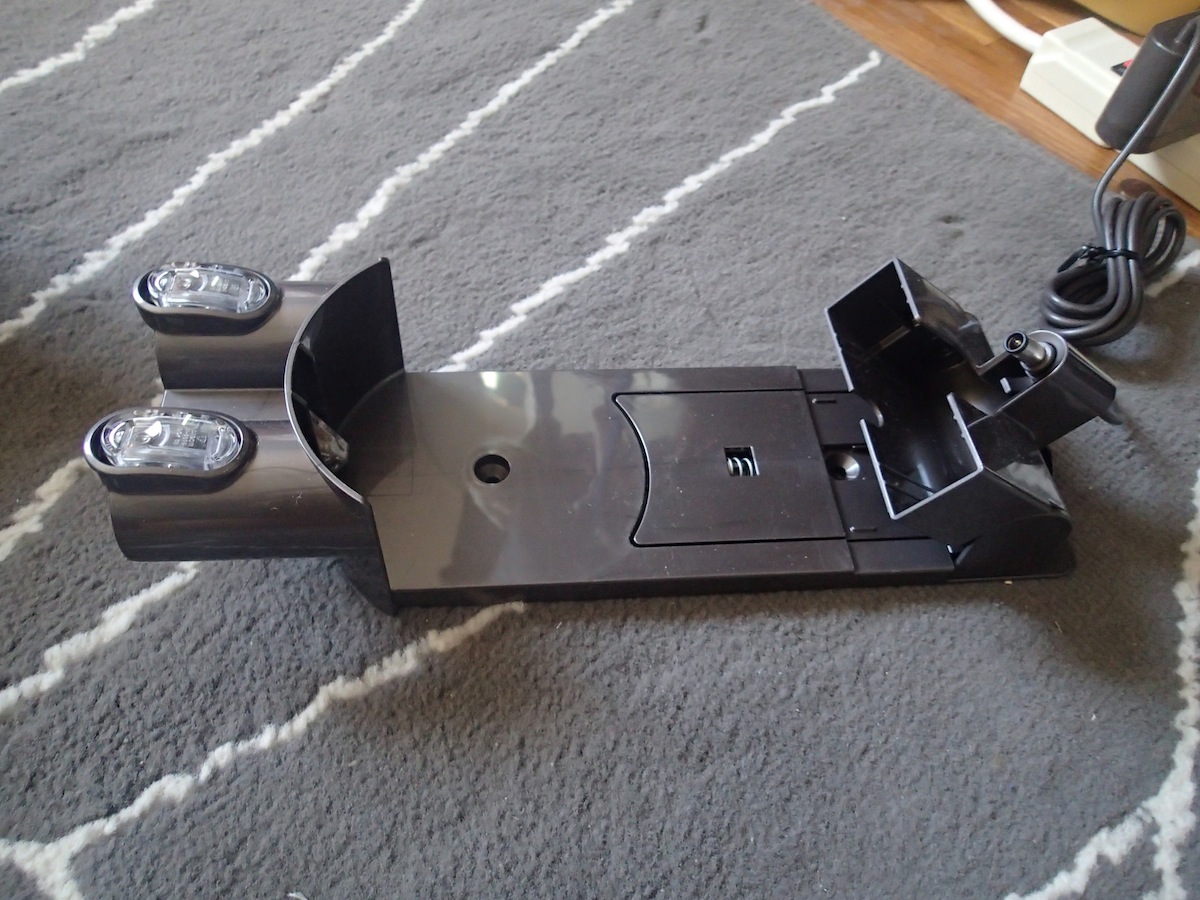
When you’ve killed the battery, prop the device back on the charging station that you can either leave on a surface, or mount to a wall. Plug the cord into the designated slot in the back of the vacuum, and a white light will glow until your battery is all juiced up again. Since the parts are relatively small, storage is not an issue, but you may want to have a nice box to keep all the attachment heads in before you misplace the little pieces. That, or you can keep the combination tool in the car if you know that’s where you’ll use it most often.

Some faults

One of my biggest gripes with the Dyson DC44 Animal Digital Slim is probably my own fault. Guys, this is TMI, but my hair just sheds too damn much. A five-minute vacuum of my carpet and the underside of the cleaner head revealed a tangled mess of hair stuck between the teeth of the brush and the motor roll. In the short run, this won’t mean much if I continually clean it off and yank the pieces out. However, if you forget to do this, or if you are cleaning a large chunk of pet hair, you might run into some trouble with tangled hair clogging up the opening of the vacuum. This could be fixed by using the larger crevice tool, but it just made more sense for me to use a regular cleaner head on my bedroom carpet so this tangle is a bit annoying.

Another issue is the size of the DC44. Yes, the device is made to be compact, but perhaps it’s … too small? After vacuuming for 10 minutes, I found that I have to empty the dust bin before vacuuming again to finish up cleaning my apartment. Or again, maybe my room is just super dirty and I do not vacuum often enough. This item is ideal for those living in small spaces, but homeowners who want a cordless, handheld vacuum cleaner to get the job done in the entire house may have to go for the larger, full-sized Dysons.

Bottom line

So we come back down to the big question: Is spending $400 on this vacuum justifiable? Aside from small issues here and there, the Dyson DC44 Animal Digital Slim is an absolutely superior choice than most handheld vacuums on the market, and would be perfect for small apartment owners. It gets the job done well and fast, and is worth an investment if you aim to use it repeatedly over the course of the next few years. The price tag is impractical for most families, but when you consider the cost of bag replacement, cordless flexibility, and the ability to multitask the vacuum to clean both your car and your home, you’ve got yourself an all-in-one tool that’s pretty much the Apple of the vacuum world, and it’ll be hard to find any other machine that’s nearly as capable as a Dyson.

Source : digitaltrends[dot]com