Pages

Showing posts with label operating. Show all posts

Nov 19, 2012

Google kills Christmas (and all of December) with Android 4.2 bug

Google Android 4.2 bug kills Christmas

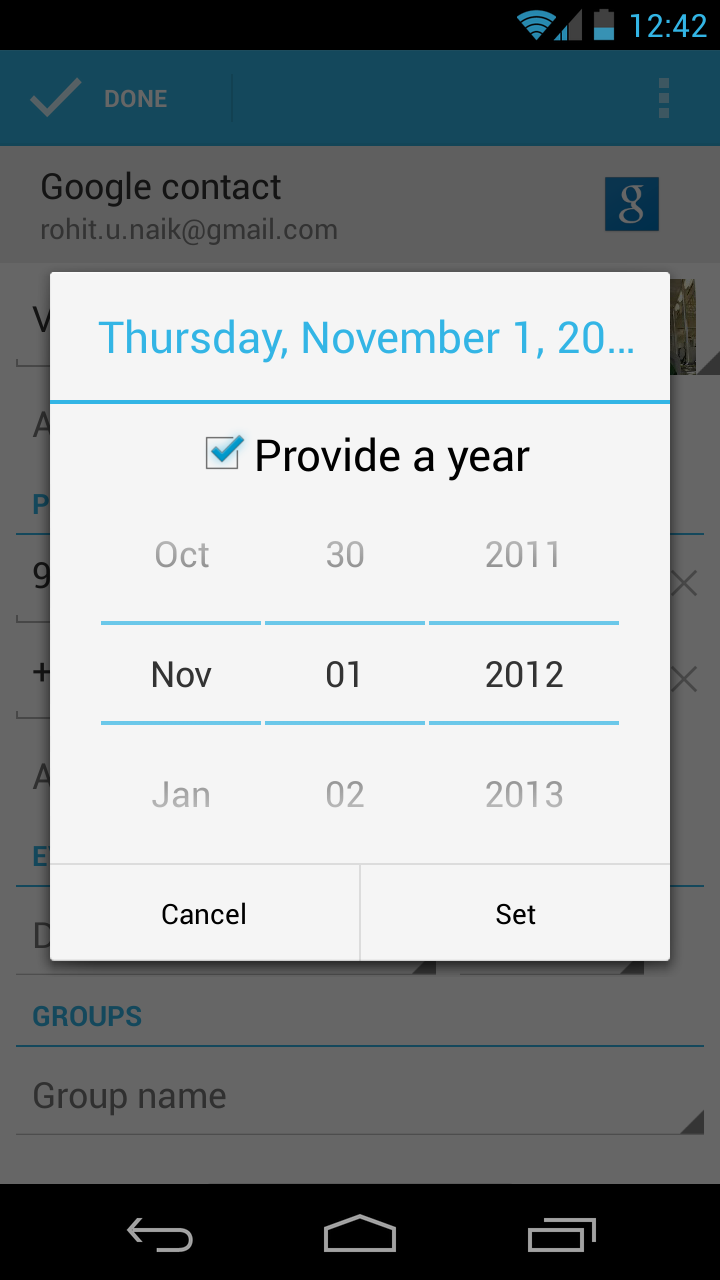
A bug in Google's Android 4.2 (Jelly Bean) mobile operating system has caused the entire month of December to disappear. But fear not: Google has recognized the issue, which we hope means a fix will arrive soon.

Sorry, kids, Christmas is cancelled this year – at least, that’s what Google’s Android 4.2 (Jelly Bean) mobile operating system is telling users. As first reported by AndroidPolice on Saturday, Google accidentally left out the entire month of December in its most recent Android update. Fortunately for users, a fix is likely coming soon. (We hope.)

Christmas Android bug

The absence of December in the Jelly Bean calendar is especially disruptive to the People (contacts) app, since birthdays, reminders, or any other notes related to the month of December cannot be added (since December does not currently exist). The flaw comes built in to the new Nexus 4 and Nexus 10 devices, as well as new or upgraded versions of the Nexus 7 tablet and Galaxy Nexus smartphones.

The no-December flaw was first noted in an Android bug-tracker forum on November 14. It has since been confirmed by a number of users from around the world. But it wasn’t until Saturday, November 17, that Google acknowledged that December 2012 was missing from Jelly Bean.

All said, this is a relatively minor bug – more a source of mild annoyance than catastrophic mayhem. (If, on the other hand, Apple had left out December in iOS, there would surely be nothing short of Hell to pay for the Cupertino giant.) Alas, Google’s roll-out-fix-later modus operandi has likely saved it from too much wrath, if not a dose of embarrassment.

Still, Google has yet to comment on when a fix is due. But we would guess that an update will arrive before December does.

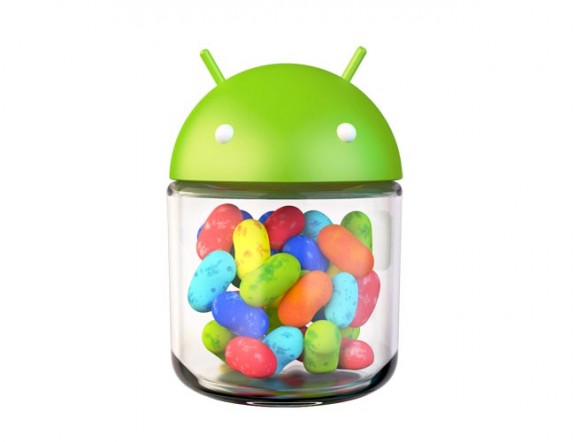
Image via Jeff Cameron Collingwood/Shutterstock


Source : digitaltrends[dot]com

Nov 14, 2012

That was fast: Google already launches Android 4.2 update to fix Google Voice bug

Google has already released an update for Android 4.2 that fixes bugs with Google Voice.

Android 4.2 may be Google’s newest mobile operating system update, but new doesn’t always mean perfect. The latest iteration of Jelly Bean has reportedly caused issues with Google Voice, but the search giant has already issued a fix.

Within 24 hours of its release, Google launched an update for the operating system that fixed inaccuracies with Google Voice. The app has experienced problems ever since the fresh, treat-themed upgrade launched alongside Google’s new Nexus 4 handset and Nexus 10 tablet. Some complaints said that the bug would Force Close a text message if you tried to add a new contact at the same time. This text messaging glitch appears to be the most significant issue, but the update is believed to address any and all compatibility problems between Android 4.2 and Google Voice.

Luckily, the majority of Android users have probably never even encountered this inconvenience. Android 4.2 is only currently available for the Samsung Galaxy Nexus and the LG Nexus 4, which means that the bug has only affected a small number of Android users. The updated operating system will also ship with the Nexus 10 tablet that debuted on Tuesday and almost instantly sold out in the U.S. and UK within minutes (though we don’t know how many sales it took to sell out).

Android 4.2, initially believed to be called Key Lime Pie, represents the next major software upgrade for Android devices. Google introduced the previous edition of Jelly Bean, Android 4.1, at its I/O conference in June along with its Nexus 7 tablet. The search engine giant emphasized the “buttery smooth” interface that users would experience with Jelly Bean, and its new iteration promises the same.

The update boasts new features such as the ability to open multiple windows and apps simultaneously and Android Beam integration. This is Google’s term for its Near-Field Communication (NFC) capability, which lets users share photos, YouTube videos and other content by touching Android devices back-to-back. One of the most noteworthy additions is the new Photo Sphere camera, which takes snapshots in various directions and stitches them together to form one big picture.

While this may seem exciting, it could take a while for the update to completely roll out. Google recently announced that the Nexus S and Motorola Xoom will not be getting Android 4.2, and data collected by the company shows that Android 4.1 is still barely present on most devices.


Source : digitaltrends[dot]com

Nov 9, 2012

7 Google Android Apps to Protect Your Phone from Virus

Google Android is one of the most popular operating systems in the mobile world. As an open source platform it allows others to modify the system files and develop applications. Unfortunately this can result in security threats to the very device that stores all your personal information. Protecting your personal data is easy with one of these free securities and antivirus applications offered for Android.


Antivirus Free
The Antivirus Free application will protect your phone from any malicious apps and viruses by discovering new apps installed on your system and cross-referencing them with a database. The app will request certain permissions which all for an easy installation and function.

Avast! Mobile Security
This application is a fully featured antivirus and anti-theft security application. The avast! application has an automatic virus scans and alerts for infected URL’s. In addition, if your phone is rooted you can add a firewall, control anti-theft features with remote SMS commands.

AVG Antivirus free

The AVG Antivirus is a free security application that protects your smartphones and tablets in real-time, from any viruses, malware and spyware or online corruption. In addition, this app has a task killer, phone locator, app lock and real-time scanner.

Dr.Web Antivirus Light 
This application will not effect your mobile phone operating system performance or reduce the batter life. Dr. Web Antivirus Light uses a distinctive process for discovering new virus families based on previous threats which reduce the size of the virus database.

Lookout Security & Antivirus
On a daily and weekly basis the Lookout application will scan your mobile phone for viruses. In addition, Lookout will scan the root folder of your mobile phone and solve any other problems relating to holes in security.


NetQin Mobile Security & Antivirus
The NetQin application identifies new applications installed and check a database for malicious apps. The functions and use are practical and user-friendly. In addition, there is an anti-theft feature which will allows you to track your robbed phone through Google Maps.

Zoner Antivirus Free
The Zoner Antivirus application provides protection against trojans, worms, spyware, adware, malware and viruses. In addition, the application offers theft protection which enables you to control remotely your device through SMS messages.

It could be devastating if your mobile phone is lost, stolen, or compromised by a virus. It is free and easy to protect all your information stored in your Google Android with one of these antivirus applications.

Tags: Anti-theft Security, Antivirus Free, Automatic Virus Scans, Avast! Mobile Security, Dr.Web Antivirus Light, Google Android Apps, Lookout Security & Antivirus, Mobile Phone Operating System Performance, NetQin Mobile Security & Antivirus, Security Holes, Trojan Worms, Zoner Antivirus Free

Source : techtalkafrica[dot]com

Nov 6, 2012

Windows Phone 8X vs. Galaxy S3 vs. iPhone 5: spec showdown

Galaxy S3 vs Windows Phone 8X vs iPhone 5 spec comparison

The biggest representatives of every operating system go head-to-head-.to head. The iPhone 5, Samsung Galaxy S3, and HTC Windows Phone 8X square off in a Spec Showdown. Which phone best meets your needs? Take a look at our comparison and make your call.

Since Apple makes its own products, it’s latest product is the default market leader for iOS. For Android and Windows Phone handsets, however, the field is wide open. The market defines the front runners with their wallets, and there’s the media darlings that manage to snag the hearts of reviewers. The Samsung Galaxy S3 has become Android’s model phone, in part because of an aggressive and enjoyable ad campaign, and because it’s just a darn good handset. With Windows Phone 8 just becoming available, we can’t be certain what the mobile operating system’s chief representative will be. What we can say with confidence, though, is that HTC’s Windows Phone 8X can make quite a case for itself. How do these three heavyweights of the handset world stack up against one another? Take a look at the stat sheet and draw your own conclusions.

Read our full reviews for the iPhone 5, Samsung Galaxy S3, and HTC Windows Phone 8X for our extended take on each option. 


iPhone 5 

iPhone 5 display

Galaxy S3

galaxy s3

Windows Phone 8X 

HTC Windows Phone 8X tiny

Size  123.8 x 58.6 x 7.6 (mm)  136.6 x 70.6 x 8.6 (mm)  132.3 x 66.2 x 10.1 (mm)
Weight  112g  133g  130g
Screen  4.0-inch LCD  4.8-inch Super AMOLED  4.3-inch Super LCD 2
Resolution  1136×640 pixels  1280×720 pixels  1280×720 pixels
OS  iOS 6.0.1  Android 4.0 with TouchWiz UI  Windows Phone 8
Storage  16/32/64GB  16/32GB  16GB
SD Card Slot  No  Yes  No
Processor  Dual-core A6X  Dual-core Snapdragon S4 (US)  Dual-core Snapdragon S4
RAM  1GB  2GB  1GB
Connectivity  Wi-Fi, 4G LTE, HSPA+  Wi-Fi, 4G LTE, HSPA+  Wi-Fi, 4G LTE, HSPA+
Camera  Front 1.2MP, Rear 8MP  Front 1.9MP, Rear 8MP  Front 2MP, Rear 8MP
Bluetooth  Yes, version 4.0  Yes, version 4.0  Yes, version 3.1
Battery  1440mAh  2100mAh  1800mAh
Charger  Lightning connector  Micro USB  Micro USB
Marketplace  Apple App Store  Google Play Store  Windows Phone Store
Price  $200+  $200+  $100+
Availability  AT&T, Sprint, Verizon  AT&T, Sprint, T-Mob, Verizon  AT&T, T-Mob, Verizon

What it means: You can sit and compare the processing power and pixel-per-inch count on each device and come to a conclusion about which phone is most technically sound. That said, the biggest and most glaring difference between these three handsets is in one category: the operating system. Apple’s iOS is streamlined and smooth, like everything Apple; Google’s Android OS is in a seemingly constant state of upgrade, but rarely are the changes met with complaints; Windows Phone 8 brings the complete implementation of Live Tiles, and we’ve already started to see that Microsoft may be on to something. The deciding factor may come down to your other devices and computer. If you own a Mac, sticking with the Apple theme may be best for the purposes of continuity. PC users that sprung for Windows 8 should consider snagging the Windows Phone 8X to get the full functionality of the OS. Android devices can work with Mac, Windows, or even Linux, and the NFC features like S Beam make the Galaxy S3 appealing if your friends of co-workers also own the device. Luckily, if you are making your choice from this group, it’s hard to pick wrong.

(Specs by Jeffrey Van Camp)


Source : digitaltrends[dot]com

Oct 25, 2012

5 amazing things about Windows 8

5 amazing things about Windows 8

Microsoft's latest operating system marks the first time Windows and touch have worked together. But before you discount Windows 8 as a half-baked OS, you may want to learn about a few really great things it has to offer.

Windows 8 represents a huge change, not just for Microsoft, but for everyone who uses a computer. Microsoft is pushing Windows to new heights in terms of design. In the process, it’s created a hybrid operating system that fuses speed and mobility with serious productivity. Sure, it may take some getting used to, but we believe Microsoft stumbled (or planned to stumble) on the future of computing. With Windows 8, you no longer have to spread your life across devices. Instead, your laptop can be your tablet and your tablet can be your desktop (with an external display) and so on and so forth forever and ever. 

It will definitely take some getting used to — the hands-on nature of the OS already requires a bit of a brain rewire — but change should be exciting. This is the first time in a long time that Microsoft has drastically overhauled the aesthetics in Windows and it should be celebrated for it. Yes, it has its limitations and annoyances, but Microsoft is steadily rolling out updates and responding to customer feedback. There’s nowhere to go but up. 

Earlier this week we published a list outlining five really annoying attributes of Windows 8 and they still stand true. But we did say it wasn’t all bad and this is why.  

Windows 8 and Windows RT 

Introducing two very distinct version of Windows (RT and 8) and not properly explaining them is, admittedly, ill-advised. It’s confusing to customers but the two versions are a necessary evil to drive the success of Windows 8. To put it plainly, Microsoft needed to compete with the iPad. It was do or die.

For those of you who still don’t know the difference between Windows 8 and Windows RT (it’s not your fault), Windows 8 is the full version complete with support of legacy apps and access to the classic desktop environment. It runs on x86 devices, which can be powered by Intel or AMD chips with an estimated battery life of 8 hours. RT, on the other hand, is the mobile version of Windows 8. Apps can only be downloaded through the Windows Store (third-party software is not compatible) and it runs on ARM chips that boast up to 20 hours of battery. There is technically a desktop mode, but it only exists to run Microsoft Office and a desktop version of Internet Explorer. 

microsoft surface windows rtWindows 8 is a fantastic platform for users who need a proper desktop and can’t lose their favorite Windows 7 apps, but people in the market for an iPad replacement don’t need a high-powered device and certainly won’t be wooed by promises of 8-hour battery life. For the average consumer looking for a tablet, a streamlined version of Windows is the best fit. It’s optimized for touch, installing apps is quick and painless, push notifications are supported, and battery life undergoes a significant jump. Right now the Windows Store is a bit bare, but more and more apps will be made available in the coming months. Both Google and Mozilla already have beta versions of Chrome and Firefox optimized for Windows 8-style UI. It may take a while for your favorite apps to catch up with the new requirements, but the basics are already available.

The bottom line is that without Windows RT to offer superior battery life and cheaper prices, Microsoft wouldn’t stand a chance at competing against iOS and Android in the tablet market.  

It’s two operating systems gently molded together

Windows 8 has received a whole lot of criticism for plastering a mobile OS on top of a desktop environment and calling it “revolutionary”, but the truth is that most people will rarely leave the Start Screen. For most common tasks (ie: web browsing, email, music, social media, video, etc.) the Windows 8-style interface will do just fine. For web browsing, you have IE10, which is surprisingly not horrible, the Mail app is acceptable, and social media is built into the People app. However, as we all know, mobile apps aren’t always the most productive pieces of software and that’s where the traditional desktop is crucial for power users. 

It’s the inclusion of the desktop environment that proves although Microsoft is ready to move forward with Windows, it wants to take existing users by the hand and give them time to adjust. Rather than shoehorn mobile elements into its desktop OS (much like Apple seems to be doing with OSX), Microsoft chose to make its mobile elements very much distinct from the traditional desktop. What may seem like an odd design choice at first, is actually a powerful tool. The PC is split into two software modes: consumer and producer. In the desktop mode, you’ll primarily be creating new content, while in the Windows 8-style UI, you’ll be consuming content. It’s a nice separation that can keep you focused while performing various tasks. Having both the mobile and classic sides of Windows on the same device has more perks as well, like using the same device for web browsing before bed that you use to work on your kick-ass career (or hobby). 

It’s a fresh design

There’s no denying that — for better or worse — Windows 8 brings something fresh and exciting to personal computing. While Apple seems to only be interested in coasting along on its established reputation for reliable hardware and software, Microsoft is the one pushing traditional computers into the future. Like any new design, the Windows 8-style UI won’t appeal to everyone, but it would be foolish to attack Microsoft for forcing us to confront a new type of interface. 

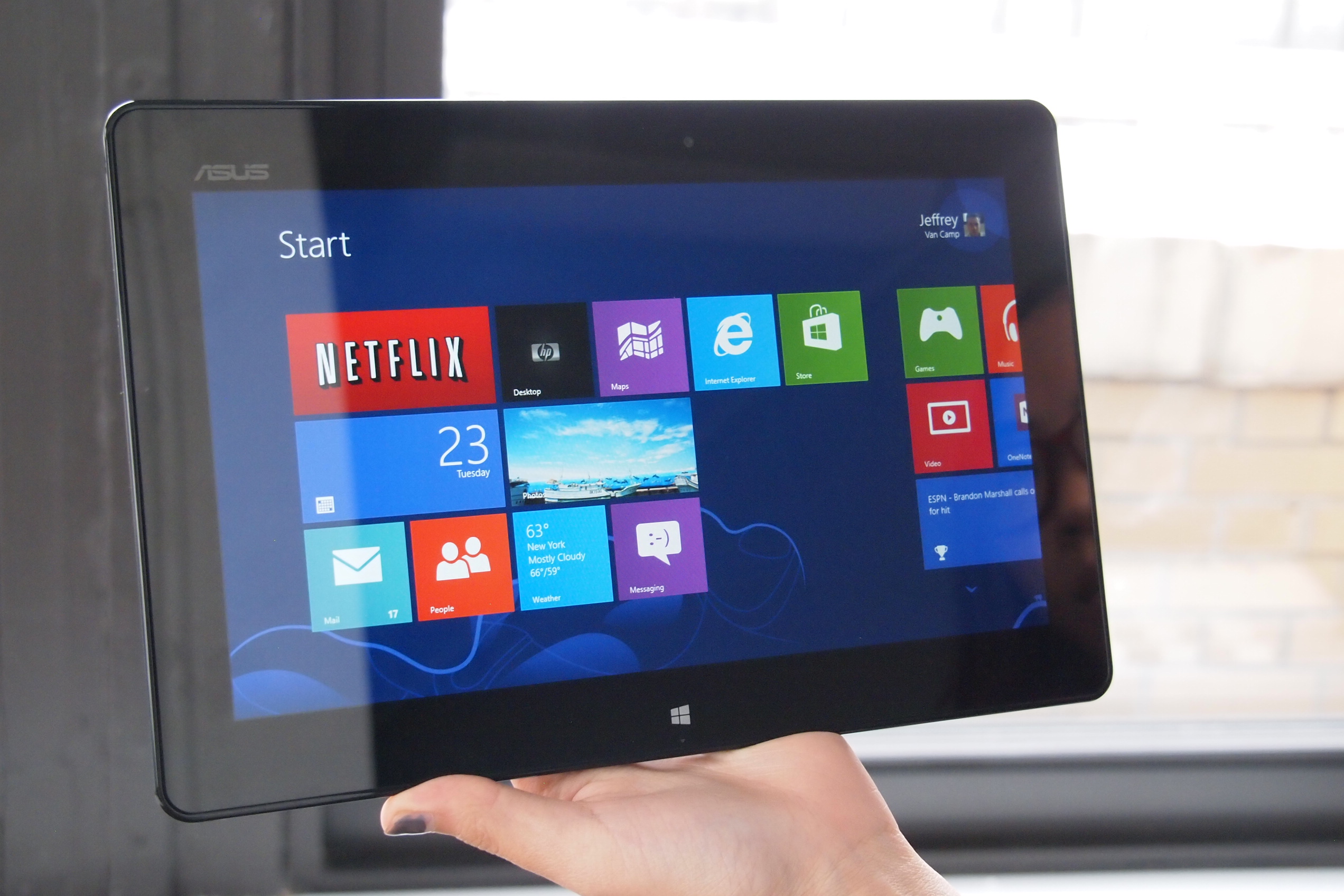
Asus Vivo Tab RT Windows 8 homescreen

Of course, design goes deeper than aesthetics, but Windows 8 has that covered as well. Live Tiles are by far the most obvious innovation here. They work great on a smartphone or a tablet, offering quick updates from your most-used applications. No more sifting through programs and webpages to catch up on what’s new because the same thing can be accomplished with a swipe across the revamped Start screen. It’s information at a glance and it saves a whole lot of time and effort, which should be the goal of new consumer technology. 

This is also the first time Windows has had its own distinct and compelling “look”, with a focus on design. Its bold colors, crisp lines, and silky animations, a computer running Windows 8 cannot be ignored. 

It’s built to be touched

With Windows 8, Microsoft has made old hardware obsolete to usher in a new era of computing where touch devices are the norm. In the past, Microsoft tried to make everyone happy by sticking with a familiar OS design and loading it on touch hardware but we all know how that turned out. It was awful. 

Thankfully, that’s all changed. Windows has been rebuilt, revamped, and revitalized to be touch-friendly, borrowing heavily from its smartphone equivalent, Windows Phone 8. It’s an interface that practically begs you to touch it, and once you give into temptation, it’s satisfying as hell. Touch commands feel intuitive and natural after only a few brief moments of use and in the end you feel completely in control. In response to the touch-first nature of Windows 8, PC-makers have generated their most ambitious devices yet. So far we’ve seen sliding tablets, keyboard docks, touchscreen laptops, dual-screens, and a 20-inch tabletop device. Most devices arriving in the next few months have managed to successfully combing the tablet and PC one super-computer-of-the-future.

Take Samsung’s ATIV Smart PC as an example, it packs the internals and profile of an ultrabook but can be removed from its keyboard dock to function as a traditional tablet. Toshiba’s Satellite U925t is a tablet complete with a slide-out keyboard. ASUS brings the world its first dual-screen laptop, placing a second display on the lid of the device. It may not be in everyone’s budget to immediately upgrade their PC, but there’s no question that the future of computing is here and it’s ready to be tested.  

It’s the Internet

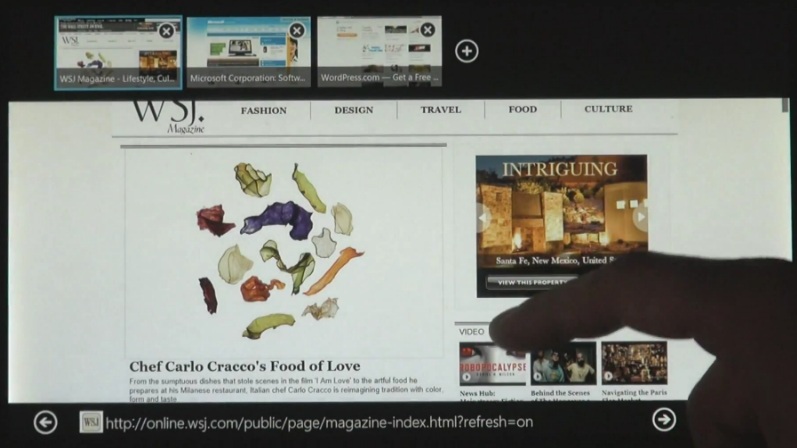
windows-8-internet-explorer-10-touchWindows 8 brings the internet to you with built-in apps. No longer is interaction with the Web available solely through your web browser of choice, now it’s right there to greet you once you boot up — something Windows 8 is really quick at by the way. 

We covered Live Tiles earlier, but it’s really amazing to witness how connected they are. For instance, the People tile shows you recent status updates and profile photos of your contacts, the Weather tile displays the current forecast, and the Mail tile keeps an updated unread message count and previews the most recent subject line. There are also tiles that display stocks, sports updates, and news headlines. As the collection of Windows 8 apps grow, the capability of tiles will grow as well, further reducing the time spent in a browser. Windows 8 doesn’t just give you access to the internet, it is the internet, and that’s a very powerful thing. 

We’re ready for it

To conclude our love letter to Windows 8, we must admit our excitement and amusement in watching a technology giant like Microsoft learning to lead once again. Microsoft is a company that (up until recently) was basically written off as a boring, stuffy, enterprise-obsessed, mindless, corporate machine. However, it’s that label that has made this current transformation so captivating to watch. Of course, there will be missteps along the way but that doesn’t make it any less fun to follow along. Based on the anticipation that surrounded the release of the Surface tablet, the world is ready to embrace something new. We may not be ready to let go of our beloved desktop, but at least we’re willing to take the first step. 


Source : digitaltrends[dot]com

Oct 12, 2012

Dell announces new Windows 8-running PCs, lets you preorder now

Dell is introduced its lineup of upcoming PCs, running the new Windows 8 operating system.

There’s the new tablet-slash-ultrabook called XPS 12, the XPS 13 ultrabook has received an Ivy Bridge update, while the XPS One 27 and Inspiron One 23 All-in-Ones got touch-enabled screens. All four are available for pre-order in the USA, Canada and select European countries with shipping expected to start on October 25.

The most interesting device in the pack is the XPS 12. It has a 12.5″ touchscreen of 1080p resolution and with 400 nit brightness, which can be rotated full 360 degrees, making the ultrabook usable as a tablet. The XPS 12 comes with a choice between Inter Core i5 and i7 processors and either 128 GB or 256 GB SSD.

The XPS 12 should ship around October 30 and starts at $1199. Here’s itsproduct page.

Next comes the XPS 13 which got announced at CES this year. It’s received an update to Intel’s Ivy Bridge processors and replaced the Intel HD 3000 with Intel HD 4000 graphics. It will come in two variants – an i5 and i7 with 128 GB SSD, starting at $999.

Dell estimates October 25 as a shipping date. Here’s the product page.

The XPS One 27 is an All-in-One PC with a 27″ WQHD (2560 x 1440) display which is now also touch-capable.

The XPS One 27 is rather pricey, but has very solid specs to show for it. Price starts from $1599 and shipping will start between October 25 and November 1, depending on the model. Here’s the product page for the XPS One 27.

Finally we come to the Inspiron One 23, which is the smaller All-in-One PC from Dell. It still has the 23″ 1080p display only now it’s been bumped to a touch panel too.

Price starts from $649. Check out the product page here.

And here’s a promo video of Dell’s new PC offerings.


Source : blog[dot]gsmarena[dot]com

Oct 3, 2012

Sandia’s MegaDroid goes public

What has 300,000 Android Operating Systems and helps tech professionals predict how mobile devices would react in a crisis? It's a massive project called MegaDroid, based in California.

What do you call an artificial system that simulates a network of hundreds of thousands of Android devices, allowing to predict the behavior of said devices in case of new app, malware or unforeseen technological breakdown? If your answer was “The Matrix,” then somewhere the Wachowski siblings would like to thank you, but the real answer is something far more entertaining than any amount of Keanu Reeveses staring blankly at the screen. World, meet the MegaDroid.

The MegaDroid is the creation of researchers at California-based Sandia National Laboratories, and virtually simulates 300,000 separate Android devices in an attempt to analyze the reactions of large-scale networks to any number of situations. According to computer scientist John Floren, the MegaDroid is completely insulated from all other networks in the world, but nonetheless offers a realistic network environment inside itself, complete with full domain name service, Internet relay chat server, web server and multiple subnets. It even includes a fake GPS system so that the fictional users of the multiple Android devices being simulated can be tracked in different environments to see whether environment would have any effect on the particular data being studied, and also whether areas without WiFi or Bluetooth impact service significantly.

The need for MegaDroid is explained by Floren very simply: “You can’t defend against something you don’t understand,” he says, pointing to the system’s use in running simulations that will allow Android users to be protected against cyber attack or disruption of service from more benign sources. It’s something echoed by Sandia’s David Fritz, who says that, although “smartphones are now ubiquitous and used as general-purpose computing devices as much as desktop or laptop computers,” they remain easy targets for those seeking to disrupt the system. “No-one appears to be studying them at the scale we’re attempting,” he added.

Continuing, Fritz said that “It’s possible for something to go wrong on the scale of a big wireless network because of a coding mistake in an operating system or an application, and it’s very hard to diagnose and fix. You can’t possibly read through 15 million lines of code and understand every possible interaction between all these devices and the network.”

MegaDroid uses data gleaned from 2009′s MegaTux project, in which Sandia ran a million virtual Linux machines (They have also created MegaWin, which runs multiple Windows OSs simultaneously; clearly, they find mass production very attractive). The experience helped when it came to duplicating the surprisingly complex Android code, with Google’s coding running on top of Linux. Sandia plans to make much of MegaDroid open source once the bugs have been worked out, with Fritz explaining that decision with remarkable ease. “Tools are only useful if they’re used,” he said. What would you do with 300,000 Android devices…?


Source : digitaltrends[dot]com

iOS 6 now active on over 60% of iPhones

Apple’s latest operating system version, iOS 6, has already made its way to over 60% of iPhones.

The new update has also made its way to roughly 45% of iPads and just below 40% of iPods since its release on September 19th.

The statistics, tracked by Chitika data analytics, reflects data gathered on September 30, so the totals are surely even higher today. Chitika claims that the reasons for the higher version fragmentation on the iPad and iPod as opposed to the iPhone is that certain versions of the iPod touch can’t go past iOS 4, and the lack of incentives offered by carriers to encourage upgrades.

Overall, having to concentrate on only a handful of devices allows Apple to ensure quick rollout of its OS versions, and is far and away better than what Google can offer on Android.


Source : blog[dot]gsmarena[dot]com

Sep 25, 2012

Samsung lays out Jelly Bean update plan in vaguest way possible

Monday brought the latest update of Google’s mobile operating system, Android 4.1, to Samsung Galaxy 3S owners. While owners of the arguably most popular Android device are already enjoying the update to Jelly Bean, other Samsung consumers will have their sweet tooth satisfied soon. Well, kind of.

The Korean manufacturer is ready to roll out Jelly Bean to at least fifteen of their phones and tablets. Included on the list are the following:

  • Galaxy Tab 7.0 Plus
  • Galaxy Tab 2 7.0
  • Galaxy Tab 2 10.1
  • Galaxy S Advance
  • Galaxy S Duos
  • Galaxy S2
  • Galaxy S2 LTE
  • Galaxy Note
  • Galaxy Note 10.1
  • Galaxy Music
  • Galaxy Chat
  • Galaxy Ace Plus
  • Galaxy Ace 2
  • Galaxy Beam
  • Galaxy Mini 2

When will these devices finally get to install the latest installment of the Android OS? As soon as, well… soon. Samsung has given us device names, but no official date or timeframe for the arrival of Jelly Bean. Rumor has it if you can guess how many jelly beans Samsung has in a jar in their office, they will give you an early update. But that could also be a rumor we just made up (and it is).


Source : digitaltrends[dot]com

Sep 1, 2012

Mac OS X Mountain Lion Vs Windows 8: Is it an OS war?

We will witness another revolution in the year 2012 in computer operating system field. As far as the recent discussions are concerned, it is said that the release date of two new OS clashes in the coming months of this year. They are Mac’s OS X Mountain Lion and Microsoft Windows 8. With these OS releasing side by side, a war has been declared as to who impresses the users more than the other.

Android App Reviews usually remains in the highlights through the year, but the release of the OS have taken all the limelight recently.

Microsoft has said that it will release their OS Windows 8 on the 26th of October this year and it is expected that Mac OS X Mountain Lion will be released probably in the month of August this year. Both the companies have tried to provide as much features they can give through their respective OS. Let us find out the similarities as well as the dissimilarities between these two great giants.

  • Appearance: Apart from traditional features such as task bar, Windows explorer and start menu Windows 8 also have the new start screen where the icons are found in the square and rectangle form. One will even find the ‘Live Tiles’ here that enables every user to know the message notification or app related news, it appears in the live tile and there is no need of opening the app. The information gets displayed in the form of slideshow on the tile. In addition to that, Metro Style UI makes the Windows 8 look more pleasant and colorful that is hardly found in the other versions of Windows.
  • On the other hand, Mac OSX Mountain Lion has a very usual and typical desktop to offer to its viewers. One will find a similar thing like that of live tile in windows 8 here known as Launch Pad. The apps are found in the form of grid in the iPad and further condensed to different icons. While we make a comparison, Windows 8 steals the show as far as the look of both the OS is concerned. The feature of Live Tile present in Windows 8 makes all the difference.
  • Application Market: As far as the availability of the apps is concerned, Mac’s OS X Mountain Lion has a lot more compared to Windows 8 store. The apps offered by Mac are categorized properly and the user can even purchase or download them with the help of a single click. On the other hand, the Windows store has less app compared to Mac. But the store is still very attractively and smartly designed.
  • Cloud Storage facility: Both the competitors offer a cloud storage facility to its users which has become a necessary feature now. In case of Mac, it is called iCloud. It allows the users to have control over their documents, apps, profiles of game centers by giving them just one user id and password. The feature of single log-in works in case of Mac. In Windows, the cloud storage is called SkyDrive. With the help of this, the user can access the apps from anywhere and the company further claims that this cloud storage will prove to be the most effective among all the others.
  • File Management: In case of Mac, the Finder app helps in customization and file searching. The files are automatically sorted out while the user searches for it according to type, name creation date etc. But in Windows 8 the file searching can be done in the start menu itself. The results seem to appear in the right side of the screen itself. 

The comparison between the two giant OS seems quite interesting. Once they are released in the market, it will be clear as to who gains more popularity.

So for the time being, keep aside the android app reviews and concentrate on finding out more differences in the feature of this two OS. It is then you can finally end up purchasing the best of the two.

Author Bio: Olawale is the founder of iTechWit.com where he writes about iphone 5 rumours and mockups. His current project is Search4Mobile.com


Source : techtalkafrica[dot]com

Aug 9, 2012

Is Nikon’s Android-based Coolpix S800 camera coming in August?

Nikon Offices

Nikon could launch the Coolpix S800c, a camera that uses Google Android as its operating system, at the end of August.

In the wake of Nikon announcing the new J2 and Coolpix L610 cameras, a rumor has emerged that the company may be considering something a little different for its next Coolpix model — a Google Android operating system.

Details of the Coolpix S800c appeared on Indonesia’s electronics regulator’s website right at the end of last month, and Nikonrumors.com has since published a set of possible features for the camera.

Android 2.3 Gingerbread is expected to run the show, and complete access to the Google Play store will be provided, so the only restriction on the apps able to be downloaded will be down to the device itself.

With no data connection of its own, the Coolpix S800c will have built-in Wi-Fi, plus GPS for geo-tagging your photos. A 3.5-inch OLED screen will be your window into Android’s world, and the camera will likely be equipped with a 25-250mm lens.

Cameras that use Android are a tempting proposition, but all we’ve really seen so far are unusual camera/phone hybrids such as the Polaroid SC1630, which can’t decide whether it’s one thing or the other, much like Nokia’s 808 PureView.

According to the leaked spec, the Coolpix S800c only has Wi-Fi connectivity, making it a camera first and an Android device second. This sounds like the right approach, as there are many great Android camera phones, but so far no great Android cameras.

But for Android to make sense on a camera, it needs to be utilized correctly. If Nikon can develop its own interesting apps — meaning something other than adding filters — or attract developers to do the same, consumers will see a reason for its existence, and not simply as another way to play Angry Birds.

The report concludes with an estimated announcement date of August 22, which is just a few weeks away and if true, would see Nikon get a head start over Samsung and Panasonic, both of whom have been rumored to be toying with the idea of an Android-based camera.


Source : digitaltrends[dot]com