Pages

Showing posts with label devices. Show all posts

Nov 19, 2012

DT Daily: Wii U hits stores, Apple patents turning pages

Like 0
0
0
More
0
0
0

Windows Phone 8 devices are having reboot issues, the FBI nabs iPad Mini thieves, Mars may be safe for humans, Apple patents the page turn, the Wii U hits shelves across America, and Google accidentally kills Christmas.

Related Links:


Source : digitaltrends[dot]com

Nov 9, 2012

Why would Apple move Macs to ARM processors?

Apple ARM processor mac intel

Rumors have Apple moving away from the Intel chips currently used in Macs to the ARM-based chips used in mobile devices like the iPhone and iPad. But would such a seismic shift make sense?

Apple’s Macintosh computers rely on processors from chipmaking giant Intel – just like the vast majority of the world’s PCs, notebooks, and servers. However, Apple’s iOS device line, such as the iPhone, iPads, and iPod touch, rely on processors based on designs from ARM. These chips aren’t as fast or powerful as mainstream Intel processors, but they’re cheaper and they consume far less power, making them ideal for mobile devices like smartphones and tablets.

Now, Bloomberg is citing three unidentified sources saying Apple is seriously investigating shifting Macs from Intel to ARM chips, and new developments from ARM are adding fuel to the fire.

Could Apple move Macs away from Intel to ARM-based processors? What hurdles would Apple face, and how would ARM-based Macs stack up?

Here we go again

Apple Phil Schiller A6X processor

With the original iPad back in 2010, Apple revealed it was designing its own ARM processors rather than relying on chips designed by Samsung or other manufacturers. (That first chip was the Apple A4, which quickly moved to power the iPhone 4 as well.) With Apple designing its own chips, speculation immediately mounted that the company might one day move its Macintosh computers away from Intel to its own ARM-based processors. After all, it wouldn’t be the first time Apple has changed the Mac’s processor architecture. Apple has already shifted the Mac’s processor architecture three times: from Motorola 68000s, to PowerPC, and then to Intel. If there’s a company with experience managing these transitions, it’s Apple. And each time Apple has unveiled a new processor, that speculation has started anew.

What’s different this time around?

ARM 64-bit architecture

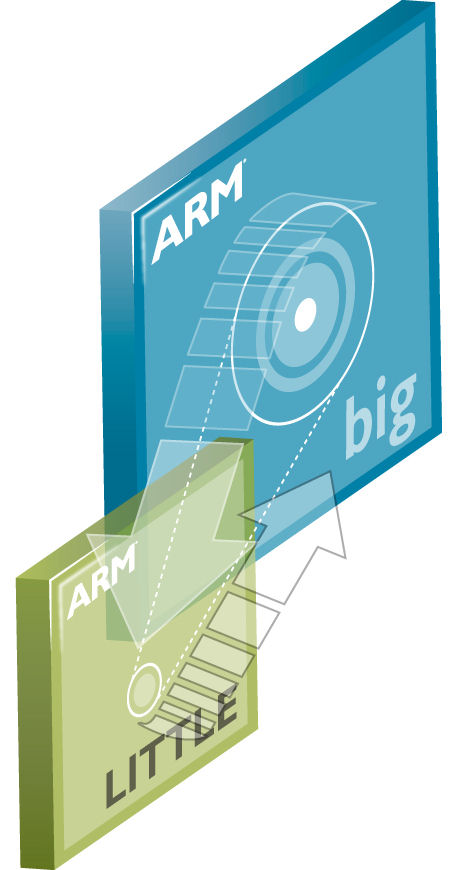
Current ARM-based chip designs use 32-bit architectures. For now, that’s ample for most mobile and tablet applications, but one significant ramification for desktop computing is that these processors can only handle about 4GB of memory. Macs today ship with a minimum of 4GB of RAM, and many ship with  8GB, so using a 32-bit architecture just isn’t feasible for today’s desktop computers. However, last week ARM Holdings took the wraps off its Cortex-A50 series, the first ARM processors designs with a 64-bit architecture. (One of them also can claim the title as the world’s smallest 64-bit processor.) Suddenly, managing the amount of memory common in today’s desktop computers—and even high-end servers and workstations—is within reach.

ARM doesn’t make chips; it designs then, and licenses those designs to companies like Samsung, Qualcomm, and (of course) Apple. It will take time for firms to implement 64-bit designs of their own. Nobody is expecting 64-bit ARM chips to be a reality on the market for another year or 18 months. But the market is no longer holding its breath for ARM to release 64-bit designs: now, the work can begin.

It’s also worth noting Apple’s relationship with ARM is much older than its relationship with Intel. It goes all the way back to the 1980s, and Apple collaborated in early stages of ARM processor development. That resulted in Apple owning a over 40 percent of ARM, and that stake helped Apple weather its mid-1990s death spiral as it repeatedly padded its bottom line by selling ARM shares to lower its losses.

Apple is getting results

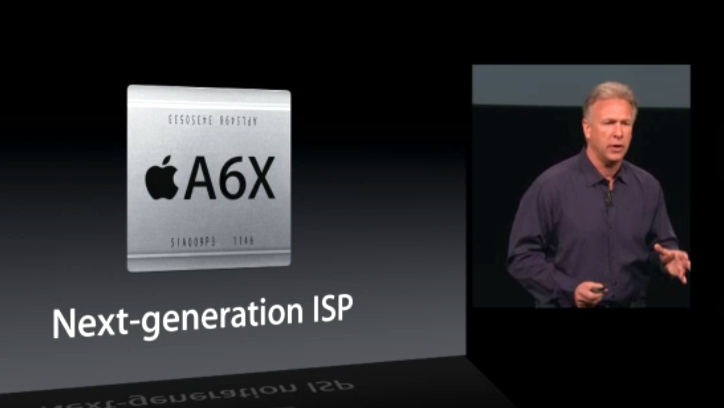
Apple’s work to design its own processors isn’t just a vanity project: It’s about getting performance and capabilities that can’t be matched by other mobile device makers using stock parts. Apple has invested heavily in acquiring chip design expertise (in part through the acquisition of PA Semi and Intrinsity. Apple has consistently been increasing the clock speed of its processor and graphics cores and getting improvements through architectural adjustments. Unveiling the latest iPad, Apple also revealed its latest A6X processor was laid out by hand, rather than trusting the details to CAD tools. The company is clearly willing to sweat the details and design processors that specifically support things like its Retina displays without sacrificing battery life compared to previous, lower-powered products. That expertise can directly translate to notebook and desktop PC designs.

New Technology group

Part of Apple’s recent executive shakeup (which saw the ouster of iOS chief Scott Forstall) was the creation of a new Technologies unit under Bob Mansfield, including Apple’s semiconductor teams, described as having “ambitious plans for the future.” Although the Technologies group is tasks with unifying all of Apple’s wireless efforts, as VP of Mac Hardware Engineering, Mansfield oversaw the development of things like Apple’s iMac and MacBook lines. While the industrial design of Macs remains the province of Jonathan Ive, actually getting them built still seems to fall on Mansfield’s shoulders, in addition to being in charge of chips.

Thinner and lighter

When Apple introduced the MacBook Air back in 2008, it was deemed almost impossibly thin, and the line continues to set the bar for ultraportable notebooks. Apple built the original MacBook Air using a custom Intel processor; one of the reasons Apple was able to beat other PC makers to the super-slim form factor was that it wasn’t using off-the-shelf parts. Apple has continued to demonstrate with the Retina MacBook Pros, ongoing MacBook Air line, and the latest iMac that its obsession with thin-and-light computer designs continues unabated. Although Intel has acknowledged Apple has has provided valuable input into its chip designs, Intel is not making custom processors for Apple, which poses a problem moving forward. It will be difficult for Apple to keep its PC products in front of the rest of the market if it’s forced to use the same off-the-shelf processors as everyone else. Design considerations alone might be incentive to Apple to start seriously looking at alternatives to Intel.

Would OS X run on ARM?

ARM Cortex A50 Big-Little

Apple bringing its OS X operating system to ARM might seem like the equivalent of Microsoft bringing Windows 8 to ARM devices in the form of Windows RT: a potential seismic shift in the product landscape. However, Apple has a head start. Its iOS operating system is based on Mac OS X, meaning the two share a large number of core technologies. Much of the groundwork for running OS X on an ARM chip already exists, and there’s long been speculation Apple has been bringing up most of OS X on ARM systems for years just as a proof of concept.

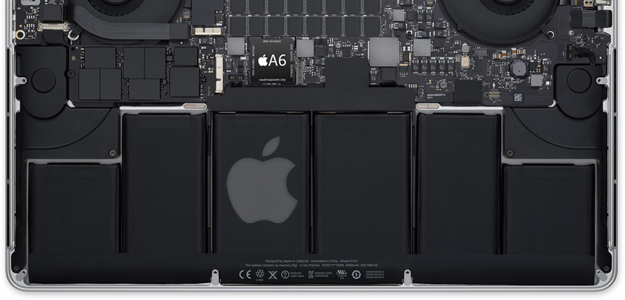
A bigger question is how well OS X would run on ARM processors: Would it deliver a reasonable desktop experience? By some benchmarks, the A6 processor Apple uses in the iPhone 5 already substantially outperforms any PowerPC notebook Apple ever made, and the A6X in the latest iPad scores even higher. And with the power available in notebooks and desktop computers (as opposed to phones and tablets), Apple could push the processors to significantly higher clockspeeds. Apple could also improve performance and keep heat levels down by adding more processor cores. That would increase the cost of each processor, but Apple’s chips are so much less expensive than Intel’s mainstream CPUs that Apple could afford to eat a bit of expense there.

(Doubt that? Intel’s published price lists (PDF) run from $117 for a low-end Core i3 chip to $999 for a high-end Core i7. Bulk customers like Apple, Dell, Lenovo, and HP presumably get a significant discount, but the contrast is stunning: iSuppli estimates Apple pays under $20 for its A6 processor.)

Given how many people find Apple’s iOS devices totally acceptable for lightweight gaming, Web browsing, email, managing photos and entertainment like movies and music, it’s fair to guess hypothetical ARM-based Macs would be able to meet those same sorts of needs easily. On consumer notebooks and desktop systems, the real performance constraints are usually memory, storage, and networks, not the processor.

However, once one gets beyond mainstream computing needs, ARM chips aren’t going to be able to stand up to Intel in the foreseeable future. That means folks who rely on their Macs for content creation, high-end gaming, software development, and compute-intensive applications like large databases, software development, real-time digital signal processing (think musicians and DJs), would suffer from a switch to ARM processors. These are the same users who purchase Apple’s highest-priced, highest-margin Macintosh computers and constitute many of Apple’s most loyal and lucrative Macintosh customers. It seems unlikely Apple would kick them to the curb, so if Apple does move Macs to ARM-based processors, higher-end Macs are likely to stay with Intel.

Barriers to OS X on ARM

OS X Mountain Lion Messages

This doesn’t mean making OS X practical on ARM chips would be a cakewalk. Assuming Apple can indeed overcome possible performance hurdles with its own 64-bit designs down the road. Other barriers include:

Backward compatibility

Just as Windows RT can’t run old Windows software, a hypothetical ARM-based Mac wouldn’t be able to run old OS X software. In the past, Apple has always provided an emulation layer that let old software continue to run, albeit slower. Apple’s cleanest transition was from PowerPC to Intel: Its Rosetta PowerPC emulators let Mac users transition the vast majority of their existing PowerPC software to their new Intel Macs without batting an eye, letting them continue to use their software, then upgrade to new Intel versions over time.

It’s not clear that Apple could manage a transition from Intel to ARM so easily. Russia’s Elbrus Technologies recently announced an x86 emulator for ARM that can let ARM chips run software compiled for Intel processors, but it can only deliver about 40 percent of the ARM processor’s performance through emulation. Elbrus thinks it can bring that level up to 80 percent by the end of 2014, but considering ARM chips are already slower to begin with, that may still mean sluggish performance. The alternative is Microsoft’s approach: Bar legacy software outright.

A desktop version of iOS?

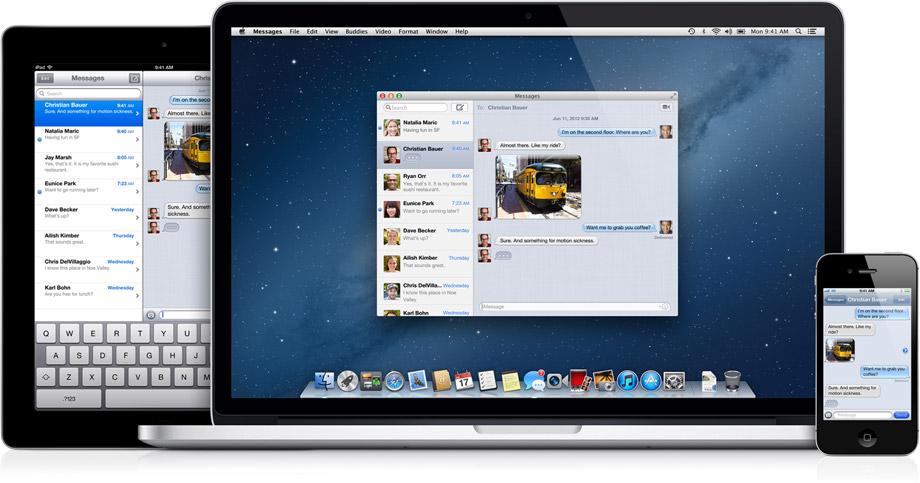
The Mac used to be Apple’s market-leading product… but then it was eclipsed by the iPod, and then by the iPhone, and then by the iPad. Where Apple customers used to come to iOS devices with a knowledge of Mac OS X, now it’s much more likely Apple customers come to the Mac after getting into the Apple ecosystem on an iOS device. Apple’s “back to the Mac” emphasis in Lion and Mountain Lion is about taking elements of iOS and taking them back to OS X so iOS users feel more at home. The Mac App Store, Notifications, and full-screen mode all arose from this effort.

If Apple can’t support legacy Intel apps, would it make sense to essentially make a version of iOS for the desktop? It have the advantage of being instantly familiar to millions of existing iOS users, with hundreds of thousands of existing apps available on launch day. However, apps originally designed for smartphones and tablets generally would not translate well to a notebook or desktop computer. After all, Apple CEO Tim Cook was quick to criticize Microsoft for the sacrifices made by its own hybrids. Apple would also have to make some changes to iOS to match desktop users’ expectations. For instance, multitasking under iOS is currently limited to a handful of tasks that can be delegated to the operating system, all in the name of power management and maximizing battery life. Many desktop users would expect more robust multitasking, without a significant impact on battery life.

What about Intel’s stranglehold?

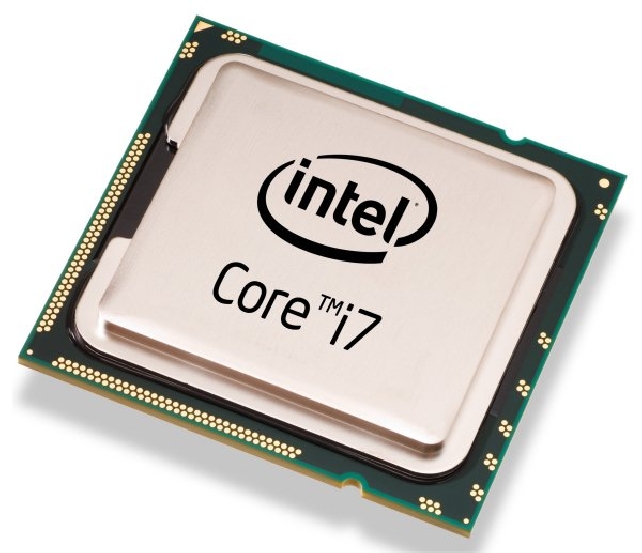
intel core i7

Apple likes to control its own destiny. Part of that fierce independence comes from total control of product design from the ground up, from the silicon in the chips to the finish on the case to the pixels on the screen. With its Macintosh computers, Apple doesn’t control two key parts of the package: the processor and the graphics chip, which it relies on Intel and Nvidia for. If Apple were to make its own ARM processors, it would liberate Apple from dependence on Intel’s rigid upgrade schedule, which controls the rest of the PC industry.

Of course, putting ARM chips into Macs – or threatening to – could simply be a clever way to exert leverage on Intel. Intel scored a tremendous public relations coup back in 2005 when Apple switched from PowerPC to Intel processors. Although Intel can certainly afford to lose Apple as a client on purely financial level, the damage to Intel’s reputation could be substantial – after all, Apple is one of the most-watched and most-respected companies on the planet. Toying with the idea of a switch to ARM chips could give Apple significant negotiating chips with Intel, maybe even enough to get the chipmaking giant back to making custom processors only available to Apple, like it did with the original MacBook Air.

Apple did not respond to a request for comment.


Source : digitaltrends[dot]com

Nov 7, 2012

Apple Store app update brings Passbook support for gift cards, Siri integration for checking prices

Apple has updated their Apple Store app for the iOS devices that let you check out prices, buy products and track your purchases on the go. The update brings support for Apple Store gift cards with Passbook support and Siri integration.

Now you can purchase Apple Store gift cards for your friends and family through the Apple Store app. When you send a gift card, it arrives as a mail to your recipient. They can then choose to send it to their iPhone and it appears in Passbook through iCloud integration. They can then just walk into an Apple Store and purchase items by showing the pass in the Passbook app.

Another cool new feature is integration with Siri, so you can now just ask Siri for prices of Apple products and it will provide them if you have the Apple Store app installed.

Both features are only available in the US for now.


Source : blog[dot]gsmarena[dot]com

Nov 5, 2012

Belkin first to release third-party Lighting accessories for iOS devices

When Apple launched the new Lighting connector with the iPhone 5, they immediately made all the existing accessories for iOS devices obsolete (unless you plan on using one of the optional adapters). However, it looks like it’s not going to take take long for accessory makers respond to the change and come out with new accessories designed for the new interface.

Belkin is the first out of the gate with a couple of accessories for your car that are compatible with the Lightning connector. The first is a car charger, that plugs into your car’s power outlet and connects to your iOS device through a Lightning connector. The second one is a Charge + Sync Dock, that doesn’t actually have a Lightning connector of its own but includes an audio jack and you can route your Lightning cable through it.

At $29.99 each, both accessories are considerably expensive for what they do and it would actually be cheaper to buy Apple’s adapters and use your old accessories. It would be best to wait for more manufacturers to release their products before jumping into the Lightning accessory market.


Source : blog[dot]gsmarena[dot]com

Samsung Ativ and Galaxy Tab 2 10.1 coming to AT&T Nov. 9

Samsung and AT&T announce the Ativ and Galaxy Tab 2 for a November 9 release, bringing new Android and Windows 8 devices to the carrier this week.

If you were planning to buy a tablet this holiday season, rest assured you’ll have plenty of variety to choose from when you head to the stores on Black Friday. Today AT&T has announced two more tablets to hit stores on November 9: The Windows smart PC Samsung Ativ, and latest member of the Android-powered Galaxy family, the Samsung Galaxy Tab 2 10.1. The Samsung Ativ will retail for about $8o0, and the Galaxy Tab 2 10.1 will cost about $500 — neither of which require a contract for purchase. 

The Samsung Ativ comes as the first of Microsoft’s beefier Windows 8 tablets to hit the market in contrast to its Windows 8 RT tablets released late in October. The tablet features an included clamshell keyboard for high-speed typing when you need it, and a multi-touch display to take full advantage of the Windows 8 UI experience. The device also features an Intel Atom 1.5GHz dual-core processor, 64GB of internal memory, and 2GB of RAM all viewed from a crisp 11.6-inch display. Clocking in at $800, this tablet is a small fortune, but runs the robust Windows 8 OS for a totally mobile and productive experience.

The Galaxy Tab 2 10.1 serves as Samsung’s sequel to their Galaxy Tab 10.1 released back in 2011, and features Android 4.0 (Ice Cream Sandwich), an external storage slot, and a slightly beefier battery all viewed from a high resolution 10.1-inch screen. At $500, the Galaxy Tab 2 is certainly not the cheapest Android tablet out there, but nonetheless a feature rich one. Read our full DT review on the Galaxy Tab 2 10.1 for more info.

To encourage new customers, AT&T is offering a promotional discount for those who buy two qualifying Samsung devices this holiday season. With a new 2-year agreement, customers can get an instant $100 discount for buying any Samsung Galaxy Smartphone along with any Samsung smartphone or tablet of equal or lesser value. As Sprint also announces its roll-out of the Galaxy Tab 2 10.1 for November 11, it’s safe to say AT&T is trying to grab some essential territory before the rest of the carriers release their tablets for the forthcoming holiday season. 

The tablet market this holiday season is well inundated with devices of all shapes and sizes, ranging from the iPad Mini to Windows 8 smart PC — the only question is figuring out which one is right for you, and just what the wake of the coming holiday-season tablet war will bring to the market.


Source : digitaltrends[dot]com

Nov 2, 2012

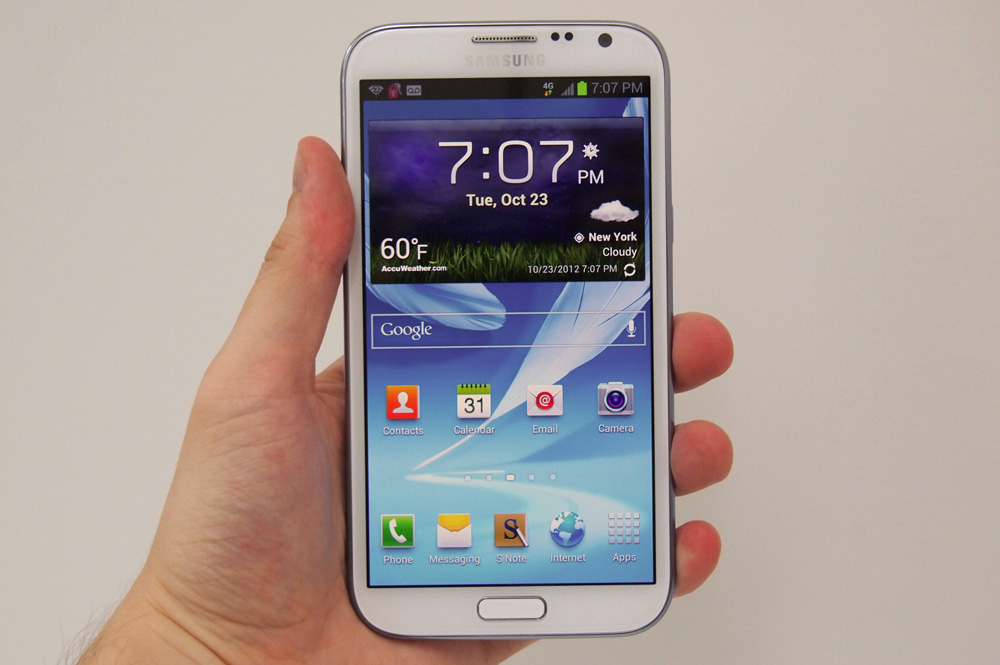
Samsung sells 3 million Galaxy Note 2 devices while it waits for the competition to catch up,

samsung galaxy note 2 hardware screen

Samsung has announced that it has sold 3 million Galaxy Note 2 tablet/smartphone hybrid devices, despite it only have been on sale since September. That's a lot of sales for a niche product, so where is its competition?

Samsung must be looking at the latest sales figures for the Galaxy Note 2, which it has just made public, shaking its head and then having a good laugh. It has released a device nobody thought they wanted and critics instantly took against, then went on to sell millions of them. So why is it laughing? Because there still isn’t any competition.

The Galaxy Note 2 went on sale during September in Korea, reached the UK on October 1, and has steadily made its way to the US and other regions around the world since. According to Samsung, in 37 days it has racked up more than 3 million sales.

The original Galaxy Note arrived in September 2011, but didn’t reach 1 million sales until the end of December, so the Note 2‘s performance is impressive going, particularly when you take into account the Note 2 is still a niche device.

But is it so niche that it doesn’t need some competition? Who does Samsung think it is? Apple? Has it really produced an initially derided product that in reality, just caught other manufacturers napping?

Rumors and half-releases

It seems so, as viable alternatives to the Note 2 are few and far between, despite the product line having been on sale for more than a year. There’s the LG Optimus Vu, or the LG Intuition if you buy it from Verizon; but in its infinite wisdom, LG hasn’t bothered to give it a wide release, so its sales are unlikely to impress.

HTC’s bizarrely named J Butterfly phone has a 5-inch, 1080p screen, but it’s only available in Japan, while Panasonic has picked up its 5-inch Eluga Power and taken it home, after it failed to gain any traction in the European market. At least these have seen a release, as phones such as the LG Optimus Vu II, the Oppo Find 5, Lenovo’s S880 and the Thomson X-View 2 are all seemingly in some kind of release date limbo.

Huawei and ZTE have woken up and started talking about their own tablet/smartphone hybrid machines. For Huawei, it will be the Ascend D2 and the rumor is it will be equipped with a quad-core chip and a 720p 5-inch display. ZTE’s Nubia Z5 will have the same specification, but will add a 13-megapixel camera too. Neither are confirmed though, and both are likely to do the rounds in China before possibly going international sometime next year.

There are also a few other rumored devices with 5-inch-plus sized screens coming soon. HTC may adapt the J Butterfly for international release — possibly to be named the Droid DNA and launched on the Verizon network — while the Sony C650X, codename Odin, may arrive next year too, along with a 6-inch screen version codename Yuga. Both of these and the Droid DNA are said to have 5-inch, 1080p screens.

All this gives the Galaxy Note 2 an almost entirely open playing field until well into 2013. How many Note 2 handsets will it have gone on to sell before a true alternative finally goes on sale?


Source : digitaltrends[dot]com

Oct 31, 2012

BlackBerry 10 phones being tested by carriers as Pentagon says it will keep using RIM handsets

Research In Motion boss Thorsten Heins has announced that devices running the firm's next-generation OS, BlackBerry 10, are now being tested by carriers around the world, keeping it on course for release early next year. Meanwhile, the Pentagon has said it will continue to use BlackBerry devices in its work.

It’s encouraging. It’s a step in the right direction. It might mean Research In Motion (RIM) really will fulfill its promise of a first-quarter 2013 launch of its next-generation BlackBerry 10 OS and handsets.

RIM CEO Thorsten Heins announced in a statement on Wednesday that handsets running the new OS were now being tested by more than 50 carriers worldwide.

Heins said reaching the testing phase meant the company had “passed a critical milestone” in the development of its new mobile computing platform.

“The hard work will not stop here as we build towards launch,” Heins said in the statement, adding, “Our developer teams are continuing to generate momentum to bring a wealth of applications to BlackBerry 10, our enterprise teams have started to present BlackBerry 10 devices and services to our business customers, and our engineers are fully mobilized to ensure that BlackBerry 10 launches flawlessly in the first quarter of 2013.”

In an interview with the BBC last week, Heins urged consumers not to underestimate “the dynamic [BlackBerry 10] is going to create in the market.”

In other news involving the mobile company, the Pentagon made clear this week that it would carry on supporting “large numbers” of BlackBerry handsets despite going ahead with plans to allow the US military to use other devices such as the iPhone.

“The Defense Information Systems Agency is managing an enterprise email capability that continues to support large numbers of RIM devices,” a spokesman told Reuters this week. A number of government agencies and businesses have said in the last year they would be issuing staff with iOS or Android devices, ending long-standing contracts with BlackBerry. While the Pentagon also appears to be relaxing its association with RIM, things are so serious at the Canadian company that the defense agency’s announcement that it’s not switching entirely to rival devices will actually be perceived as good news by many.

The BlackBerry was once the phone of choice for many agencies and firms thanks largely to its strong security features. However, security on rival handsets such as Apple’s iPhone and a number of Android-powered devices has improved over time, offering an alternative to the BlackBerry.

The launch of RIM’s next-generation OS and handsets is its make-or-break moment. Perhaps the Canadian mobile maker – once the country’s most valuable company – can still turn things around, remain a viable player in the mobile game and consequently help to keep competitors on their toes.


Source : digitaltrends[dot]com

Oct 25, 2012

Sony updates its Music Unlimited app for iOS – can it compete with the current stars of streaming?

music unlimited iphone

With a new update to Sony's Unlimited Music service on iOS devices, including the addition of music channels and redesign of the homepage, we got a hands-on look at a premium subscription of the music streaming service.

Music Unlimited has been around as a Spotify competitor since May, when we covered the launch of Sony’s streaming-music service. The app offers a comparable pricing model at $4.99 per month for the basic paid plan and $9.99 for the premium subscription, and has a library of 18 million licensed tracks that are available in 17 different countries. Streaming veterans Rdio and Spotify, for the record, each offer more than 18 million songs as well.  

Competition be damned, we go hands-on with the Sony streaming service and its iOS update. Using the $9.99 service for  iPhone, we wanted to see if the latest version of Music Unlimited can breath a little life into a platform whose name isn’t among the cream of the music streaming crop. 

Interface and navigation

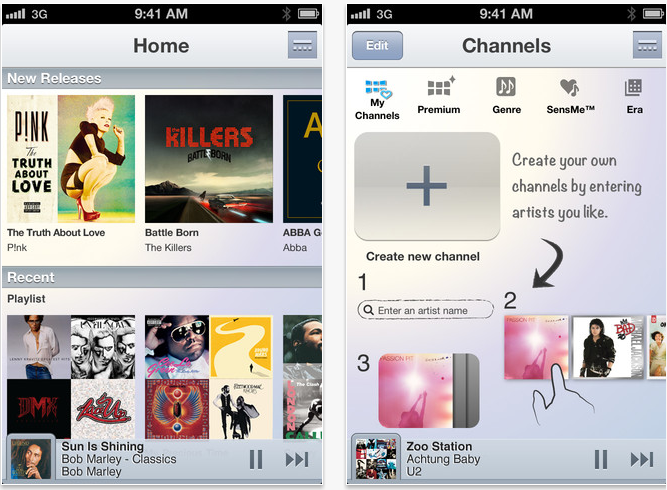
Music Unlimited’s iPhone app’s look and feel hasn’t been changed for the most part since launch, but there has been a retooling of a couple of the iOS app’s hubs, the new homepage being the most noticeable change. A list of random channels – pre-set music stations – and playlists used to be featured up front. Now you’ll find a category for “New Releases,” and recently played playlists and channels. At the very bottom of the homepage you’ll find a category called “You Might Like,” where Music Unlimited’s recommendation engine suggests artists based on your listening history. As a long time Spotify user, Music Unlimited’s iOS app’s homepage is arguably a familiar sight from color down to the album tiles.

Navigation remains fool-proof. A navigation button on the top right corner of the screen opens up additional tabs labeled “Channels,” “Charts,” “My Library,” and “Settings.”

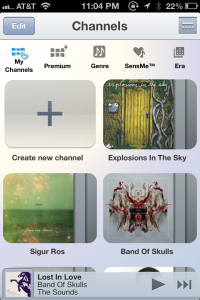
music unlimited channelsUnder the hood

Music Unlimited pays particular attention to its curation of music, and this is where the service actually does its competitors one better. The variety and number of curated channels (the equivalent of Spotify’s Stations) is a tempting service for lovers of radio and preset channels and refrains from inundating users with too much variety. For instance you can discover music based on chart topping tracks under “Charts,” access a list of Top 100 tracks from different genres from within the “Premium” tab, or take a trip as far back as the 1950s through the “Era” channel. The service also recognizes a trend in mood-based music curation by integrating mood driven channels like “Energetic,” “Emotional,” and “Morning.”

If you want to get creative, you can also make your own channel simply by selecting a favorite artist, and letting Music Unlimited’s engine do the rest. A Sony spokesperson explained that the custom channels worked “based on the analysis and categorization of musical traits across the service’s global library of music.” Still, I easily preferred the quality of music Spotify’s under-the-hood engine recommends. Music Unlimited’s engine runs on Gracenote, and while it sufficed, it was never quite able to surface music I really wanted to hear. Obviously this is subjective, and you might find Gracenote’s engine up to your standards. 

Finding and adding music to your library is as simple as opening up the navigation tab, searching for an artist, album or track, and selecting the track. And a new feature that iOS users will enjoy in the latest update is the ability to add tracks to a custom playlist.

Hiccups

A couple of caveats that I noticed was that I had to drill down three times into a search result before I could add the song. On top of this, when I was playing a track on a channel and wanted to skip to another track or play a new channel altogether, I encounter a bug on numerous occasions that would freeze the track until I navigated to a different tab to break out of the glitch. And again, the recommendations that Music Unlimited surfaced were pretty consistently disappointing for me — although, I have to reiterate this has more to do with personal taste than anything else. But it still seems like the streaming app’s ability to find what I want to listen to just isn’t quite up to par. 

Verdict: Good… but is it good enough?

Music Unlimited could easily function as a Spotify substitute if you’re needing one, particularly among those of you who enjoy preset music and genre-based music stations. The setup and function of the two have much in common: The like and dislike icons that helps the engines learn about your musical taste, the general look and feel of the interfaces, and even the pricing strategies are alike. And while Spotify’s business has taken off since its stateside launch (as of May, the service had 15 million active users, three million of whom pay for the service, for the record), Sony’s own effort is holding its own: Sony’s spokesperson revealed to Digital Trends that since its launch in May the service has amassed over one million active paid subscribers.


Source : digitaltrends[dot]com

Second screen app Boxfish takes its TV-guide-killing self to the iPhone

iphone boxfish

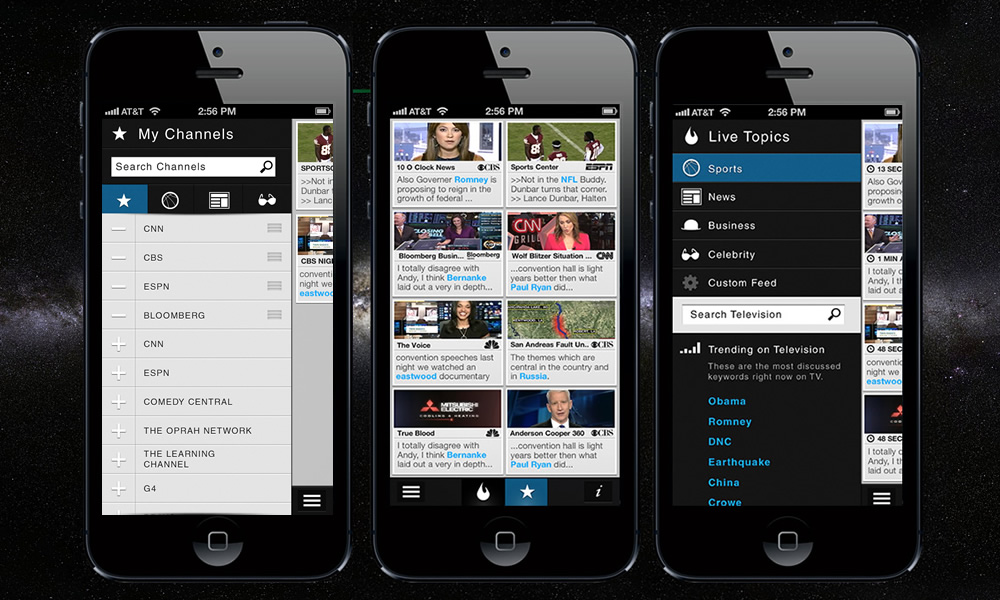
TV search and discovery — as well as remote control — app Boxfish can now add the iPhone to its list of compatible devices. The team has also taken a cue from early user behavior and made some adjustments to transform into more of a lean-back experience.

Today, second screen TV app Boxfish is launching its iPhone app. In August, Boxfish debuted its iPad app, which is essentially a means for helping users break out of the dysfunctional excel spreadsheet called TV guide we currently deal with.

The idea around Boxfish is to capture every word spoken on television along with Twitter trends to create an interactive, customizable platform for browsing and controlling what’s on television. The control function is literal: The app connects with your cable box to change the channel to your selected content (provided you’re using one of Boxfish’s partners – whose ranks are growing).

Boxfish CEO Eoin Dowling tells me the iPhone app essentially functions like the iPad app, with some aesthetic exceptions (screen size related, generally). “It’s a much more focused experience,” he says, adding you get the same set top box control as you do with the iPad app.

The team quietly rolled out the iPhone app last week, and already received plenty of user feedback and reactions. “Session usage is already spiking,” says Dowling. “People just use it more than the iPad – our findings show that people are in a ‘learn forward’ experience with the iPad, and the iPhone works better in ‘lean back’ mode.”

Insights to user behavior aren’t limited to the iPhone, however. Since the launch of Boxfish’s iPad app, the team has made plenty of changes to the tablet version as well. “We’ve moved to a tile UI that constantly updates your topics and channels,” says Dowling. “It’s a much more visual and simple navigation and discovery UI.”

“We found that even though there was a huge, highly active segment that were searching, the majority were making much more use of the ‘favorites’ [category],” he tells me. “We found that people just want to know what’s on. The majority just want a lean back experience.” He says Boxfish is moving more in this direction, while continuing to offer up the option of interactivity, but also becoming a passive app that serves as a background tool.

Change in Boxfish’s dynamic isn’t limited to its product: The team picked up Instagram designer Tim Van Damme for its board, and if there’s anything to be said about Instagram, it’s a heightened attention to aesthetics. “Tim’s all about the simple details. If there’s one thing he’s brought to the experience it’s the focus on simplicity. We’ve spent the last year building a monster technical and data-heavy platform; it’s been immense to have someone with such vast product experience to come in with fresh eyes and a laser focus on the user.”

Today’s iPhone app launch also brings with it Boxfish’s new AT&T integration, and the startup has a handful of other partnerships in the works. Also in the works? The Android app. Dowling says the platform’s fragmentation would have made for a poor user experience at launch and the team is choosing to wait on a release. For now, you can check out Boxfish for iOS, available in the App Store today. 


Source : digitaltrends[dot]com

Oct 23, 2012

Asus Launches Dual-Screen ‘Taichi’ Notebook

It probably wasn’t the best day for a computer maker to unveil new devices, as everything would inevitably be overshadowed by Apple’s concurrent unveiling of new iPads.  Nevertheless, Asus pushed forward with an event in New York City, where they introduced a slew of new Windows 8 notebooks and tablet-notebook hybrids.  Existing product lines were updated, like the Zenbook family of Ultrabooks, while entirely new lines were launched.

The standout product was the Taichi, an Ultrabook featuring two HD screens, one on the inside of the notebook lid and the other on the outside.  The inside screen functions like a regular display while the outer screen is a touchscreen.  When closed, the Taichi can be used as a tablet (with included stylus).  In the open position, it functions as a typical laptop, with the focus placed on the inner screen and keyboard.

Asus made some interesting user case scenarios for the dual screens, which can simultaneously display either the same content on both screens or different content on each.  For business professionals, the inner and outer screens could potentially be used during presentations, with one screen facing the user and the other facing clients. At home, parents can work using the inner display and keyboard, while kids watch a movie on the outer screen.  It’s a unique concept and a creative departure from similar Windows 8 notebooks with single screens that flip or twist to become tablet touchscreens.

The Taichi’s dual screens measure 11.6 inches and the device will be offered in three different configurations, with either an Intel Core i5 or Core i7 processor.  All will have 4GB of memory and an Intel HD 4000 graphics processor and either 128GB or 256GB of SSD storage.  Starting price is $1,299 and availability begins this November.


Source : abcnews[dot]go[dot]com

200 million devices already upgraded to iOS 6

Over at the Apple event in California Theatre in San Jose Tim Cook announced the number of devices that are currently running on the latest iOS 6.

The magic number is 200 million, which is quite impressive.

iOS 6 started seeding to users On September 19 and reached 100 million devices in just a couple of days. In a matter of weeks iOS 6 covered over 60% of iPhones out there.


Source : blog[dot]gsmarena[dot]com

Oct 17, 2012

App-enabled Beam Brush tracks habits, gamifies brushing your teeth

Beam Brush

Possibly a fun way to get kids to brush their teeth more often, the Beam Brush utilizes your smartphone to encourage better oral hygiene.

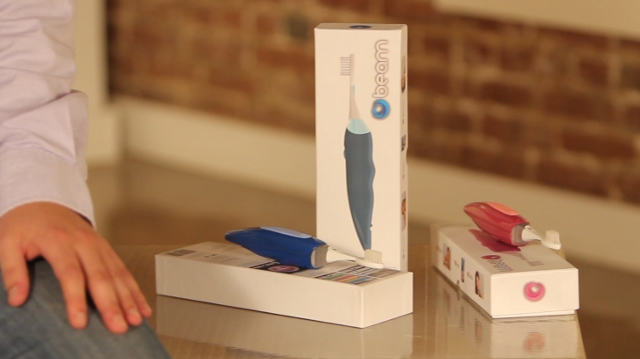
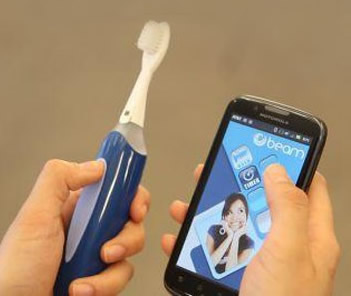
Similar to health-related tracking devices like the Fitbit, a company called Beam Technologies has developed a toothbrush that syncs with your smartphone to track your oral health. Called the Beam Brush, the Bluetooth-enabled toothbrush is designed to increase the amount of time you spend brushing your teeth in addition to tracking overall consistency. Syncing to either an iPhone or Android phone, the Beam Brush includes a two minute timer and a quadrant indicator to help the user target specific sections of their mouth. In addition, the user can setup the application to play their favorite song in order to listen to something entertaining while brushing. 

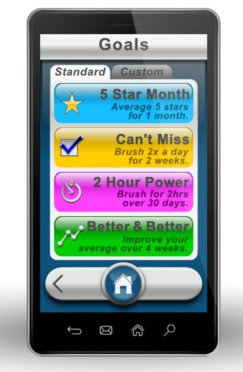
Beam Brush SyncThis product may be particularly helpful for parents trying to encourage their children to brush their teeth on a consistent basis. The app allows parents to sync multiple Beam Brushes to a single smartphone, so an entire family could track their progress. In addition to a set of standard goals within the app, parents could also setup custom goals that could lead to incentives for a child.

The application also outputs reports detailing each time a person brushes their teeth in addition to the length of time for each instance. Reports can be formatted for a single day, a full week or an entire month. These reports can be supplied to your dentist through email, thus helping the dentist evaluate a patient’s oral care more accurately. Rather than telling a patient to simply increase the amount of times they brush and floss their teeth each day, dentists will be able to offer more specific advice regarding future oral hygiene. 

According to data provided by Beam Technologies, the average person brushes their teeth for 46 seconds. By increasing the figure to 120 seconds, users will be able to reduce the potential for cavities or other problems that would require a trip to the dentist. People are also 50 percent more likely to brush for a full two minutes if using a timer. 

beam brush goalsAccording to Mashable, the company plans to monetize brushing goals for all Beam Brush users. This would include prizes such as discounts on specific merchandise or entertainment options like tickets to a local theater as well as video games for kids.

Hypothetically, the company could also work with dentists to provide incentives to patients that supply the Beam Brush tracking data prior to a checkup.

Beam Technologies plans to launch the Beam Brush during November 2012 for a price of $49.99, but is currently offering a preorder price of $34.99 on the company’s site. Available in blue and pink colors, the Beam Brush uses AA batteries that last approximately 90 days per charge. It also requires Android version 2.2+ or iOS 3.2+ on your Android phone or iPhone.

Replacement brush heads will be sold through the site for a price of $3.99. Beam Technologies recommends that the brush head be swapped out every three months and includes a feature within the app to track the last time the brush head was replaced. In order to raise consumer awareness about the Beam Brush, the company is also working with dentists on a resale program. If a dentist likes having access to the Beam Brush data, they could offer the brush to patients during a checkup.


Source : digitaltrends[dot]com

Oct 12, 2012

Sony revamps its computer line-up, here are the prices for the new models

Sony is busy revamping its computer lineup, bringing new devices in several categories. The VAIO Tap 20 and VAIO Duo 11 will be firsts for the US market, but more importantly we have pricing and launch dates.

Along with the additions of the new models, there’s one line that has been showed the door – the awesome (and wallet-punching) VAIO Z is nowhere to be found on the new roster.

The VAIO T13 Ultrabook is not new, but Sony is adding a touchscreen option. It will cost you $100 extra over the $630 starting price. The new T Series ultrabook is the T14, which weighs 1.71kg and packs an optical drive. Its pricing starts at $670.

The VAIO Duo 11 hybrid will be priced at $1,100 for the base model and will go on sale this month. You can check out our hands-on for more info.

The VAIO Tap 20 is Sony’s first all-in-one PC for the US and will pack a battery so you can also use it as a massive 20″ Windows 8 tablet. It too goes on sale in October with an $880 price tag.

There is going to be an L-Series all in one, too, starting at $1200 along with new E-Series (11″, 14″, 15″ and 17″, $500-$730) and S-Series (13″ and 15″, $800-$1200). The E14P is getting a $100 touchscreen option, while the 17″ model is new to the E-Series, not just a refresh.


Source : blog[dot]gsmarena[dot]com

Oct 10, 2012

Apple launches new iPod ad, lots of colors and bouncing

ipod ad

Apple unveiled a snappy new ad for its refreshed iPod devices on Wednesday highlighting the range of colors on offer.

As Apple begins shipping the first batch of orders for its refreshed iPod range of media players to expectant customers around the world, the tech company has launched a new ad called ‘Bounce’ featuring the new devices.

The 30-second slot, posted on YouTube on Wednesday night and set to air on TV, features a bunch of iPods (touches, nanos and shuffles) bouncing around to a funky track called Yeah Yeah by London-based singer Willy Moon. It’s pretty, slick, and quick, and you can check it out below.

Apple unveiled a new iPod touch last month, featuring a larger 4-inch screen identical in size to that of the iPhone 5. Compared to its predecessor, the updated fifth-generation device is slimmer and lighter, and sports a vastly improved 5-megapixel camera. More RAM and a faster processor make for a much zippier device compared to earlier touches, too. It also comes in six colors – no longer just black and white – a feature that forms the basis of the new ad.

The new seventh-generation iPod nano, described as the thinnest nano to date, has done away with the small square design of its predecessor and returned to the longer look of the fifth-generation nano. An extra color has been added to the range, too.

As for the shuffle, three new colors have been added to the range.


Source : digitaltrends[dot]com

Interested in Windows Phone 8? Here’s a complete roundup of upcoming devices

Windows phone 8 upcoming samsung nokia htc

We give a quick and comprehensive overview of the devices set to launch alongside Microsoft's Windows Phone 8.

Windows Phone has struggled to establish a foothold in the crowded smartphone marketplace, and the distance between Microsoft and its competitors is only growing. Microsoft hopes this will all change with the release of Windows Phone 8 and device manufacturers like Nokia, HTC, Samsung, and Huawei ready to back it up on the hardware front. 

We surfed the web for hours (seriously, it was hard) to put together a list of all the WP8 devices set to launch alongside the new OS at the end of October. And if we may be so bold, each company has put out some of its best work under the Microsoft name. Below are the first Windows Phone 8 devices.

(*Note: All devices below run on Qualcomm Snapdragon S4 processors.)

Nokia Lumia 920

Nokia Lumia 920Screen: 4.5 inches, 1280×768 pixels, 332ppi, IPS LCD
Specs: 1.5GHz dual-core, 1GB RAM, 32GB storage
OS: Windows Phone 8
Camera: 8.7MP rear (1080p video), 1.2MP front (720p video)
Connection: 4G LTE, 3G HSPA+ 
Price: TBA

Description: The Lumia 920 is posed to be Microsoft’s savior for Windows Phone 8, a White Knight on horseback ready to cut a swath through all the iPhones and Androids out there. Nokia claims the big draw for consumers comes from its superior camera technology and software innovations. Its latest line up comes with wireless charging and elements of its PureView camera. On the software front, it has its own maps and a music streaming app. Not to mention it looks gorgeous with a polycarbonate, high-gloss, unibody design.  

Nokia Lumia 820

Nokia Lumia 820Screen: 4.3 inches, 800×480 pixels, 217ppi, AMOLED
Specs: 1.5GHz dual-core, 1GB RAM, 8GB storage
OS: Windows Phone 8
Camera: 8MP rear (1080p video), 0.3MP front (VGA video)
Connection: 4G LTE, 3G HSPA+
Price: TBA

Description: The Lumia 820 may be aimed at more budget-minded consumers, but it still holds onto the wireless charging (with the right accessory) and software present in its older brother (but a lesser camera). Like the 920, the 820 comes in a bunch of bright colors but in this case, the colored backplates are interchangeable. Since it doesn’t follow a unibody design, the 820 also has a removable battery and supports microSD so you can jack up the storage up to 32GB.

 
HTC Windows Phone 8X

HTC Windows Phone 8XScreen: 4.3 inches, 1280×720 pixels, 341ppi, Super LCD 2
Specs: 1.5GHz dual-core, 1GB RAM, 16GB storage
OS: Windows Phone 8
Camera: 8MP rear (1080p video), 2.1MP front (1080p video)
Connection: 4G LTE, 3G HSPA+
Price: $200 with a 2-year contract 

Description: At first glance, the HTC Windows Phone 8X looks like it may just be a cheap knock-off of Nokia’s Lumias. However, once you get past the familiar form factor and dizzying color options, the 8X does hold its own. It’s crafted from the same polycarbonate that gives the Lumia its signature swagger. HTC has also included Beats Audio here, much like in its One-branded smartphones. The non-expandable 16GB storage may be a drawback, but that wholly depends on your storage needs.


 HTC Windows Phone 8S

HTC Windows Phone 8SScreen: 4 inches, 800×480 pixels, 233ppi, Super LCD
Specs: 1GHz dual-core, 512MB RAM, 4GB storage (32GB)
OS: Windows Phone 8
Camera: 5MP rear (720p video)
Connection: 4G LTE, 3G HSPA+
Price: TBA

Description: HTC’s Windows Phone 8S is the cheaper option in the company’s WP8 offerings, and it’s a fairly large step down spec-wise from its more luxurious counterpart. The two-toned coloring is pretty flattering, but the cheaper, plastic build can’t compete with the polycarbonate body of the 8X; the saving grace is that HTC opted for a matte finish. Like the Lumia 820, the 8S supports microSD for added storage. The 8S also doesn’t have a front-facing camera, a rather weird move considering Microsoft’s acquisition of Skype and it’s RAM, screen resolution, and storage are lacking. 

Samsung ATIV S

Samsung ATIV SScreen: 4.8 inches, 1280×720 pixels, 306ppi, HD Super AMOLED
Specs: 1.5GHz dual-core, 1GB RAM, 16 or 32GB storage
OS: Windows Phone 8
Camera: 8MP rear, 1.9MP front
Connection: 4G LTE, 3G HSPA+
Price: TBA

Description: Judging by the looks of the ATIV S, Samsung wasn’t invited to Microsoft’s neon-centric design meeting. In stark contrast to its fellow WP8 devices, the ATIV S is rocking a brushed metallic finish and only comes in a single color option. However, it’s certainly nice to see Samsung can make a device that isn’t made of plastic. The ATIV S wins in terms of storage space, supporting up to 32GB of added storage through an appropriately sized microSD. But all in all, the ATIV S isn’t as unique as what Nokia and HTC are presenting. Samsung may, literally, be phoning it in.

Huawei Ascend W1 and Ascend W2

Huawei Ascend W1
Not a lot is known about Huawei’s rumored pair of Windows Phone 8 devices. We’re still waiting for the official unveiling, but we do know the W1 will be its flagship device and the W2 will most likely be a mid-range device.

However, if the Ascend is anything like the Android-powered P1 then the smartphone will pack a 4.3-inch screen, Super AMOLED display, and 4GB of storage. Due to Microsoft’s restrictions on Windows Phone 8 devices, we can expect the Ascend will also come with a 1.5GHz Qualcomm Snapdragon S4 and 1GB of RAM. It will also probably look a lot like the device pictured at left. 

Here’s hoping Huawei puts its best foot forward here and launches an incredible pair of smartphones. 

Any of these new devices stand out to you? Are you planning on upgrading to Windows Phone 8 when it launches? Let us know in the comments below.


Source : digitaltrends[dot]com

Best Android Apps [Part 1]

Android apps are mobile softwares specifically developed for operating on the Android OS or operating system. This is probably the most popular platform used in tablets, cellphones along with other mobile devices. Google’s OS has an open source nature which directly means that users can download and install numerous fantastic applications on their phones and tablets. Most of the top Android apps are free, and there are free versions of the paid ones, so users can always choose to make the most of the Android apps store without having to worry about the finances involved. Last time, we posted something on Best iPhone Apps, feel free to check it out.

Back in 2008, the first ever Android-powered handset was released and since then the Android app store has become one the most visited marketplaces for downloading of applications. Back when it first started out, the Android Market for apps was quite minimalistic as compared to the Apple store for applications. Today, the store offers millions of applications for quick and easy download.

In the crowded Android Market, finding the best and top rated apps can be quite a challenge. This is where a compressive list of apps comes in handy. The apps are usually rated based on how many downloads it has recorded and the general public reviews collected. Here is a list of best apps for Android phones and tablet PCs based on user reviews and number of downloads:

1) Seesmic for Twitter (Free)

There are many Twitter applications on Android, including an official one by Twitter itself, but Seesmic has been popular for numerous reasons. It provides unlimited support for several accounts and a home-page widget shows the newest tweets in real time. The design is very professional and it is quite user friendly, this app is free but there’s a pro version you can get for £1.89 available here

2) Samsung ChatOn (Free)

While there are plenty of messaging tools for the Android platform, Samsung’s ChatOn take the cake. With multi-platform support and the ability to incorporate social networking features, ChatOn has clients available for older, non-smart Samsung phones as well.

3) Flicker (Free)

Flickr is one of the best Android apps for users who like all their news, tweets and updates in one place. The app supports Twitter and Facebook sharing and users can click pictures from within Flicker. There is a set of Instagram-like filters as well. If you can get it free, why not, this app is available for free

4) FX Photo Editor ($3.99)

The FX Photo Editor is a great photo editing tool. It is packed with filters, cropping tools and frames and also lets users tweak their pictures with various other resourceful features and tools. There is a free version as well that comes with fewer features.

5) BeWeather (Free)

Although there are various weather apps for users to choose from, BeWeather is often considered one of the best android apps. It displays the current weather in vibrant HD weather animations. Users are also given many customizable clock and weather widgets. Weather applications are always a huge hit with smartphone users and these also come in handy.

6) Postman SMS Spam Blocker (Free)

Users who prefer a good text message spam filter and blocker can download the Postman SMS Spam Blocker for free. This app automatically filters unwanted text messages so that they never actually reach you. Filtering out spammy and unwanted texts is one of the biggest concerns for smartphone owners. With an application like Postman SMS Spam Blocker, the task becomes simple and hassle-free.

7) doubleTwist Alarm Clock ($1.99)

This is one of the most beautiful and feature-rich alarm clock apps for Android. Unlike most other alarm clock apps, this one is paid but its layout makes it worth the money. doubleTwist has been popular for releasing some of the best known Android apps.

8) Google Maps (Free)

One of the top Android apps for navigation is the Google Maps Navigation app. Designed for users with Android 1.6 or above, the application offers turn-by-turn navigation and route calculations are done as soon as the trip starts. Users are on target even when the GPS signal is lost.

9) Dropbox (Free)

Dropbox gained a lot of popularity when it was introduced for the iOS platform and its Android version has also become highly popular, making it one of the best apps for Android. The app allows users to sync files across all their devices with ease. Although everything is not as automated as users would have hoped, it is still a great app.

10) Photon ($0.99)

For users who love puzzle games, Photon is one of the best android apps. If you loved games like Bejeweled or Chuzzle, then Photon is something that you must download on your Android phone or tablet. The game is easy to play and poses quite a challenge to even the most seasoned of players.

Report an error

Tags: android apps, Android Games, best android apps, best apps for android, top android apps

Source : techtalkafrica[dot]com

Oct 3, 2012

Sandia’s MegaDroid goes public

What has 300,000 Android Operating Systems and helps tech professionals predict how mobile devices would react in a crisis? It's a massive project called MegaDroid, based in California.

What do you call an artificial system that simulates a network of hundreds of thousands of Android devices, allowing to predict the behavior of said devices in case of new app, malware or unforeseen technological breakdown? If your answer was “The Matrix,” then somewhere the Wachowski siblings would like to thank you, but the real answer is something far more entertaining than any amount of Keanu Reeveses staring blankly at the screen. World, meet the MegaDroid.

The MegaDroid is the creation of researchers at California-based Sandia National Laboratories, and virtually simulates 300,000 separate Android devices in an attempt to analyze the reactions of large-scale networks to any number of situations. According to computer scientist John Floren, the MegaDroid is completely insulated from all other networks in the world, but nonetheless offers a realistic network environment inside itself, complete with full domain name service, Internet relay chat server, web server and multiple subnets. It even includes a fake GPS system so that the fictional users of the multiple Android devices being simulated can be tracked in different environments to see whether environment would have any effect on the particular data being studied, and also whether areas without WiFi or Bluetooth impact service significantly.

The need for MegaDroid is explained by Floren very simply: “You can’t defend against something you don’t understand,” he says, pointing to the system’s use in running simulations that will allow Android users to be protected against cyber attack or disruption of service from more benign sources. It’s something echoed by Sandia’s David Fritz, who says that, although “smartphones are now ubiquitous and used as general-purpose computing devices as much as desktop or laptop computers,” they remain easy targets for those seeking to disrupt the system. “No-one appears to be studying them at the scale we’re attempting,” he added.

Continuing, Fritz said that “It’s possible for something to go wrong on the scale of a big wireless network because of a coding mistake in an operating system or an application, and it’s very hard to diagnose and fix. You can’t possibly read through 15 million lines of code and understand every possible interaction between all these devices and the network.”

MegaDroid uses data gleaned from 2009′s MegaTux project, in which Sandia ran a million virtual Linux machines (They have also created MegaWin, which runs multiple Windows OSs simultaneously; clearly, they find mass production very attractive). The experience helped when it came to duplicating the surprisingly complex Android code, with Google’s coding running on top of Linux. Sandia plans to make much of MegaDroid open source once the bugs have been worked out, with Fritz explaining that decision with remarkable ease. “Tools are only useful if they’re used,” he said. What would you do with 300,000 Android devices…?


Source : digitaltrends[dot]com

Sep 28, 2012

Are we evolving tech, or is tech evolving us?

brain tech evolution memory

We may be the masters of the devices we create, but as we become more and more dependent on them, we are literally rewiring our brains.

Watching the Apple Maps fiasco slowly unfold across Twitter over the past week, a stray thought struck us like a lightning bolt: humans don’t just use technology — we adapt to it.

In the dark days before the first iPhone – say, 2006 — people who wanted to catch a train wandered down to the station, flipped open a brochure or stared at a route map, and figured out how to get where they needed to be the old-fashioned way. A mere six years later, we’ve become so used to Google Maps’ excellent transit directions that their omission in Apple’s homebrewed Maps has caused a universal conniption fit. Some people literally don’t know how to find the right bus without Google’s help.

It’s a fascinating concept: If people can rewire themselves so thoroughly in just six years, imagine what our lives — and bodies — will be like sixty years from now.

What might be coming down the pike as we increasingly rely on technology? Because let’s face it, we ain’t getting any less of it going forward.

Damned dirty apes

Physically evolving to match the technology of the times isn’t anything new. In fact, humanity wouldn’t be humanity as we know it if the earliest cave squatters failed to adapt to their surroundings.

According to author Richard Wrangham of Catching Fire, humanity would still be swinging in the trees if it wasn’t for a primitive form of technology: cooking. Cooked food is softer than uncooked food. Wrangham claims that eating cooked food led to a mutation that reduced the size of our ancestors’ jaws, which gave them the capacity for speech and freed up space in their skulls for bigger, more advanced brains.

Chew on that as we journey into a speculative look into humanity going forward.

The future, today

Actually, physiological changes are already occurring in humans who drink deeply from the technological well.

As computers and the Internet become more and more ubiquitous, our brains are changing to compensate for the change in reading and memory habits. In fact, the sheer amount and availability of information that’s out there is changing the way we remember.

In a study titled “The Google Effect,” Columbia University researchers discovered that humans are actually starting to use the gigantic knowledge repository that is the Internet as a personal memory bank, rather than a simple information resource. In a nutshell, we’re getting better at remembering where and how to find online information — such as through a simple Google search — rather than the actual information itself.

UCLA neuroscientist Gary Small conducted a study of 24 people aged 55-plus, half of whom were “Net-savvy.” He had all of them conduct basic Web searches for information; MRI testing showed that the Netizens had twice as much neural activity as non-Netizens.

brain neurons memory internetWe process brief bytes of information in bursts now, and the world moves to compensate. Witness the Twitter-esque feeds on news and sports shows, or the rise of the tl;dr meme.

Is this rewiring of our base structure a bad thing? Only if you’re not one of the Connected Ones. Most of the information in the world is literally at our fingertips, and our brains need to compensate for the deluge. Human brains can’t store as much as near-infinite server hard drives, so adjusting our physiology to remember how to find data is evolutionary efficiency at its finest — as long as you don’t stumble into a rural area with poor broadband connectivity, that is.

How else will we change?

There’s no reason to assume our minds will be the only aspects of humanity altered in the coming years. Our cultural behavior is already changing, as well; NPR reports that high school reunions are in serious decline now that everyone can keep up with their best buds through Facebook.

In general, online connections aren’t as strong as face-to-face connections, but I’d argue that keeping tabs on your buddies year ’round rather than once every five or ten years is a vast improvement.

Consider further the way we see, smell and hear. Historically, hearing aids and glasses have been used to help people with below-average senses reach normal levels. Now we’re starting to break that paradigm.

Augmented reality headsets capable of displaying info at a glance have long been the purview of pioneers like Steve Mann. No longer. Nokia’s Lumia 920 features robust augmented reality support. The awe-inspiring Google Glasses could be combined with Jelly Bean’s Google Now to engulf us in an enhanced, Matrix-like world where the information you need is there when you need it. Then, our brains wouldn’t even need to remember how to find information. The engine handles it all.

google glasses augmented reality vision brain memorySpeaking of the Matrix, current technology is limited by modern-day battery life. That barrier should fall in the future; scientists are working on ways to turn the human body into a battery, tapping into kinetic energy generated by specialized clothing — or even heart beats. The technology is still in its infancy, but once your heart powers your Google Glasses, there will never be any reason to take them off.

Our very bodies could change shape and form with the help of technology; “body architect” Lucy McRae has already developed a pill that makes you smell like perfume when you sweat, while geneticists have discussed engineering children to be smaller in order to reduce their ecological footprint in an increasingly crowded world. Surgeon Anthony Atala has demonstrated a proof-of-concept 3D printed kidney. Got a bum liver? Just pass the bottle and print out a new one.

Advances in hassle-removing technologies could have profound effect on human society, but it’s still too early to tell how the changes will play out. How will our body — and our society — respond when all labor is handled by robotic workers, 3D printers provide our food (and body parts), and our cars drive themselves?

The Singularity

As man and machine become more and more co-dependent and Moore’s Law makes technology more and more powerful, futurists anticipate the arrival of an event they call “The Singularity;” the day that superhuman intelligence arises from the shackles of our flesh-and-blood confines, either through the use of brain augmentation or advanced AI and brain uploads.

Different theorists predict different dates, but noted futurist Ray Kurzweil expects the Singularity to occur as early as 2045.

Will the Singularity ever occur? We won’t know for a while yet. One thing is for certain, however: the more we use technology, the more it shapes humanity’s very core — and the more powerful we become.

And before any Luddites bemoan the prospective loss of our self being in a sea of ones and zeros, consider this: Socrates thought the simple written word would obliterate individual knowledge and self-identity, as well. From Plato’s Phaedrus:

This discovery of yours will create forgetfulness in the learners’ souls, because they will not use their memories; they will trust to the external written characters and not remember of themselves.

Haters gonna hate, but you can’t stop progress… unless, apparently, you ditch Google Maps.

[Image credits: Brain Circuit - takito/Shutterstock; Neurons - Lightspring/Shutterstock; Project Glass - Google]


Source : digitaltrends[dot]com

Nestlé puts GPS trackers in candy bars as part of big cash-prize contest

Nestlé's latest marketing campaign involves six chocolate bars, GPS tracking devices, a helicopter, big cash prizes and "a crack team of highly trained individuals."

Buy a chocolate bar in the UK and before you know it you could have someone knocking on your front door holding a suitcase full of cash – with your name on it.

It’s all part of a competition launched by confectionary giant Nestlé. Called ‘We Will Find You’, it involves GPS chips placed inside six of its big-selling chocolate bars.

Once someone opens one of the lucky bars, the chip will activate and send location information back to Nestlé, who will then despatch a helicopter to find the buyer to present them with a briefcase containing their £10,000 (about $16,000) cash prize.

The fun 30-second promotional video (check it out below) describes how a “crack team of highly trained individuals….will board a helicopter, find the special bar, and give the owner £10,000.”

The marketing campaign, developed by creative agency JWT London, is part of a huge promotion involving ads on TV and radio, as well as online, costing Nestlé around £4 million ($6.5 million).

Any of our UK-based readers feeling lucky, as well as a bit peckish, should consider purchasing one of the following bars (or all of them, many times over): Kit Kat 4 Finger, Kit Kat Chunky, Yorkie and Aero Peppermint Medium.

For more information on the high-tech Willy Wonka-style competition, head over to Nestlé’s Facebook page here.

[via CSPNet]


Source : digitaltrends[dot]com

Sep 27, 2012

TSA agent steals iPad, busted using Apple’s tracking software

Find My iPad

Despite the existence of GPS tracking applications for security, criminals still think they can get away with mobile devices.

Detailed extensively in an investigative sting operation conducted by ABC News, an Florida-based TSA agent named Andy Ramirez was caught with a iPad stolen from the security line at the Orlando International Airport. In an attempt to test the honesty of TSA agents at ten major airports around the United States, ABC News representatives “accidentally” left their iPad at the security checkpoint. Each iPad had a case that displayed the owner’s name and phone number. At nine of the ten airports, TSA agents correctly followed procedure and contacted the owner of the tablet. In addition, ABC News representatives tested sending checked bags containing cash and an iPad through security, but nothing was stolen from any suitcase at all ten airports.

Former TSA Agent RameriezRegarding the iPad that went missing, ABC News secretly filmed Ramirez handling the iPad at the security checkpoint. Two hours later, representatives used Apple’s Find My iPad application to track the location of the expensive tablet to Ramirez’s home.

Over two weeks later, ABC News sent reporter Brian Ross and a camera crew to Ramirez’s home. Catching Ramirez outside in his TSA uniform, Ross introduced himself and asked Ramirez about the missing iPad. Despite showing Ramirez the current GPS location of the iPad on another tablet, Ramirez denied that the iPad was located within his home.

Ross then used the Find My iPad sound feature that overrides the volume or silent setting on the tablet to activate a loud alarm. After hearing the tablet inside the home, Ramirez retrieved the iPad and blamed his wife for stealing the tablet. Ramirez said “My wife said she got the iPad and brought it home.” Ross disputed his claim by bringing up the footage taken at the security checkpoint, but Ramirez refused to answer any more questions and closed the door.

As of Wednesday afternoon, Ramirez was no longer employed by the Transportation Security Administration. Regarding the incident, a TSA representative stated that the organization has “a zero-tolerance policy for theft and terminates any employee who is determined to have stolen from a passenger.”

However, this isn’t the first time that a TSA agent has been busted for stealing electronics or other valuables from passenger luggage. In a similar case during February 2012, police at the Dallas-Fort Worth International Airport arrested 31-year-old Clayton Keith Dovel after using Find My iPad tracking to locate eight stolen iPads at Dovel’s home. Dovel was a TSA baggage inspector at the Dallas airport.

Also during February 2012, a 31-year-old, New York based TSA agent named Alexandra Schmid was arrested for stealing $5,000 in cash from a passenger’s jacket. After wrapping the cash within a plastic glove, Schmid was filmed taking the money into a bathroom to pass it off to an unknown person. Shortly after the incident Schmid was arrested for grand larceny. During July 2011, TSA agent Nelson Santiago-Serrano at another Florida airport was arrested after authorities discovered an iPad shoved into his pants. His arrest led to the discovery of $50,000 dollars of additional stolen electronics during his employment period with the TSA.


Source : digitaltrends[dot]com